Conviso Code Insights
Introduction
The Code Insights module in the Conviso Platform offers a powerful way to analyze your entire codebase, focusing on inspecting assets in a secure virtual environment. This feature provides deep visibility into your code, allowing you to analyze vulnerabilities based on the specific context of your asset.
Prerequisites
Before you can use Code Insights, ensure that:
- You have at least one asset integrated with GitHub or Conviso AST
Usage
The Code Insights module helps you maintain a secure codebase by providing:
- In-depth analysis of your codebase
- Detection of vulnerabilities and unsafe coding patterns
- Continuous monitoring to ensure ongoing code security
Locate the Configured Asset
To access Code Insights, locate the configured asset that has an integration with GitHub or Conviso AST, and navigate to More Details > Code Insights, and click View.
In the following example, the asset has integration with GitHub.
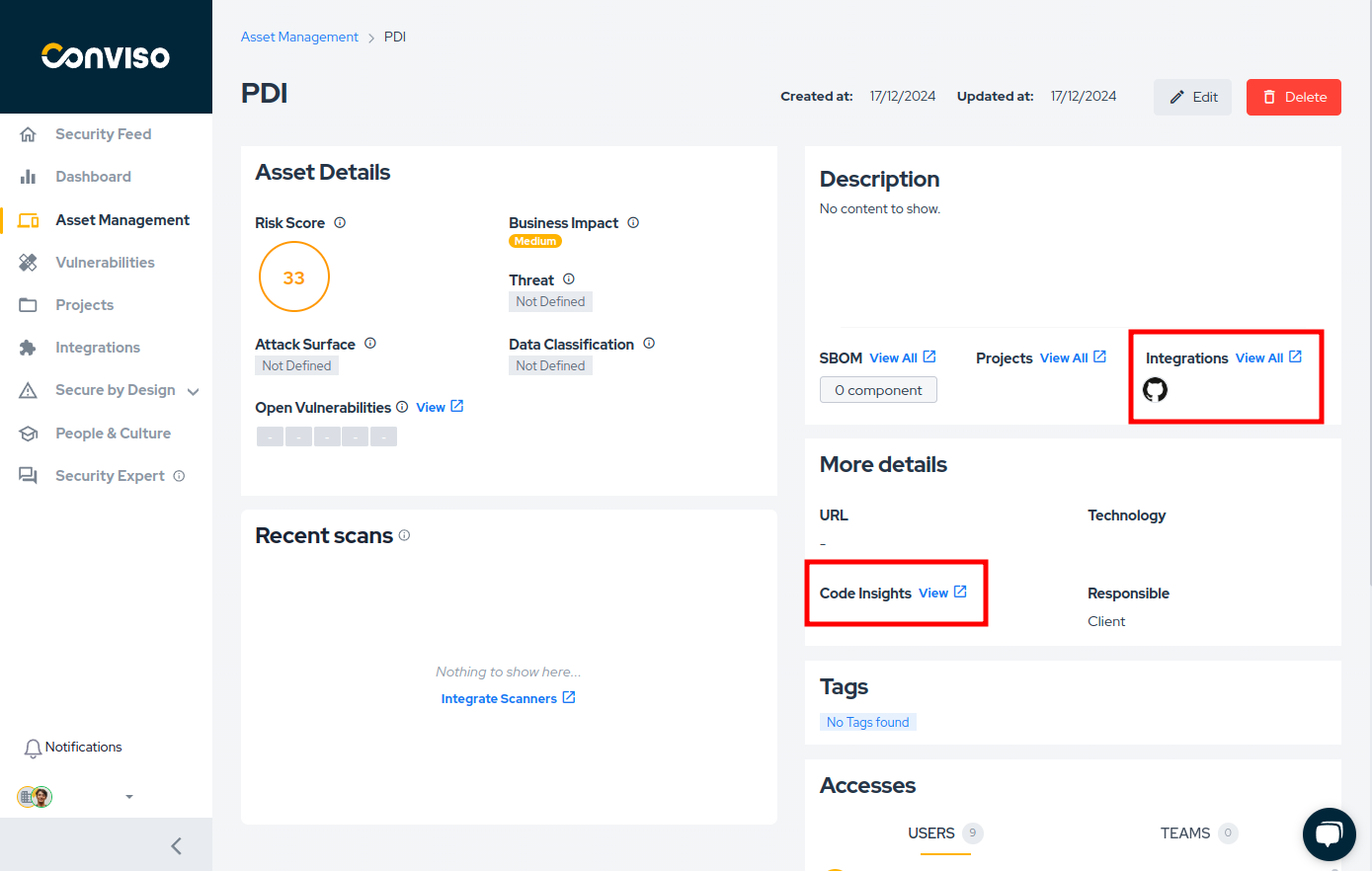
After clicking View, a dialog box will appear where you can start the analysis by clicking Start a virtual environment:
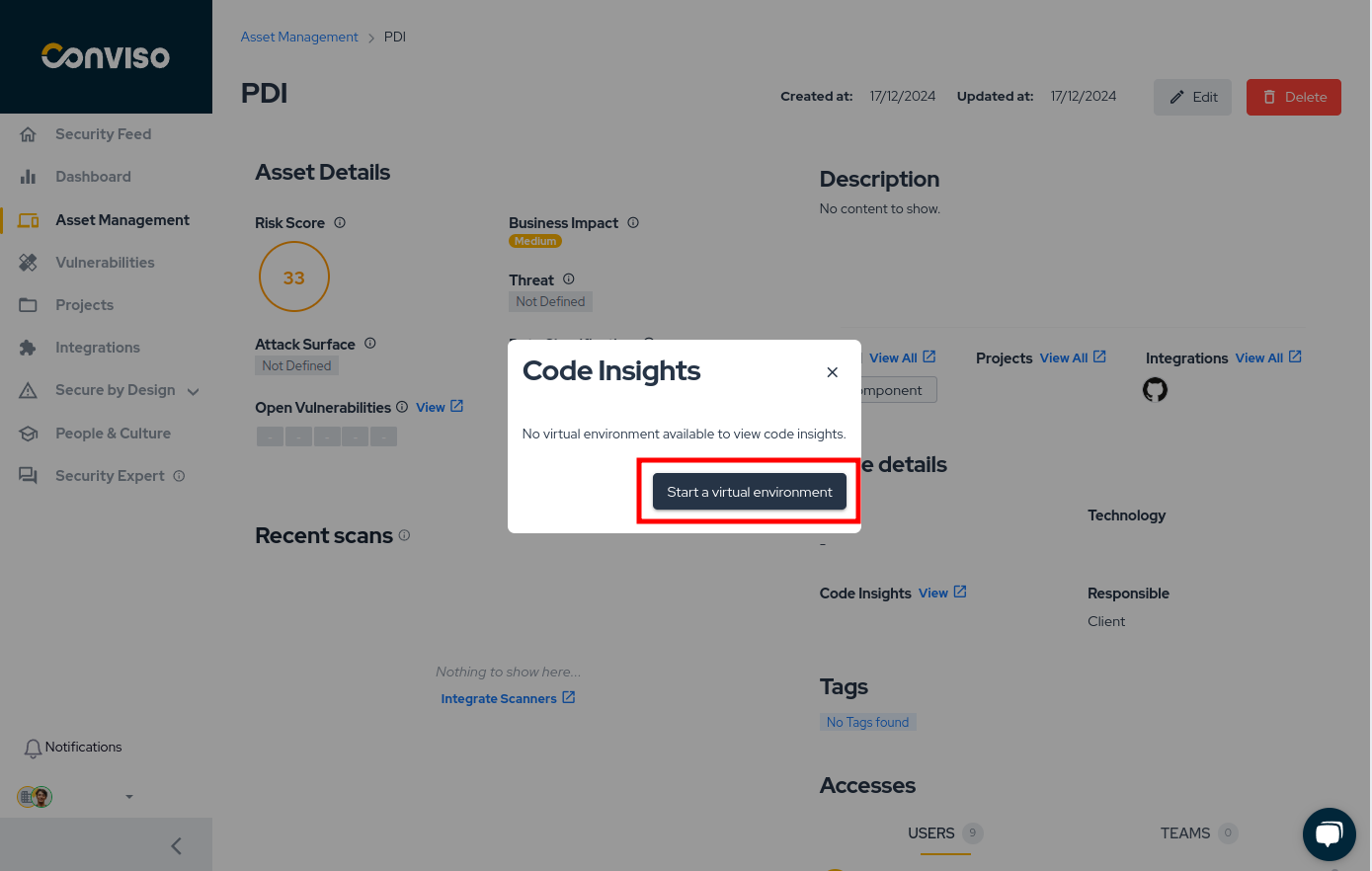
Wait until the virtual environment is provisioned:
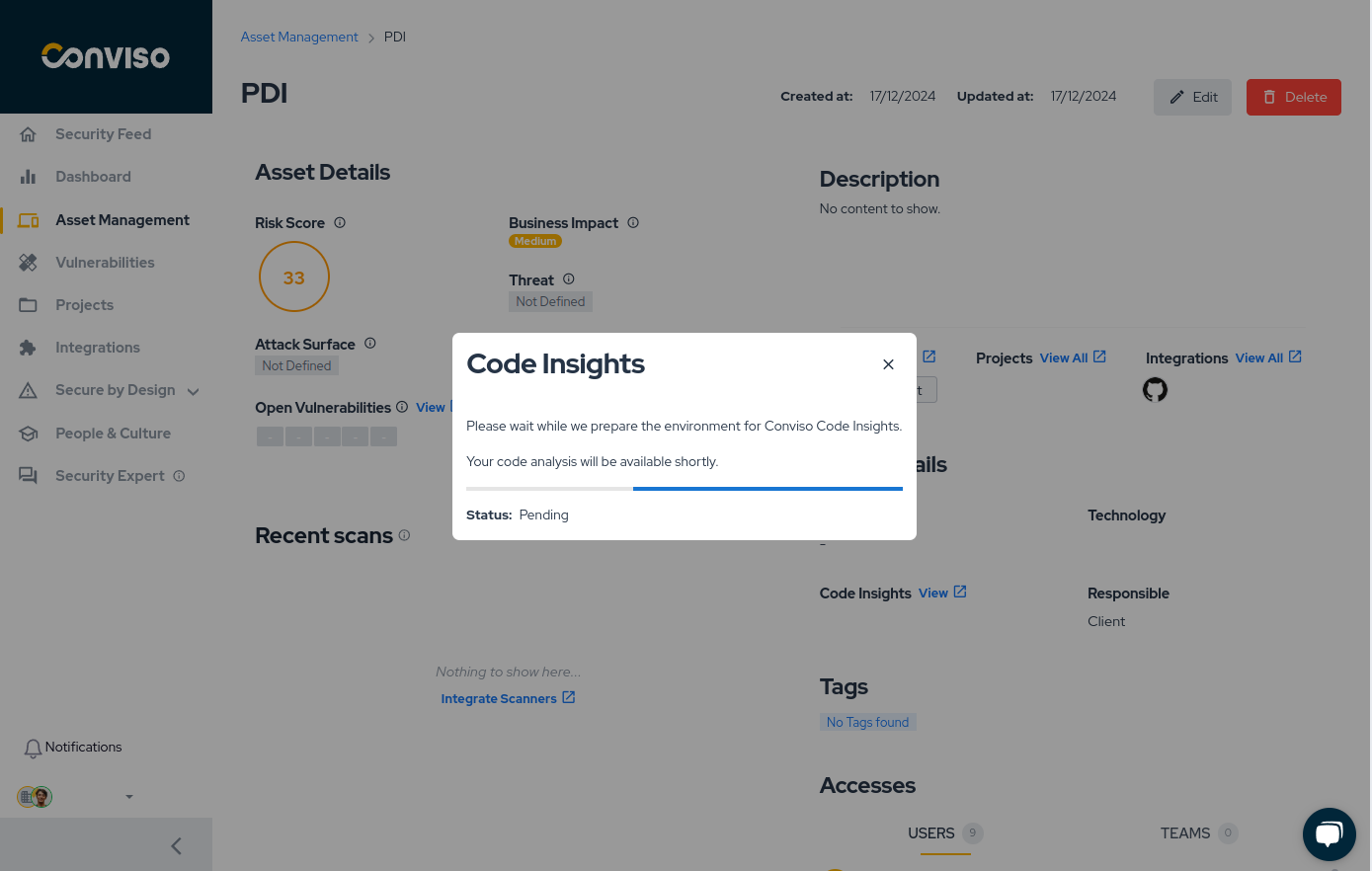
Accessing Code Insights
Once the environment is ready, you will receive a link and password to access it:
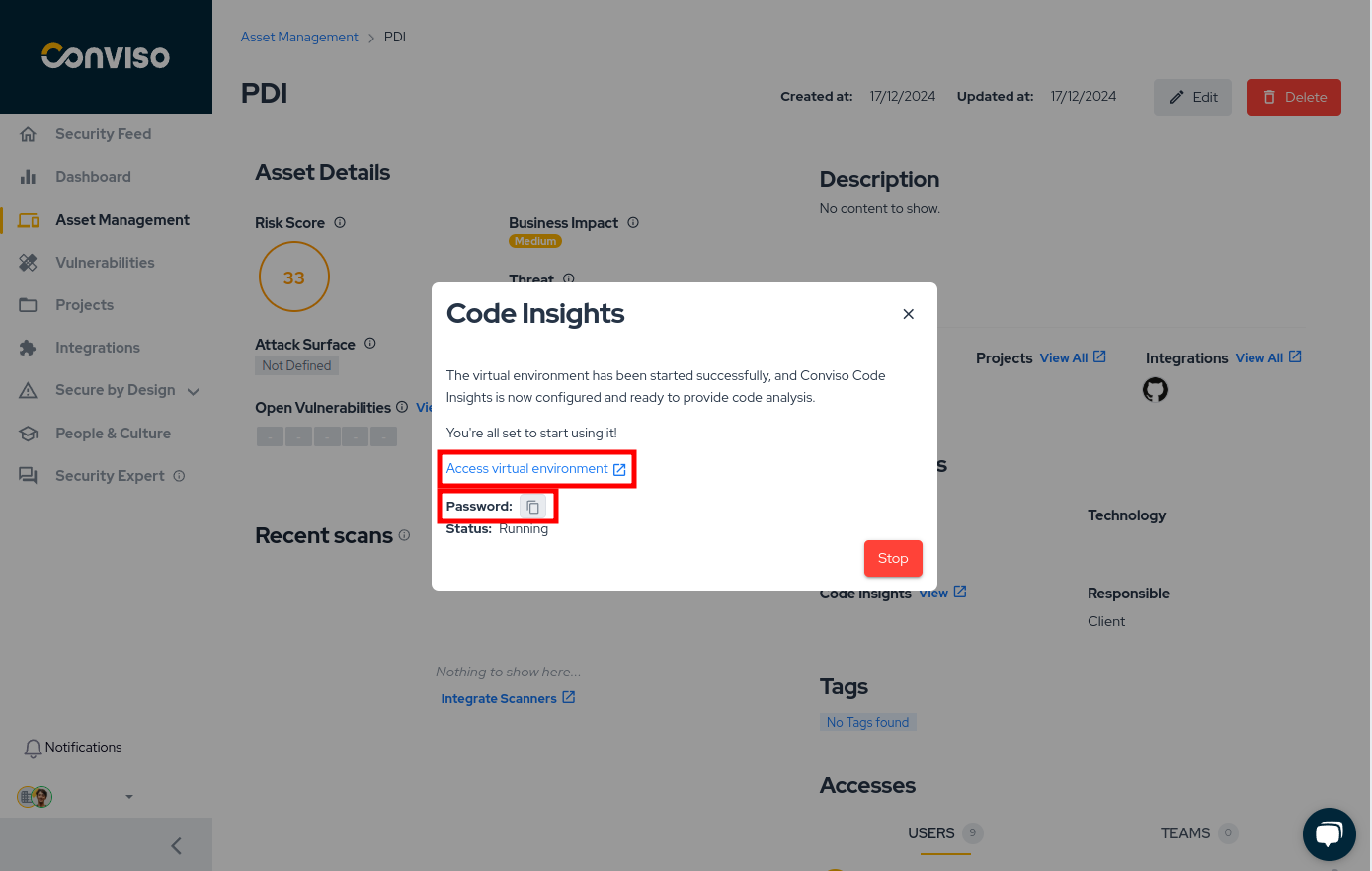
After accessing the link, a new tab will open, displaying the following:
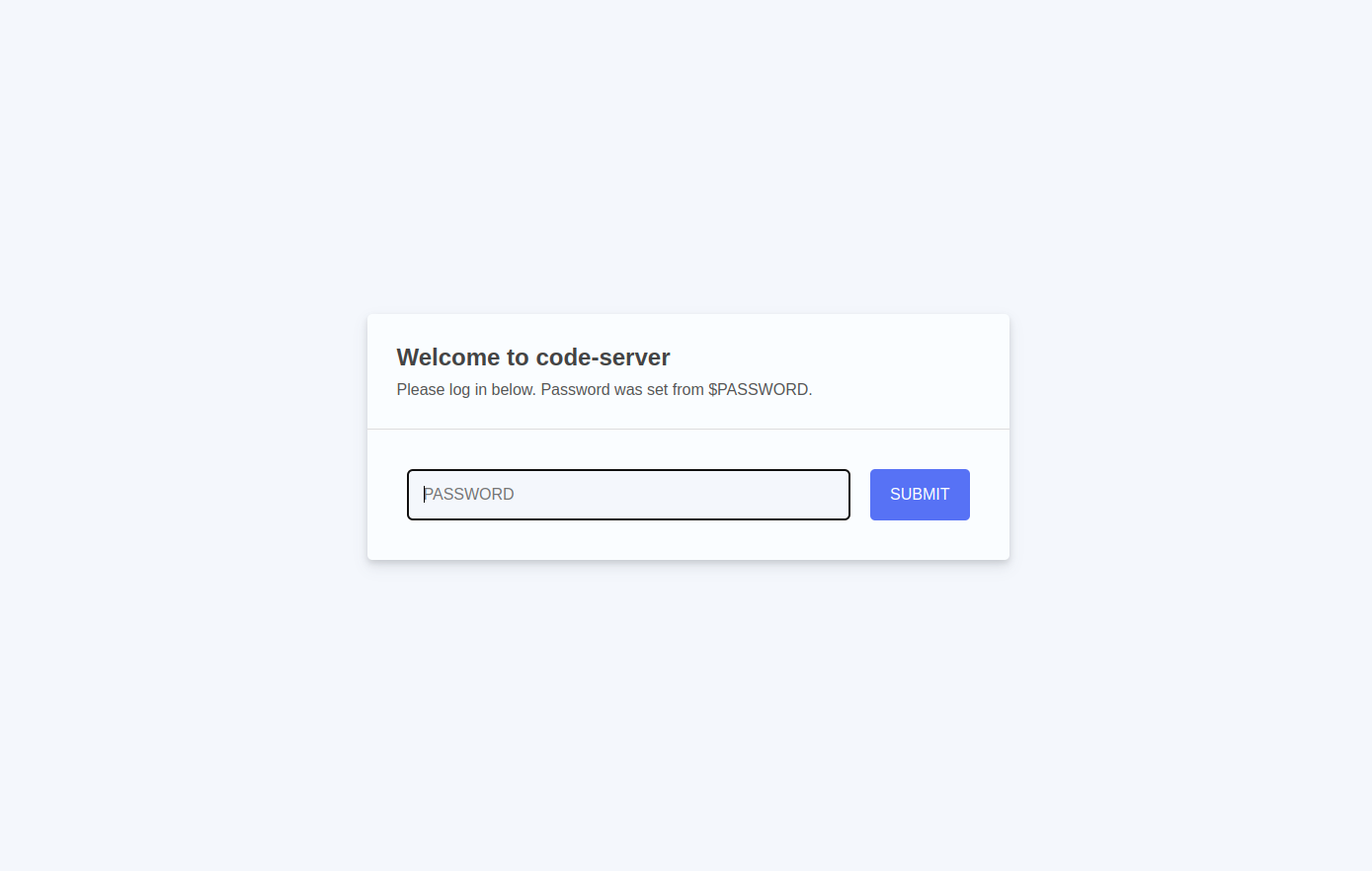
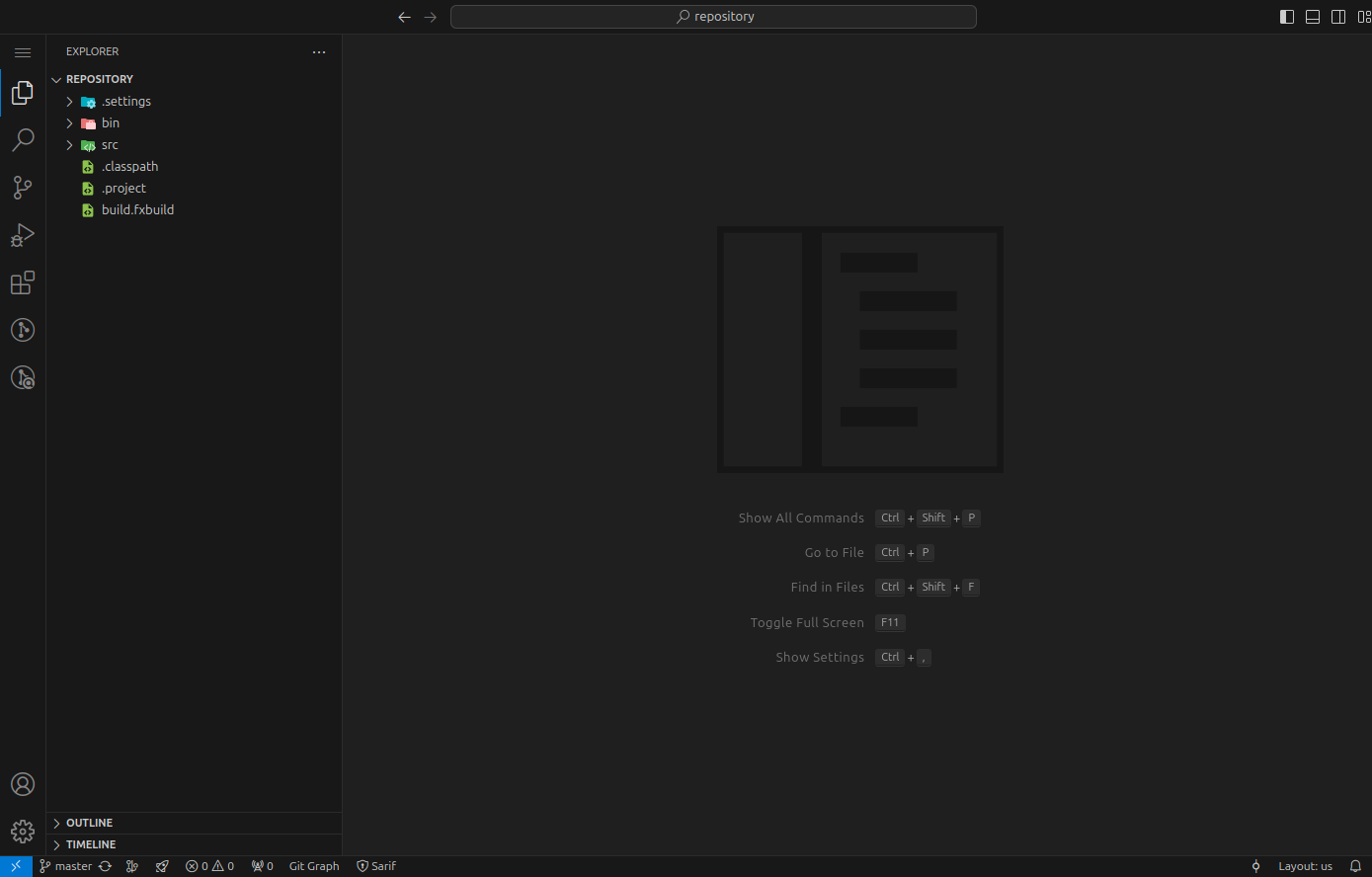
Enter the password provided in the previous dialog, and your repository will be fully accessible in the virtual environment:
Support
If you have any questions or need assistance using our product, feel free to contact our support team.
Resources
By exploring our content, you'll find resources that will enhance your understanding of the importance of a Security Application Program.
Conviso Blog: Explore our blog, which offers a collection of articles and posts covering a wide range of AppSec topics. The content on the blog is primarily in English.
Conviso's YouTube Channel: Access a wealth of informative videos covering various topics related to AppSec. Please note that the content is primarily in Portuguese.