Requirements
Overview
In the Conviso Platform, Requirements are used inside projects to organize the action plan that must be followed during execution.
They help teams:
- track what still needs to be done;
- organize activities within each requirement;
- register reasons and evidence during execution;
- verify whether the project is ready to move toward completion.
Each requirement can contain multiple activities, and these activities are the operational unit that users update during the project lifecycle.
Access Requirements in a Project
Requirements are managed from within the project workspace.
To access them:
- Open Projects in the left-hand menu.
- Select the desired project.
- Open the Requirements tab.
How Requirements Are Organized
Requirements are grouped by execution status:
- To do
- Running
- Not According
- Not Applicable
- Done
Each requirement contains one or more activities that must be completed, dismissed, or justified depending on the project context.
Review Activities
To view the tasks associated with a requirement activity, click the activity title:
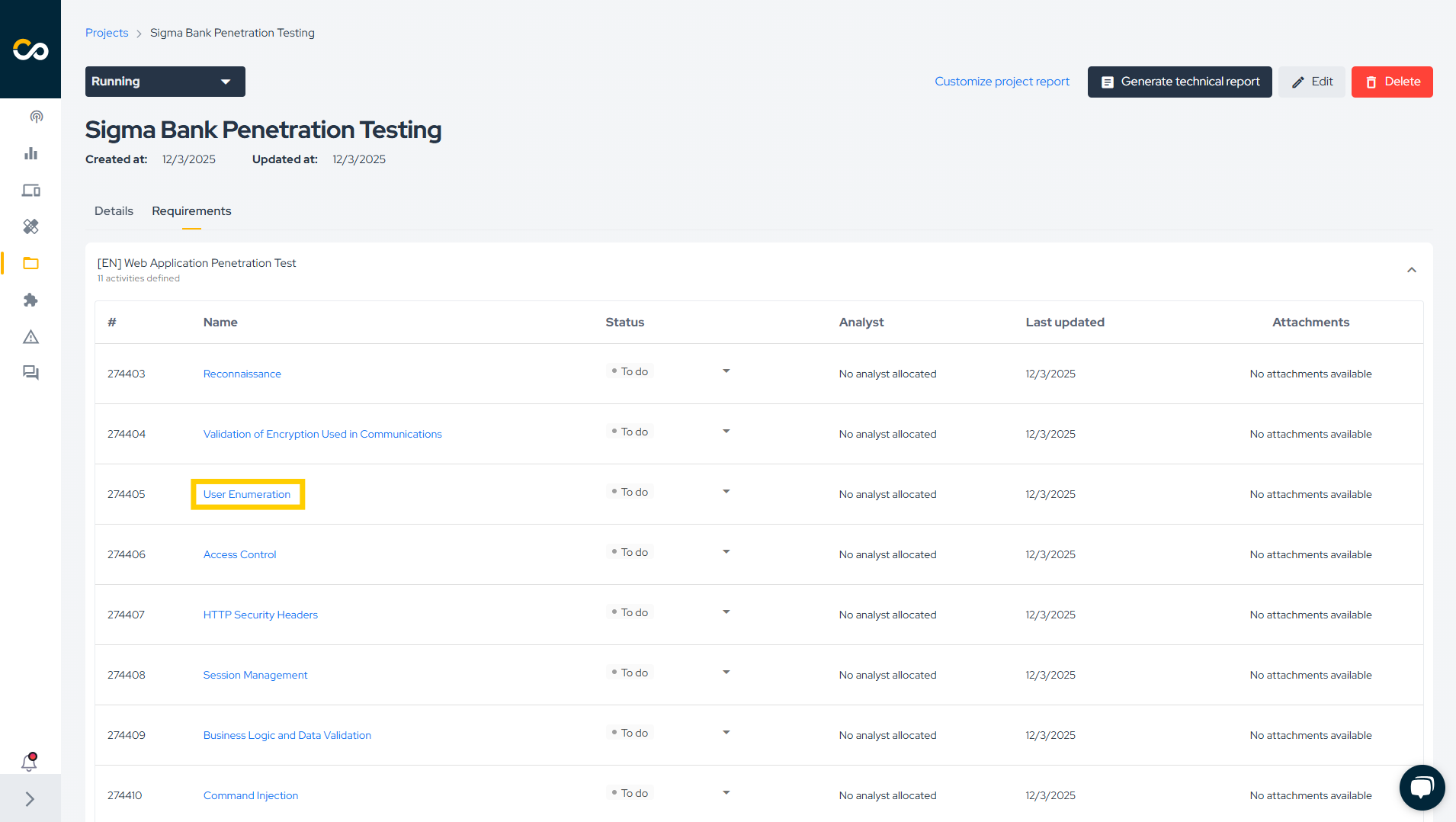
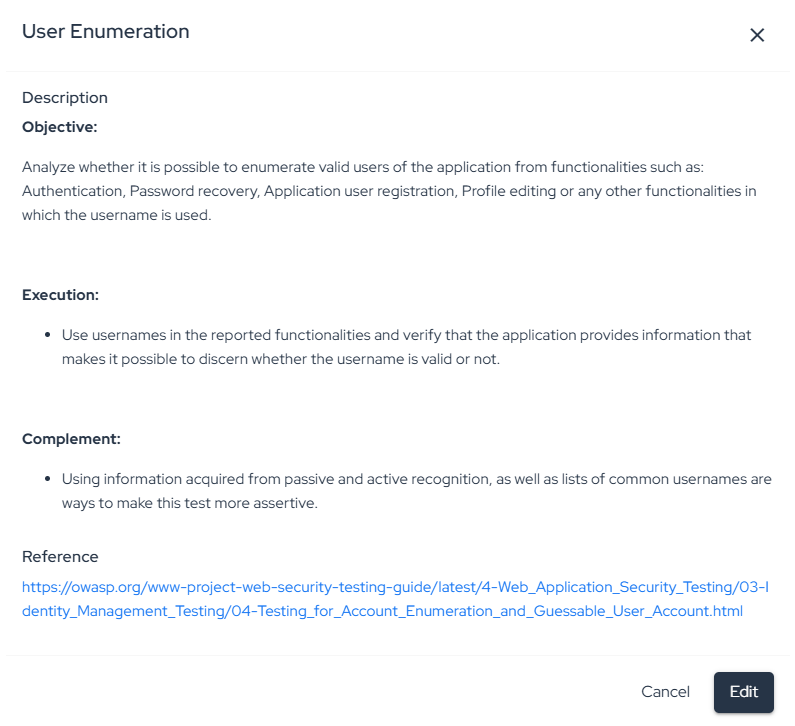
This helps you inspect the current execution state before deciding which status should be applied.
Update Activity Status
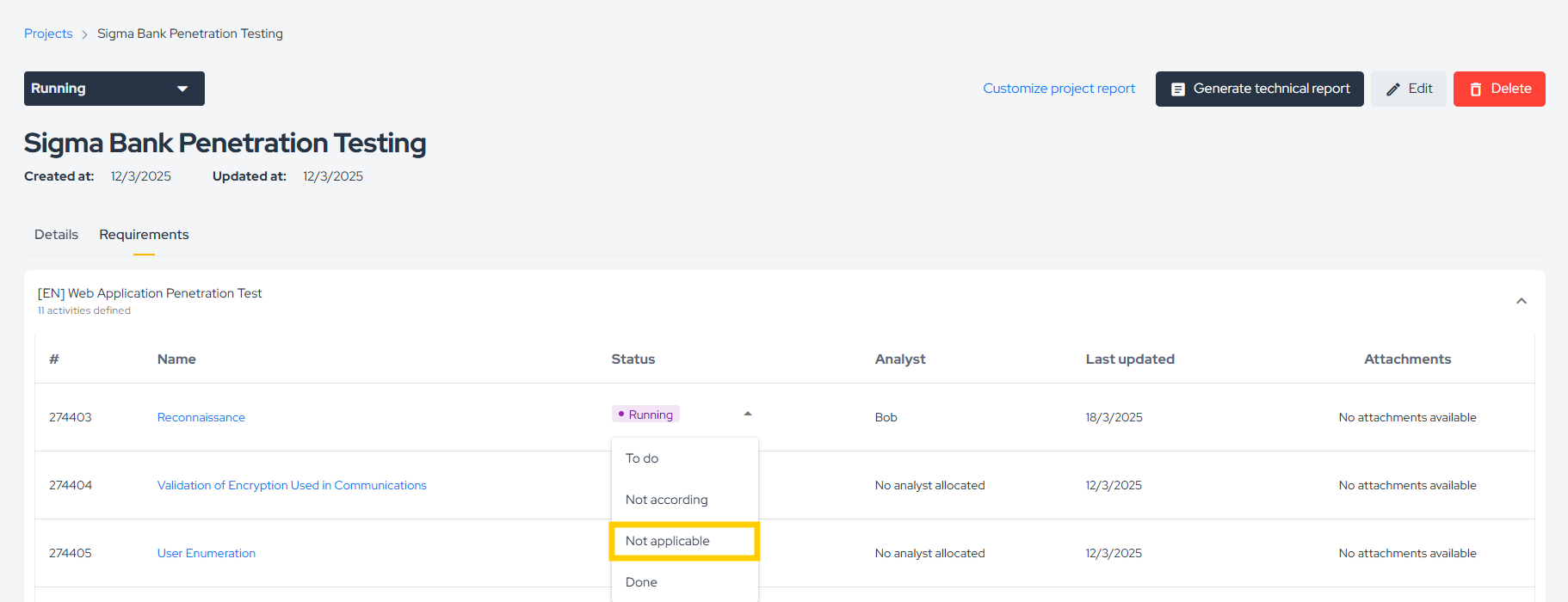
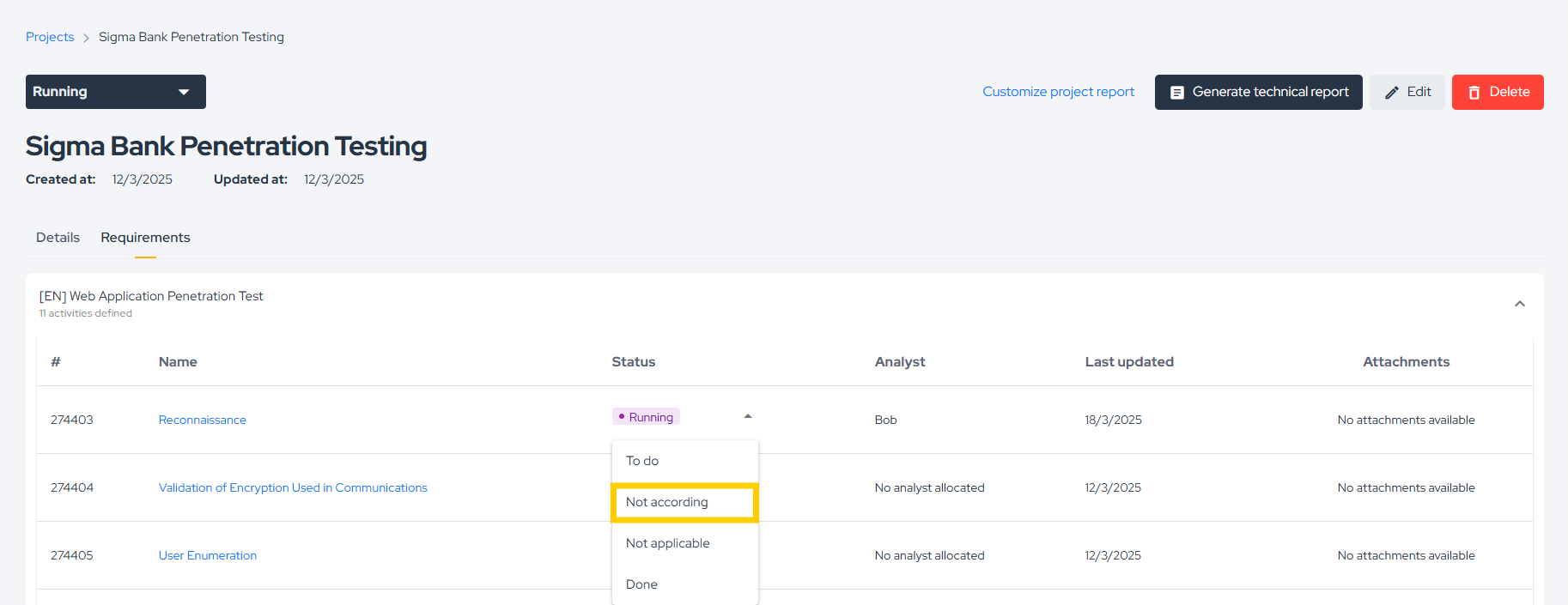
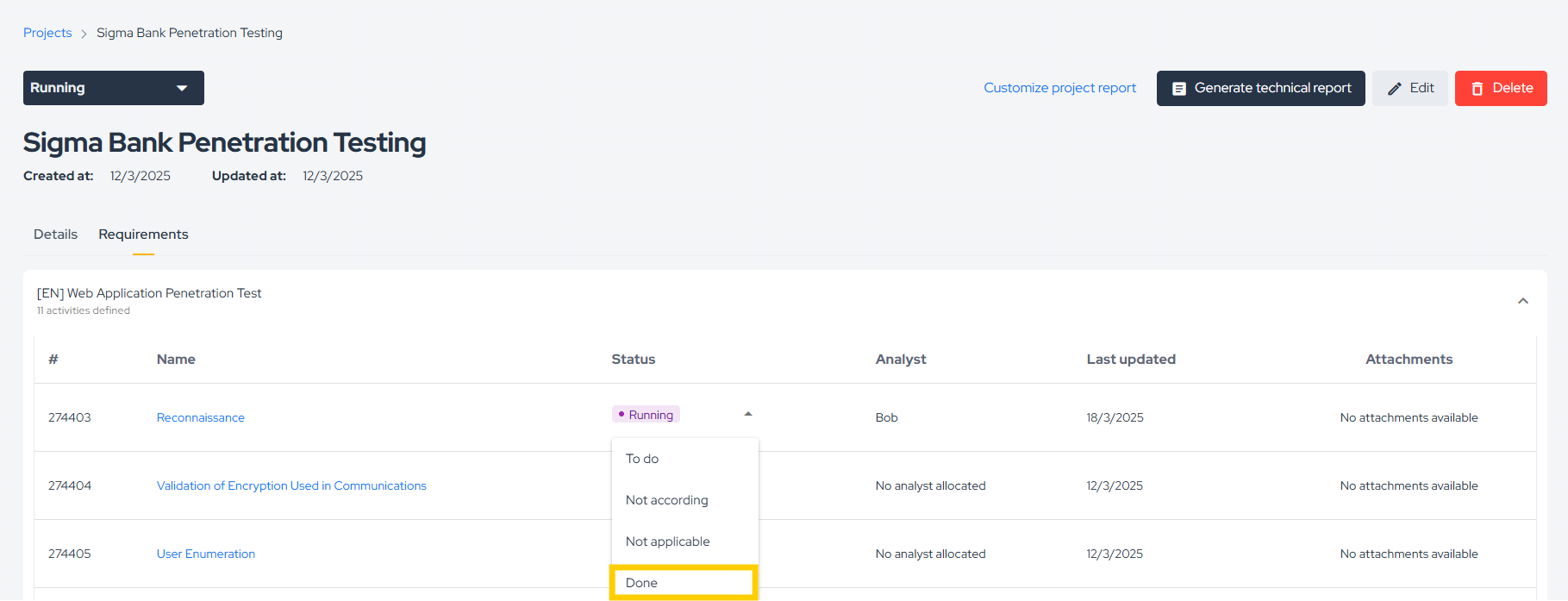
To change the status of an activity, click the current status and select the desired one:
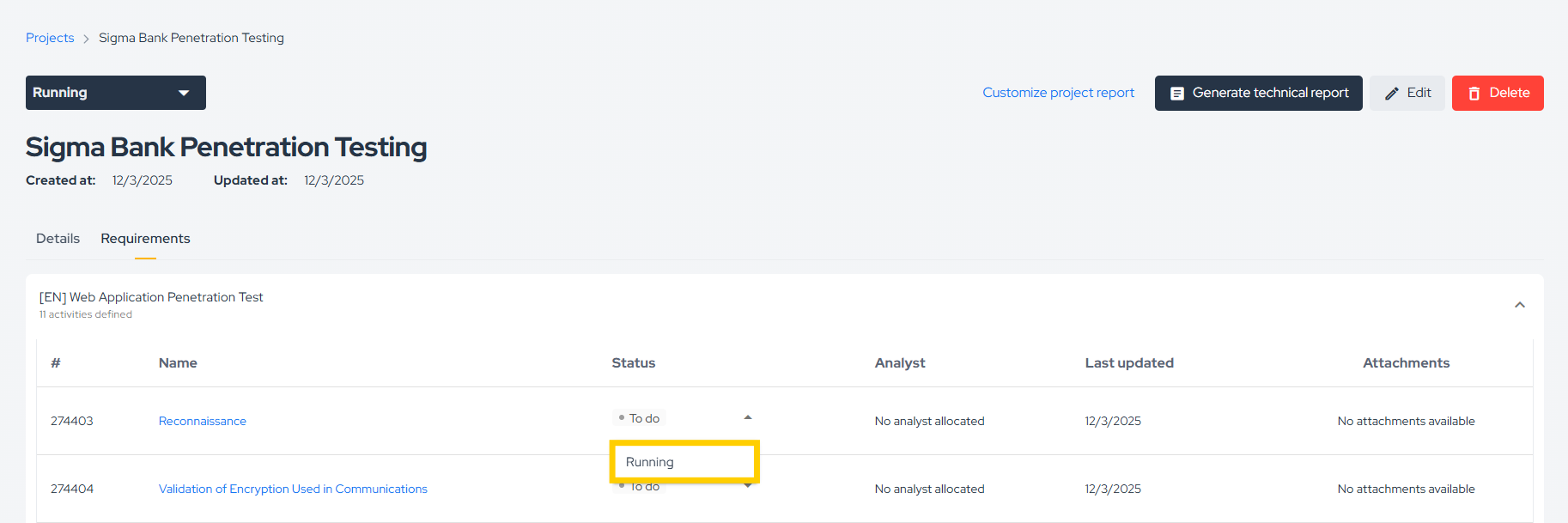
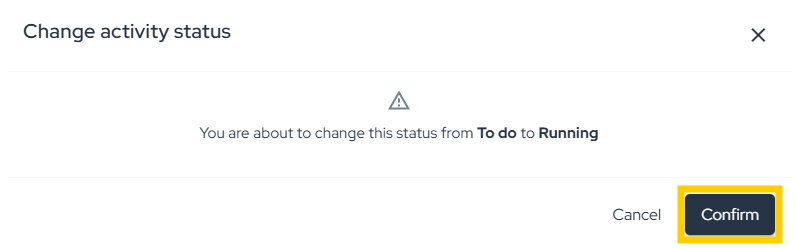

Status-specific Actions
Depending on the selected status, the platform asks for additional context.
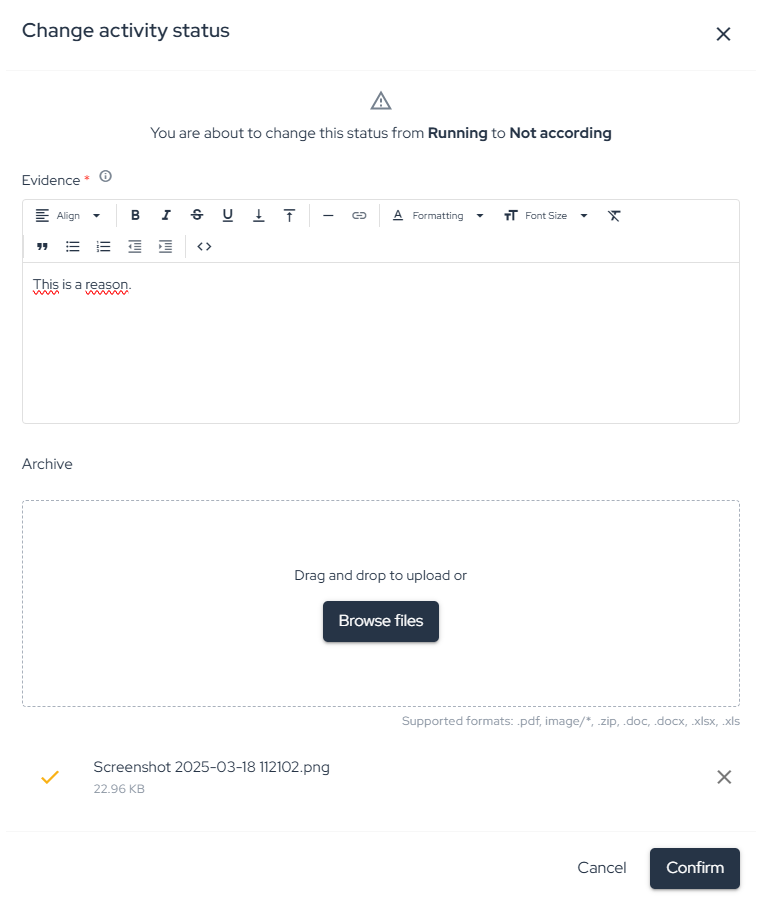
Not According
When marking an activity as Not According, add a reason and, when applicable, evidence:
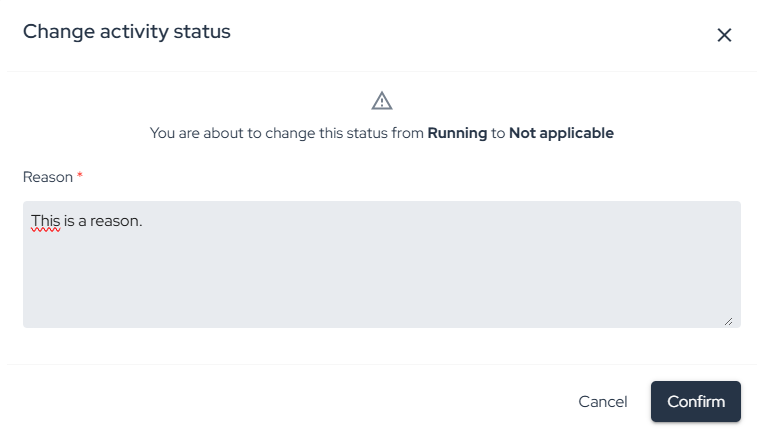
Not Applicable
When marking an activity as Not Applicable, provide the reason for that decision:
Done
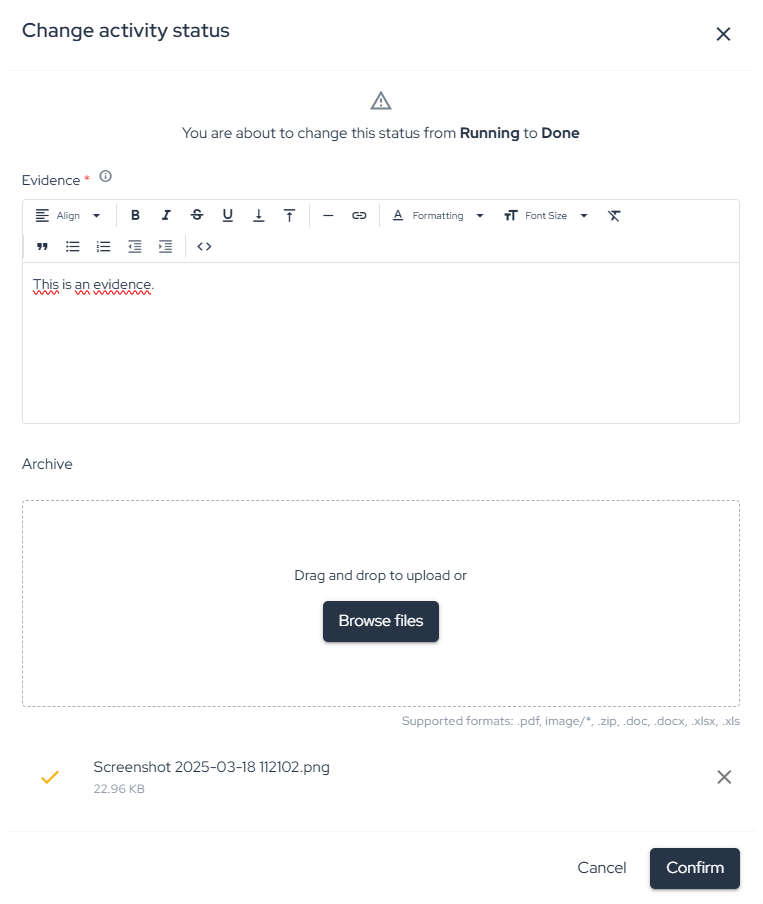
When marking an activity as Done, add the execution reason and/or supporting evidence:
Review Analyst and Update History
After an activity is updated, the platform shows:
- who performed the change in the Analyst column;
- when the change happened in the Last updated column.
This makes the requirement execution traceable during the project lifecycle.
Download Activity Evidence
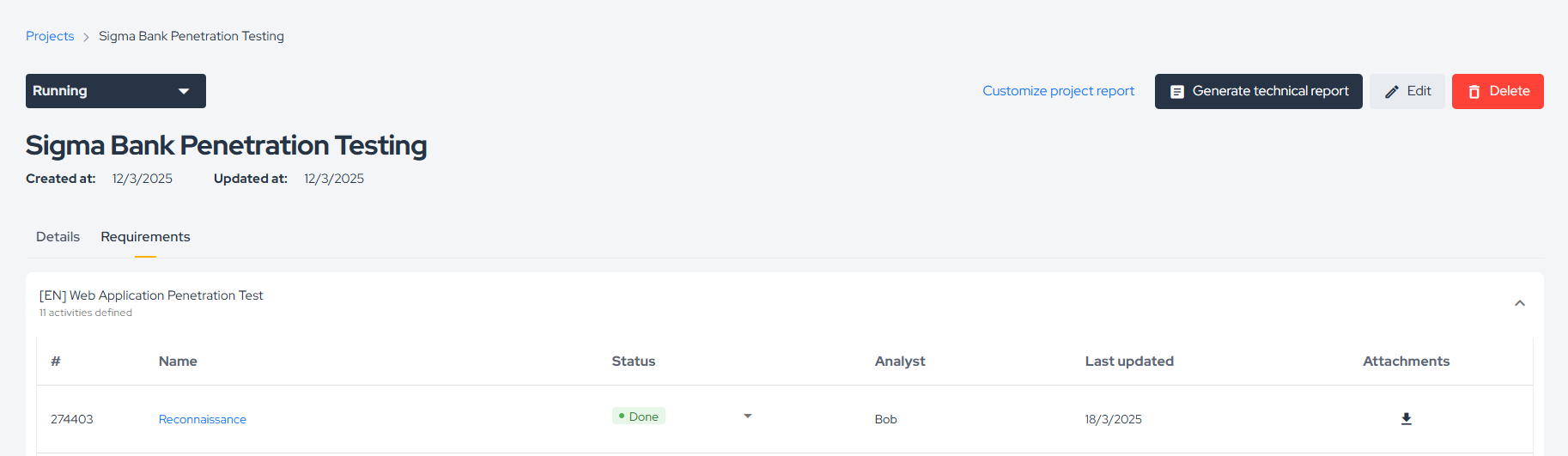
If an activity has an attachment associated with it, you can download it directly from the requirement view:
Related Area
Requirements are part of the broader project execution flow. For the complete project process, see Project Management / Process.
Support
Should you have any questions or require assistance while using the Conviso Platform, feel free to reach out to our dedicated support team.
Contribute to the Docs
Found something outdated or missing? Help us improve the documentation with a quick suggestion or edit.
How to contributeResources
By exploring our content, you'll find resources that will enhance your understanding of the importance of a Security Application Program.
Conviso Blog: Explore our blog, which offers a collection of articles and posts covering a wide range of AppSec topics. The content on the blog is primarily in English.
Conviso's YouTube Channel: Access a wealth of informative videos covering various topics related to AppSec. Please note that the content is primarily in Portuguese.