AST Defaults
AST defaults is the company-wide baseline for AST. Every asset that has not overridden a module runs that module with these settings — so a change here reaches every inheriting asset on its next run, without touching a single asset configuration.
Open it from DevSecOps → AST, or from the AST defaults tab inside the Scans context.
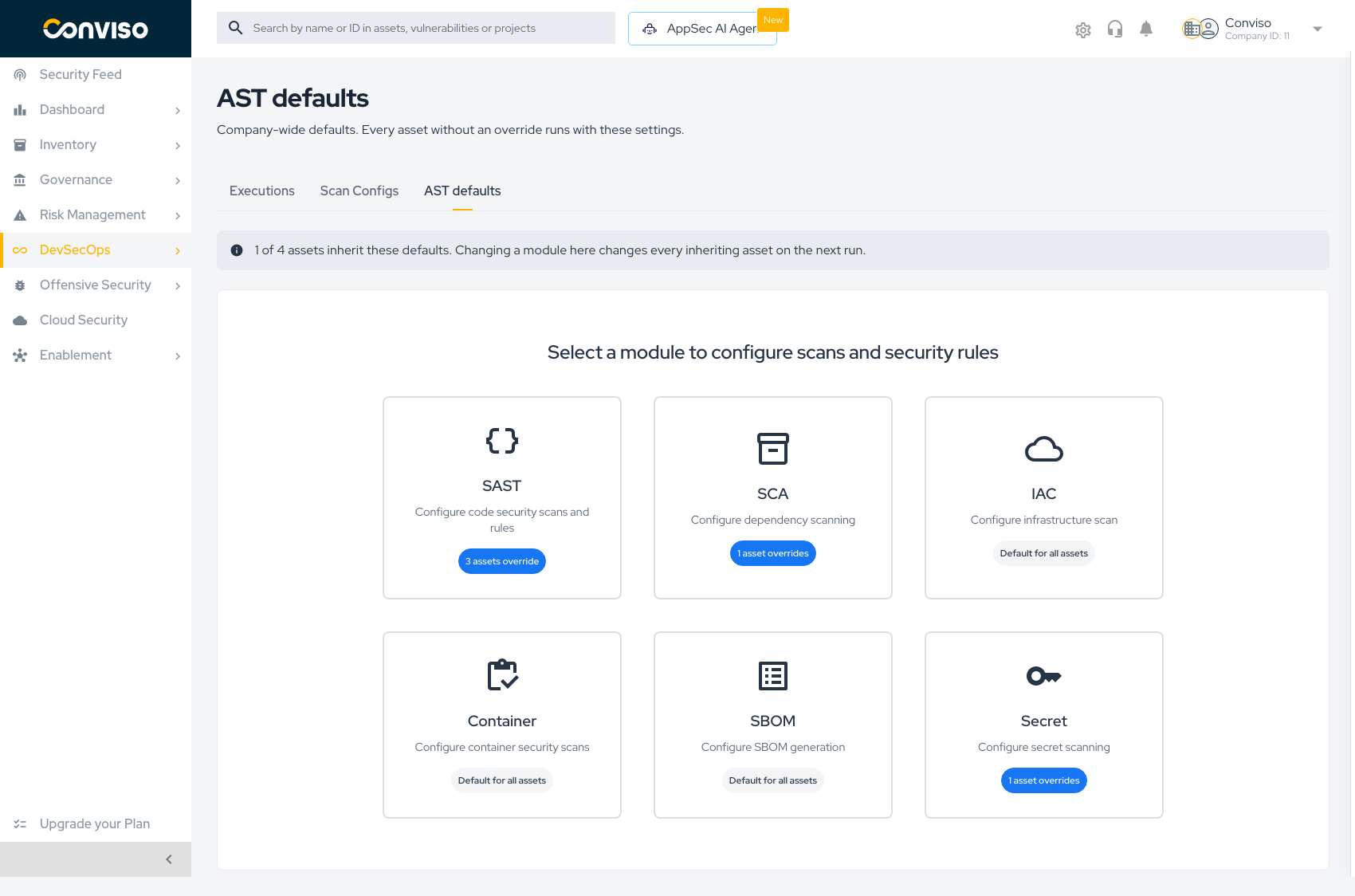
Reading the screen
The inheritance banner
The banner states the blast radius of anything you change:
0 of 3 assets inherit these defaults. Changing a module here changes every inheriting asset on the next run.
Read it before editing. If it says every asset inherits, a change here is a company-wide change.
The module cards
Six cards, one per module. Each card carries a badge describing how the company currently uses it:
| Badge | Meaning |
|---|---|
| Default for all assets | No asset overrides this module. Everything runs the baseline |
| N assets override | N assets carry their own settings for this module and will not see changes you make here |
The badge is a warning as much as a count. A module showing 3 assets override means those three assets are already detached — editing the default will not reach them.
Editing a module
Click a card to open that module's settings.
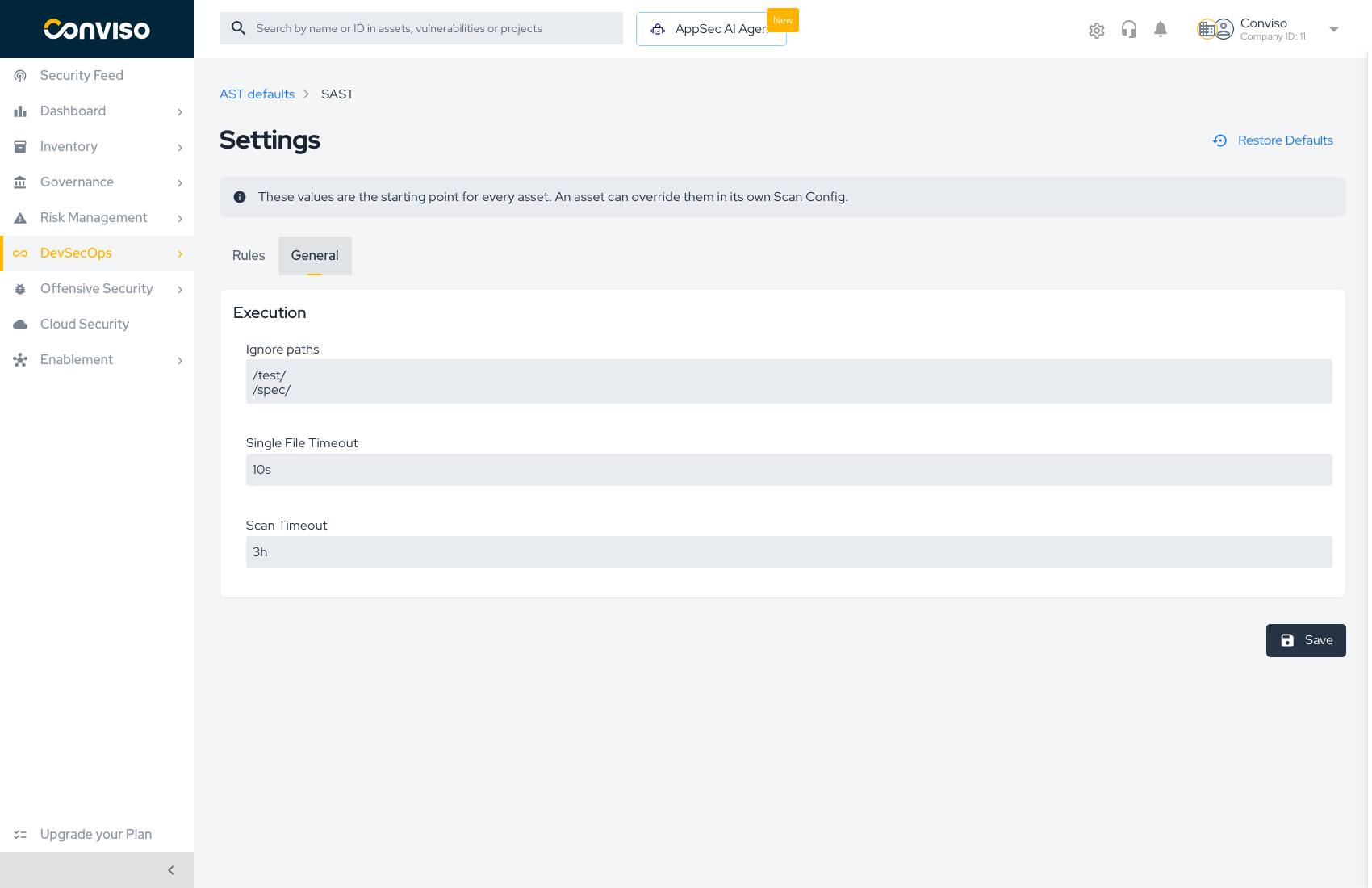
A banner at the top restates the scope:
These values are the starting point for every asset. An asset can override them in its own Scan Config.
Modules expose two tabs where applicable:
| Tab | Contents |
|---|---|
| Rules | The rule catalog — enable, disable, and create rules. SAST only. See AST Rules |
| General | Execution settings for the module |
General settings
| Setting | What it controls |
|---|---|
| Ignore paths | Paths the scanner skips entirely — vendored code, build output, fixtures |
| Single File Timeout | How long the scanner may spend on one file before moving on |
| Scan Timeout | Ceiling for the whole module run |
Press Save to write the module. Nothing is applied until you save.
Ignore paths is the highest-leverage setting on this screen. Excluding node_modules, vendor, and generated code cuts scan time and removes findings you were never going to fix — and it applies to every inheriting asset at once.
Restoring defaults
Restore Defaults discards your company customizations for that module and returns it to the values Conviso ships.
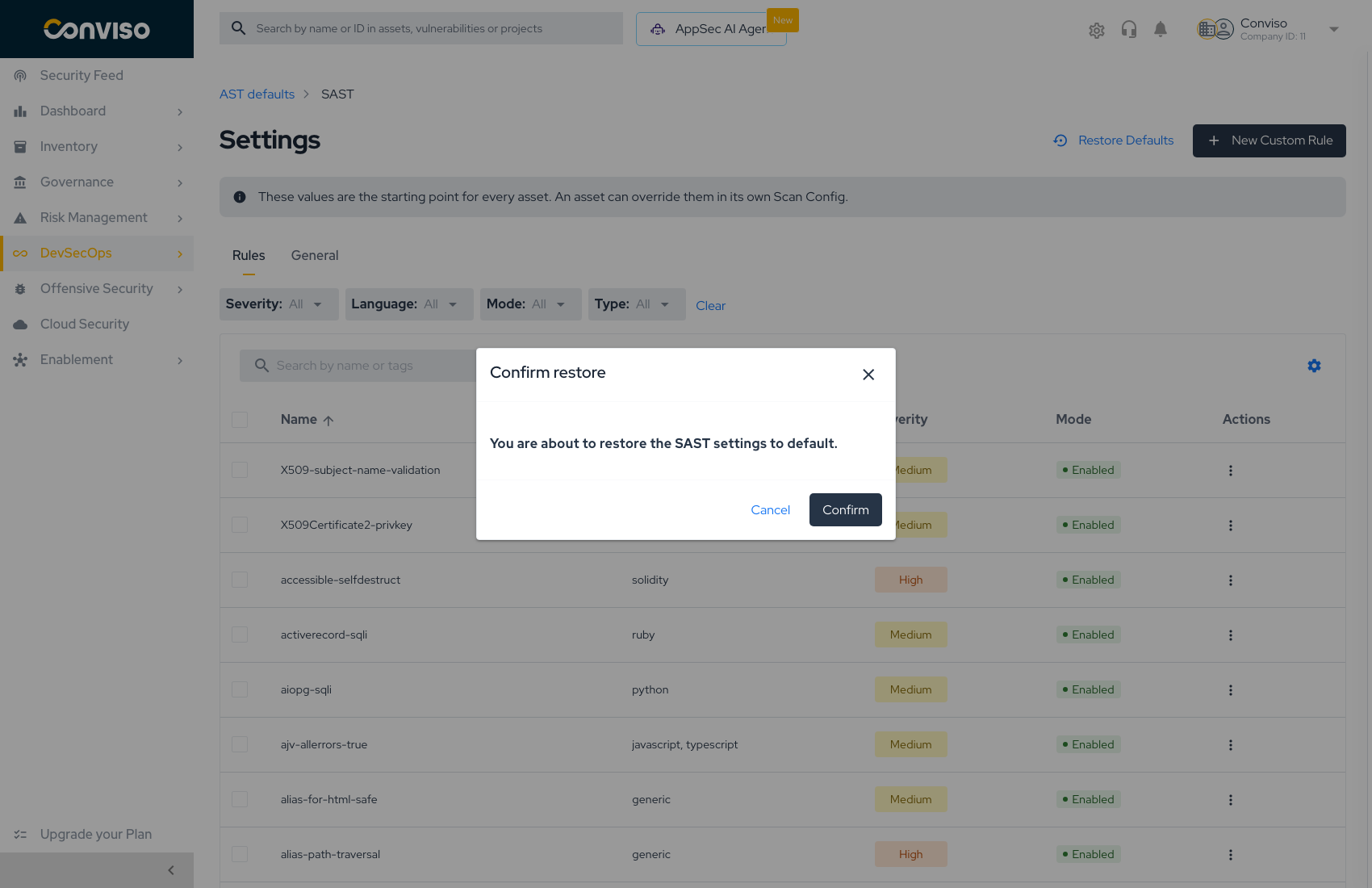
A confirmation dialog names the module before anything is discarded:
You are about to restore the SAST settings to default.
Restore applies to the module you are viewing, at the company level. Every rule you enabled or disabled and every General setting you tuned for that module is discarded. Asset-level overrides are untouched — they were never following the company values in the first place. There is no undo.
How defaults interact with overrides
Inheritance is resolved per module. An asset that overrode SAST keeps following the company defaults for every other module. That is why the badge counts are per module rather than per asset.
When to change defaults instead of an asset
| Situation | Where to change it |
|---|---|
| A rule produces noise across the whole company | AST defaults |
Every repository shares an ignore path (vendor/, dist/) | AST defaults |
| One monorepo needs a longer scan timeout | The asset's Scan Config |
| A release branch needs stricter rules than the rest | A branch execution profile |
Related
- Scan Configs Overview — the three-level inheritance model
- AST Rules — the rule catalog in detail
- Creating Scan Configs — overriding a module for one asset
Contribute to the Docs
Found something outdated or missing? Help us improve the documentation with a quick suggestion or edit.
How to contributeResources
By exploring our content, you'll find resources that will enhance your understanding of the importance of a Security Application Program.
Conviso Blog: Explore our blog, which offers a collection of articles and posts covering a wide range of AppSec topics. The content on the blog is primarily in English.
Conviso's YouTube Channel: Access a wealth of informative videos covering various topics related to AppSec. Please note that the content is primarily in Portuguese.