Creating Scan Configs
A scan configuration is created from the Scan Configs tab. The same form is used to create a new configuration and to edit an existing one — the breadcrumb tells you which mode you are in (New AST scan vs. Edit).
Starting a new configuration
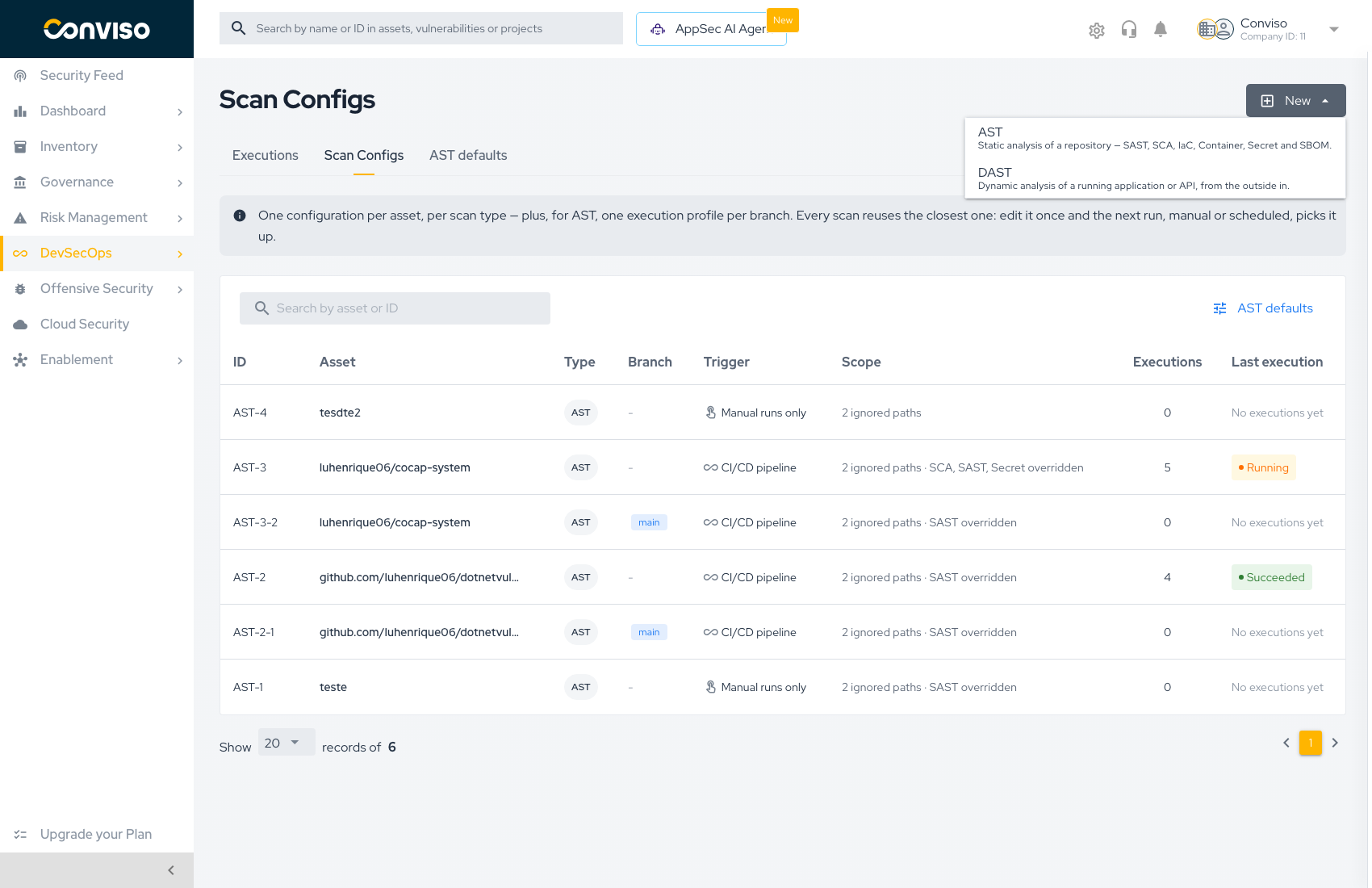
Open DevSecOps → AST → Scan Configs and press New. The dropdown offers one entry per scan type:
| Option | Engine | Use when |
|---|---|---|
| AST | Conviso AST | Static analysis of a repository — SAST, SCA, IaC, Container, Secret, and SBOM |
| DAST | Conviso DAST | Dynamic analysis of a running application or API, from the outside in |
Creating an AST configuration
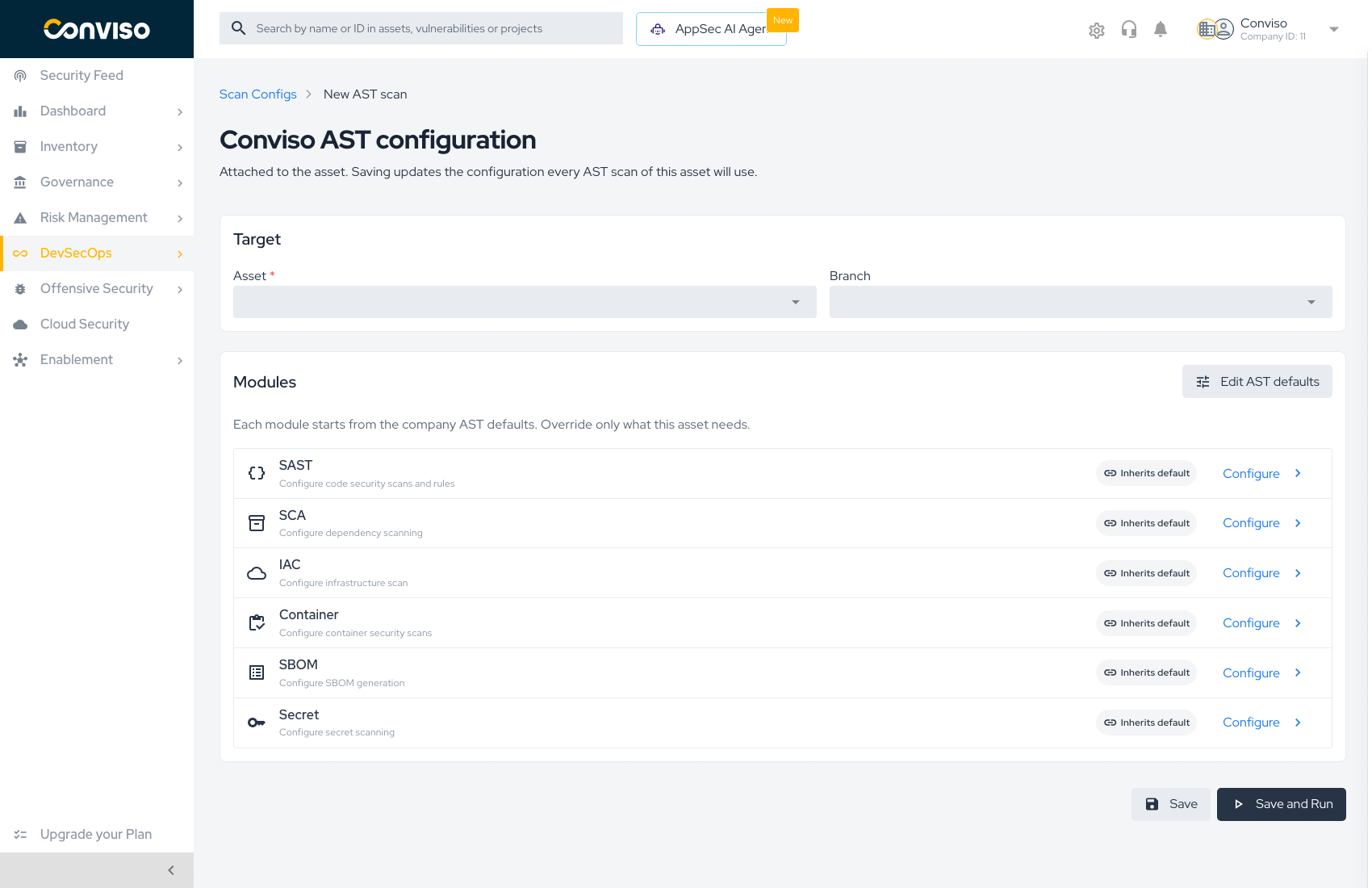
Target
| Field | Required | Notes |
|---|---|---|
| Asset | Yes | The asset this configuration attaches to. Only repository assets can run AST |
| Branch | No | Leave empty to configure the asset for every branch. Pick a branch to create a branch execution profile that applies to that branch alone |
Choosing a branch is what separates the two kinds of AST configuration:
- No branch → the asset-level configuration. Every branch without a profile of its own inherits it.
- A branch → a branch execution profile. It overrides the asset-level configuration for that branch only, and appears in the list as a separate row (
AST-3-2) with the branch shown in the Branch column.
Create the asset-level configuration first, then add branch profiles only where a branch genuinely needs different treatment. A profile you never diverge from is a row you have to maintain for no benefit.
Modules
Each of the six modules shows its current state and a Configure link:
- Inherits default — the module is still linked to the company AST defaults. A change to the defaults reaches this asset on its next run.
- Overridden — the module carries its own settings for this asset, and no longer follows the defaults.
Pressing Configure opens that module's settings beside the form, so whatever you already selected on this page survives the edit. Overriding is what the act of saving inside the panel does — modules you never open stay inherited.
Edit AST defaults (top right) jumps to the company baseline. Use it when the change you are about to make should apply to every asset, not just this one.
Saving
| Button | Behavior |
|---|---|
| Save | Writes the configuration and returns to the Scan Configs list |
| Save and Run | Writes the configuration, then immediately starts a scan with it |
Save and Run never fires a scan on a configuration that failed to save. If the write fails, you stay on the form with the error and no scan is triggered. See Running Scans for what happens after the scan starts.
Creating a DAST configuration
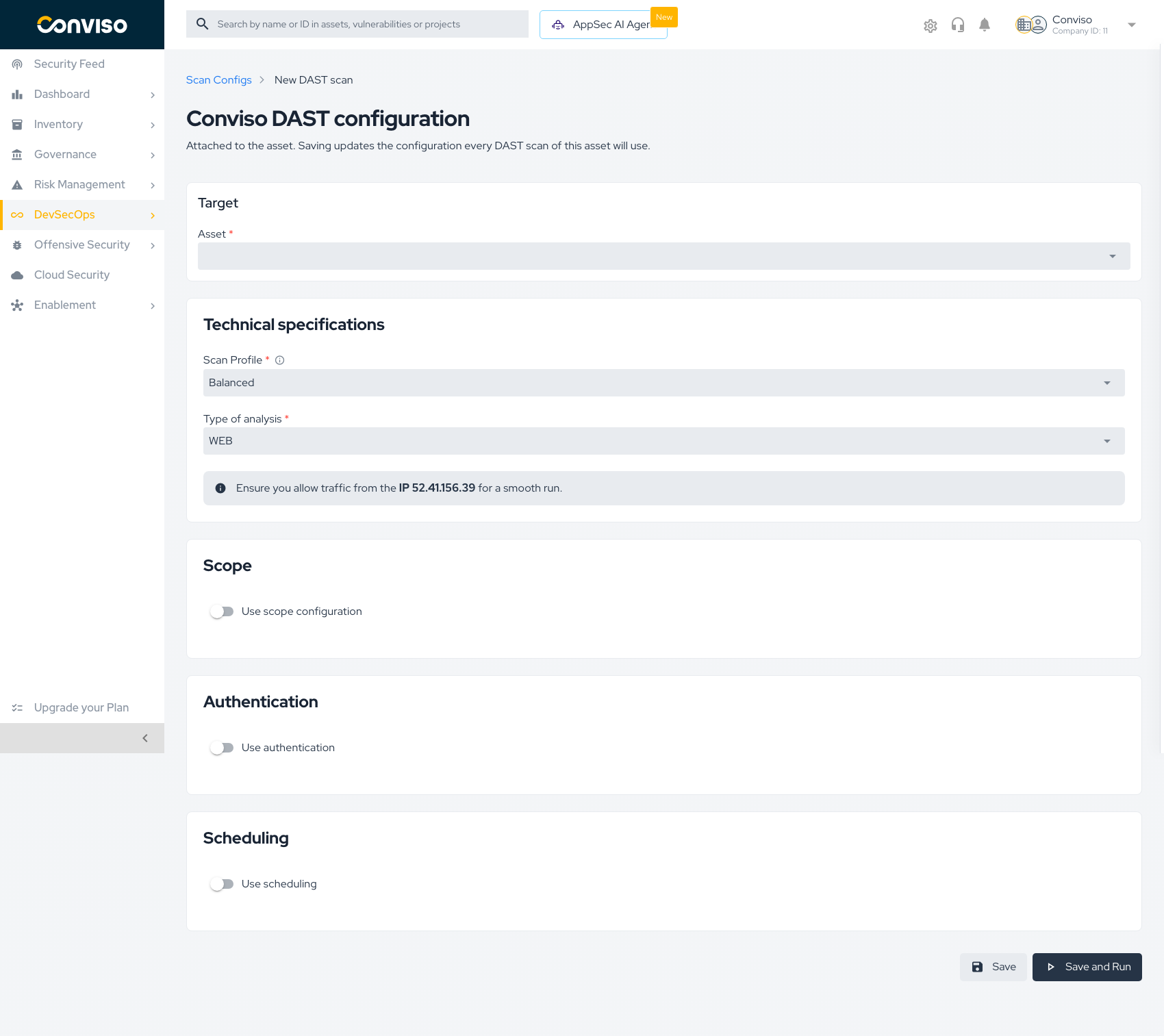
Target
| Field | Required | Notes |
|---|---|---|
| Asset | Yes | The asset whose URL will be scanned |
Technical specifications
| Field | Notes |
|---|---|
| Scan Profile | Trade-off between depth and duration. Balanced is the default |
| Type of analysis | WEB for a web application, or an API format when scanning an API |
| API schema | For API analysis, supply the schema by URL or by uploading the specification file |
DAST runs from Conviso infrastructure. Allow traffic from the IP shown on the form (52.41.156.39) or the scan will not reach your application.
Scope
Scope restricts what the scanner is allowed to touch:
- In-scope paths — only these paths are scanned.
- Out-of-scope paths — these paths are never scanned.
Leave scope off to scan the whole target.
Authentication
Point the configuration at a stored secret so the scanner can authenticate and reach pages behind login. Without it, DAST only sees what an anonymous visitor sees.
Schedule
Enabling scheduling turns the configuration's trigger into Scheduled and the Platform runs it on the chosen interval, weekday, and time. With scheduling off, the configuration is Manual runs only and runs when you press Run scan.
Viewing, editing, and deleting
Clicking a row in the Scan Configs list opens the configuration.
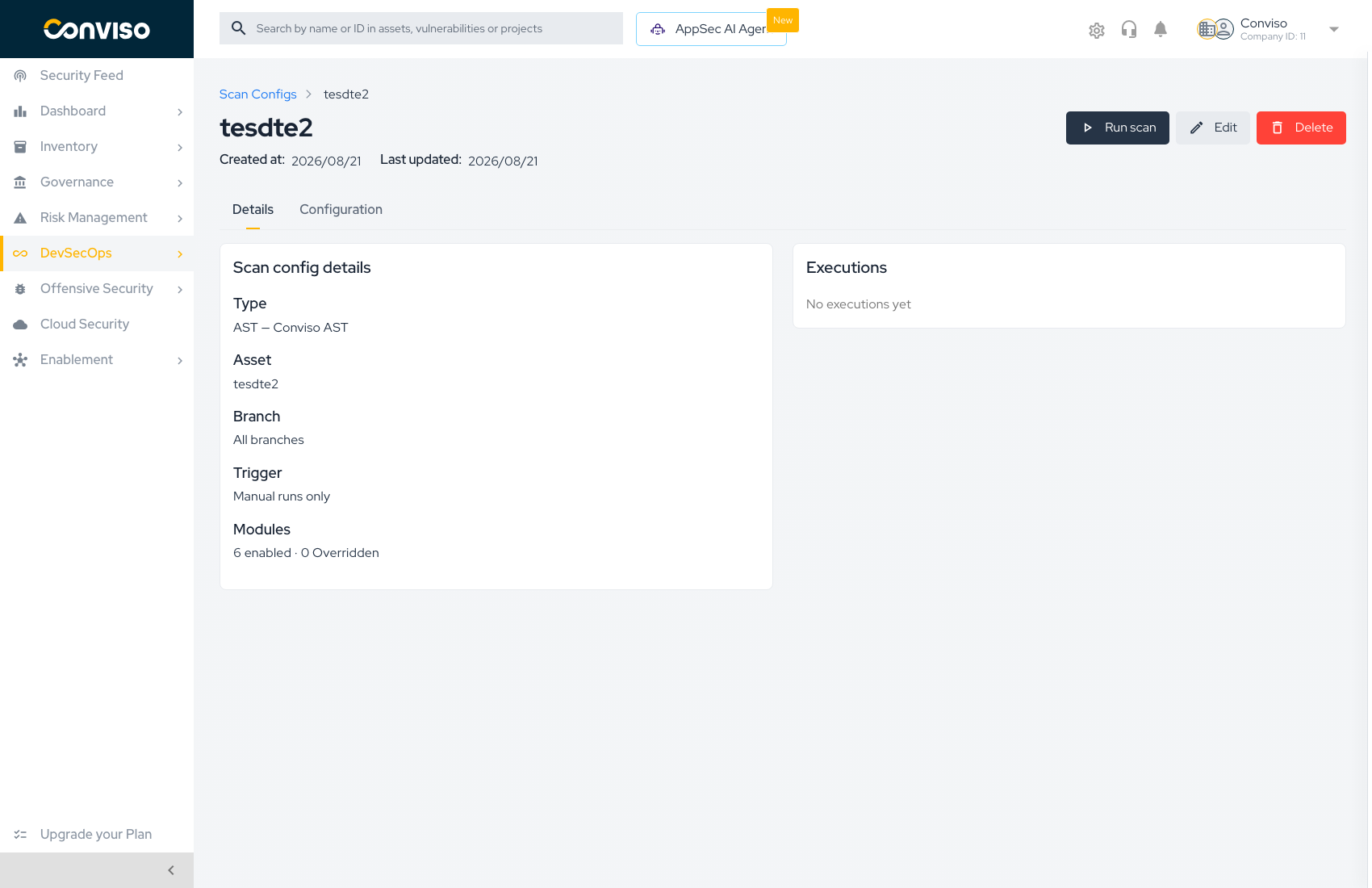
The Details tab summarizes what will run:
| Field | Example |
|---|---|
| Type | AST — Conviso AST |
| Asset | The asset name |
| Branch | The branch name, or All branches |
| Trigger | Manual runs only |
| Modules | 6 enabled · 0 Overridden |
| Executions | The runs that used this configuration |
The Configuration tab shows the resolved settings — what each module will actually use once inheritance is applied.
Three actions sit in the header:
| Action | Effect |
|---|---|
| Run scan | Starts a scan now using this configuration |
| Edit | Reopens the form |
| Delete | Removes the configuration |
Deleting an asset configuration also removes the branch profiles derived from it — those profiles only exist as overrides of the asset-level row. Every affected branch falls back to the company AST defaults on its next run.
Related
- Scan Configs Overview — the inheritance model
- AST Defaults — the company baseline these configurations inherit from
- AST Rules — configuring SAST rules inside a module
Contribute to the Docs
Found something outdated or missing? Help us improve the documentation with a quick suggestion or edit.
How to contributeResources
By exploring our content, you'll find resources that will enhance your understanding of the importance of a Security Application Program.
Conviso Blog: Explore our blog, which offers a collection of articles and posts covering a wide range of AppSec topics. The content on the blog is primarily in English.
Conviso's YouTube Channel: Access a wealth of informative videos covering various topics related to AppSec. Please note that the content is primarily in Portuguese.