Release Notes

Release notes provide technical documentation produced and distributed alongside the launch of a new product or a product update — recent changes, feature enhancements, and bug fixes. Use the filters to narrow updates by type, product, or module, and select the Release Notes type to browse every release published so far. Learn more in the introduction.

Showing 59 of 59 updates

AI Pentest Policy

New

Introduced a new policy framework specifically for automated pentests, mirroring the Security Gate logic but optimized for offensive security workflows.

  • Define specific goals for an asset, set request limits to ensure safety during execution, and define automated schedules.
  • Moves teams away from manual testing triggers, ensuring assets are continuously validated against offensive scenarios.
Products:AI Pentest
Modules:InteligĂŞncia ArtificialCompliance & GovernanceAutomations
Wagner EliasWagner Elias | Chief Executive Officer

Asset Filters Standardization

Improvement

Standardized how Conviso DAST and other scans are handled within the platform's filtering and metrics engine.

  • DAST is now fully standardized as a scanner source, removing distinct data paths that could cause discrepancies in "scan coverage" metrics.
  • Assets covered by dynamic analysis are accurately reflected in dashboard KPIs, and filtering by integration type returns consistent, cross-platform results.
Products:Web and API ScanVuln Intelligence
Modules:Risk-Based Vulnerability ManagementAnalytics
Daniel GuedesDaniel Guedes | Product Manager

Projects Integration with Jira

New

Improved the integration between Platform Project Requirements and Jira.

  • More seamless flow of security requirements into the developer's native backlog.
  • UI improvements for integration consistency, syncing project requirements and activities with Jira.
  • Ensures "Secure by Design" principles become actionable tasks rather than static documentation.
Products:Risk insight
Modules:AutomationsDeveloper Experience
Daniel GuedesDaniel Guedes | Product Manager

AI Autonomous Pentest

New

Introduced the AI Autonomous Pentest, an autonomous offensive security engine that combines Large Language Models with professional security tools to reduce manual toil and scale testing.

  • Tool Orchestration: automatically triggers and correlates data from tools and findings.
  • Offensive Reasoning: decides the best attack path, identifies vulnerability chains, and executes controlled Proof of Concepts (PoCs).
  • Attack Chain Visualization: a real-time interactive graph shows the AI's reasoning from reconnaissance to successful exploit validation.

Watch the launch webinar: AI Autonomous Pentest.

Products:AI Pentest
Modules:InteligĂŞncia ArtificialSecurity Analysis
Wagner EliasWagner Elias | Chief Executive Officer

Conviso MCP Server — AI Ecosystem Integration

New

Officially launched the Conviso MCP (Model Context Protocol) Server, available on the Anthropic MCP-Market, allowing external AI models to interact securely with your Conviso Platform data.

  • Query assets, vulnerability status, and project updates directly within the chat interface.
  • Brings Conviso's security intelligence into the developer's AI workspace, enabling faster remediation suggestions and architectural reviews without leaving the LLM environment.
Products:Vuln IntelligenceRisk insight
Modules:InteligĂŞncia ArtificialAutomations
Daniel GuedesDaniel Guedes | Product Manager

Comprehensive DAST Reporting (Full-Snapshot)

Improvement

Refactored DAST reporting logic for better visibility and compliance readiness.

  • From Delta to Snapshot: reports moved from a "change-only" view to a Full-Snapshot format. Every DAST execution now reports the complete security posture, including all vulnerabilities.
  • Audit Readiness: every scan provides a standalone, auditable record of the application's health, simplifying work for security leaders and compliance officers.
Products:Web and API Scan
Modules:Security AnalysisCompliance & Governance
Daniel GuedesDaniel Guedes | Product Manager

Continuous Living Threat Modeling

New

The Threat Modeling module now functions as a living record of your application's security design — a persistent artifact that evolves throughout the software lifecycle instead of a project that "closes".

  • Persistent Architecture-as-Code: use visual diagrams as the primary driver to update your living security model without starting from scratch.
  • Automated Requirement Sync: instantly translate architectural changes into actionable security controls.
  • Historical Traceability: native versioning provides a complete audit trail of every design shift, ensuring full compliance and governance.
Products:Risk insight
Modules:Compliance & GovernanceInteligĂŞncia Artificial
Daniel GuedesDaniel Guedes | Product Manager

Defect Trackers Recent Deliveries

Improvement

Introduced Recent Deliveries for Defect Trackers (Jira, ClickUp, ServiceNow, etc.) to monitor and troubleshoot vulnerability synchronization in real time.

  • Transparent view of the last 1,000 synchronization events between the platform and developer tools.
  • Self-Service Troubleshooting: resolve sync issues quickly with detailed context and system messages.
  • End-to-End Visibility: monitor the exact flow of findings from the platform to developer backlogs.
Products:Vuln Intelligence
Modules:AutomationsData Ingestion
Daniel GuedesDaniel Guedes | Product Manager

Custom Project Requirements — Security with Context

New

Custom Project Requirements lets teams tailor security activities within each project without affecting global organization templates.

  • Customize Activities: edit descriptions and steps of an activity to match the project's tech stack.
  • Refine the Scope: ensure stakeholders only see activities relevant to their specific project.
  • Preserve Templates: all changes are local to the project, keeping organizational "Golden Templates" consistent.
Products:Risk insight
Modules:Compliance & GovernanceDeveloper Experience
Daniel GuedesDaniel Guedes | Product Manager

Enhanced Data Classification & Risk Scoring

Improvement

Upgraded the risk calculation within Asset Management so the risk of a vulnerability is now intrinsically linked to the sensitivity of the data the asset handles.

  • New Data Classification tiers — Public, Internal, Restricted, Confidential, and Critical — automatically adjust the asset's risk priority.
  • Ensures security teams are alerted first to threats affecting their most sensitive data environments.
Products:Risk insight
Modules:Risk-Based Vulnerability Management
Daniel GuedesDaniel Guedes | Product Manager

Improved Navigation for Activity Evidence Attachments

Improvement

Improved the experience of reviewing attachments associated with activities.

  • Navigate screenshots, documents, and supporting files more intuitively while analyzing activity history.
  • Reduces friction during validation processes and helps teams quickly locate evidence needed to confirm remediation or compliance steps.
Products:Risk insight
Modules:Compliance & Governance
Daniel GuedesDaniel Guedes | Product Manager

Dark Mode is now available

Improvement

The Conviso Platform now supports Dark Mode across the interface.

  • Reduces eye strain and improves visual comfort during extended usage.
  • Implemented consistently across dashboards, assets, and vulnerability views, with no functional changes to existing workflows.
Modules:Developer Experience
Daniel GuedesDaniel Guedes | Product Manager

Security Gate Management in the Platform

New

Security Gate configuration and monitoring are now available directly inside the Conviso Platform interface, without relying on CLI configuration.

  • Configure Security Gates directly within the CI/CD section of assets.
  • Support for multiple vulnerability sources (Conviso AST, Dependency Track, Fortify, SonarQube, SonarCloud, Checkmarx, GitHub, Snyk, Veracode, and MobSF).
  • Define severity thresholds per source and optional maximum days to remediate.
  • Support for asset-specific policies that override global company rules.

Learn more in the Security Gate documentation.

Products:Risk insight
Modules:Compliance & GovernanceDeveloper Experience
Daniel GuedesDaniel Guedes | Product Manager

AI Agents Operations — Auto-Fix, DAST FP Review & Chat UX

New

Expanded the AI Agents operations across the platform.

  • Introduced Auto-Fix, which can be triggered directly from vulnerability context.
  • Expanded False Positive review support to DAST issues, increasing consistency across scanning sources.
  • Improved AI Agent chat usability with Start new conversation to reset context and return to quick actions.
  • Multiple stability and quality improvements across agent execution and recurring runs.
Products:AI Secure codeWeb and API Scan
Modules:InteligĂŞncia ArtificialRisk-Based Vulnerability Management
Daniel GuedesDaniel Guedes | Product Manager

Continuous SBOM Monitoring

New

Introduced SBOM correlation to improve consistency between Conviso AST and platform monitoring.

  • Reduces “blinking” findings (open/close/reopen) caused by data source mismatches.
  • Expands advisory coverage and increases trust in the supply-chain vulnerability lifecycle.
  • Provides a more reliable foundation for continuous dependency monitoring at scale.
Products:Vuln IntelligenceAI Secure code
Modules:Supply Chain SecurityData Ingestion
Daniel GuedesDaniel Guedes | Product Manager

DAST API Enhancements (Swagger, GraphQL, SOAP)

New

Restored and strengthened DAST API support.

  • Added support for GraphQL and SOAP scanning scenarios.
  • Improved API schema import workflow: Swagger import via upload and URL.
  • Enhanced DAST execution controls, including timeouts and configuration reliability.
  • Improved scan lifecycle consistency and operational readiness.
Products:Web and API Scan
Modules:Security Analysis
Daniel GuedesDaniel Guedes | Product Manager

Documentation & Developer Experience

Improvement

Improved technical documentation structure and discoverability.

  • More organized content and a friendlier navigation experience.
  • Improved context-based documentation search.
  • Updated vulnerability template references to align with modern OWASP projects and updated databases.
Modules:Developer Experience
Daniel GuedesDaniel Guedes | Product Manager

GitHub Pull Request Scanning

New

Added support for automatically running Conviso AST on open Pull Requests.

  • Security feedback is produced directly in GitHub through checks and annotations.
  • Enables a true shift-left workflow by detecting issues while code is being reviewed, without requiring additional configuration.
Products:AI Secure code
Modules:Security AnalysisDeveloper Experience
Daniel GuedesDaniel Guedes | Product Manager

New CLI Capabilities

New

Enhanced CLI experience with new capabilities aimed at operational workflows.

  • Added a new sub-command to list project requirements.
  • Improved packaging and consistency for AST distribution.
  • Strengthens automation workflows and enables scalable operational usage by AppSec teams.
Products:AI Secure code
Modules:Developer Experience
Daniel GuedesDaniel Guedes | Product Manager

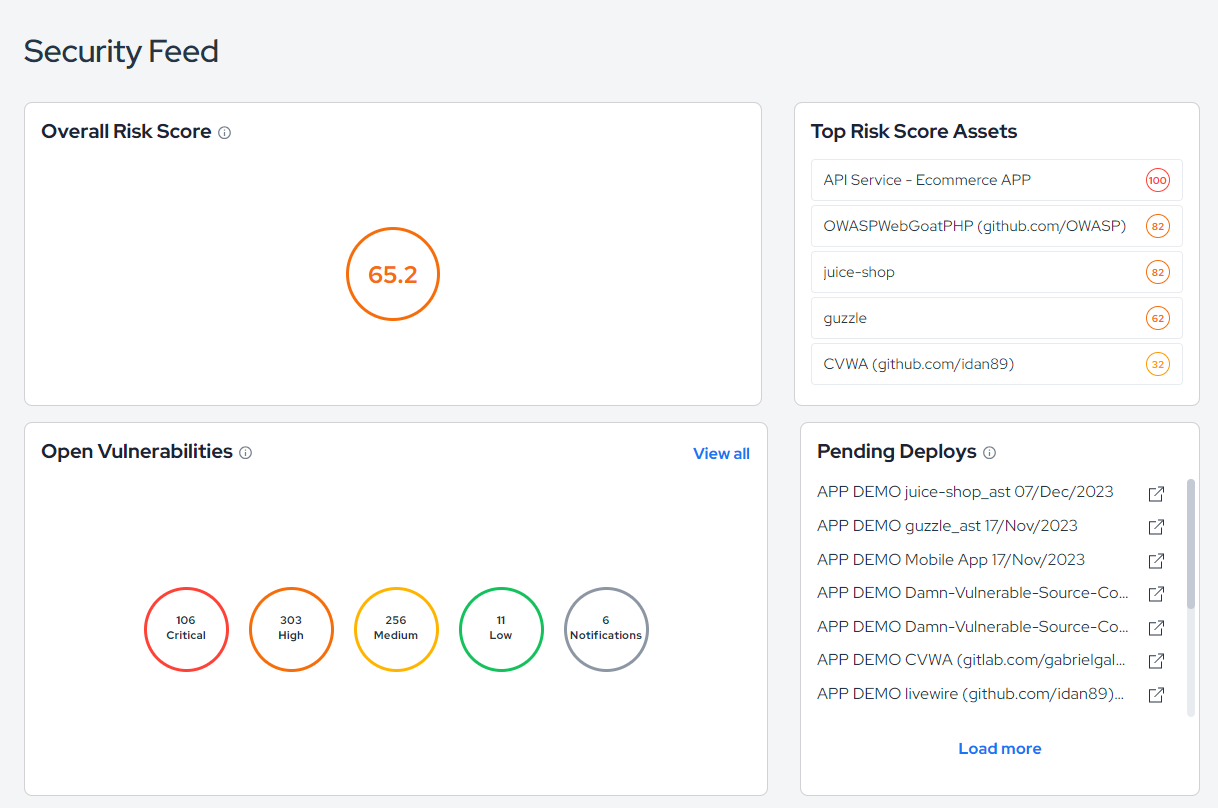
New Security Feed Experience

New

Introduced a new Security Feed page to display alerts, notifications, and updates more clearly.

  • Improves real-time visibility into security-related activity across the platform.
  • Complements existing workflows with a stronger “single place to monitor what’s happening”.
Products:Vuln Intelligence
Modules:Threat Intelligence
Daniel GuedesDaniel Guedes | Product Manager

Platform Reliability, Performance & Observability

Improvement

Improved stability, performance, and observability across core services.

  • Better logs and clearer error reporting in defect tracker synchronization.
  • Dashboard reliability and accuracy improvements, including MTTR stability for filtering scenarios.
  • Infrastructure and observability improvements: Kubernetes bump, runtime stability, and improved Datadog integration (APM, metrics, log correlation).
  • Significant improvements in scan lifecycle robustness.
Modules:Analytics
Daniel GuedesDaniel Guedes | Product Manager

Requirements & Project Experience

New

Improved the requirements and project workflows.

  • Introduced Project Templates, enabling standardized project creation at scale.
  • Added filter by Activity in project requirements, improving navigation and prioritization.
  • Improved the requirements table to support searching by activity name.
Products:Risk insight
Modules:Compliance & GovernanceDeveloper Experience
Daniel GuedesDaniel Guedes | Product Manager

SAMM Assessments in Platform

New

Added support for running OWASP SAMM assessments directly inside Conviso Platform.

  • Evaluate AppSec maturity, track progress over time, and compare assessments.
  • Improves visibility for customer maturity programs and structured AppSec evolution.
Products:Risk insight
Modules:Compliance & GovernanceAnalytics
Daniel GuedesDaniel Guedes | Product Manager

Seal Capability

Improvement

Expanded and stabilized Badge (Seal) workflows.

  • Domain field support in badge creation/editing.
  • Badge deletion support and improved scope isolation.
  • Audit validation improvements through Conviso Seal API routing.
Products:Offensive & Audit Manager
Modules:Compliance & Governance
Daniel GuedesDaniel Guedes | Product Manager

Security Gate Monitoring

New

New Security Gate experience in the platform to monitor and manage gate runs.

  • Centralizes visibility into Security Gate executions under CI/CD > Security Gate.
  • Helps teams standardize quality gates and governance across development pipelines.
Products:Risk insight
Modules:Compliance & GovernanceDeveloper Experience
Daniel GuedesDaniel Guedes | Product Manager

ServiceNow Integration

New

Introduced native ServiceNow ITSM integration to create and update incidents from Conviso Platform findings.

  • Enables security and engineering teams to operationalize remediation via ServiceNow workflows.
  • Designed for enterprise environments where ITSM processes drive remediation execution and tracking.
Products:Vuln Intelligence
Modules:Data IngestionAutomations
Daniel GuedesDaniel Guedes | Product Manager

Vulnerability Management UX & Bulk Actions

Improvement

Improved the vulnerability management experience for clarity and scale.

  • Renamed Solution to Remediation to better reflect workflow intent, and moved “Other Occurrences” into a dedicated tab to reduce noise.
  • Added bulk actions in vulnerability lists: bulk status changes and bulk deletion.
  • Improved filtering and navigation, including performance improvements for heavy filters (e.g., status change).
Products:Vuln Intelligence
Modules:Risk-Based Vulnerability Management
Daniel GuedesDaniel Guedes | Product Manager

Release 4.19

Release Notes

Release date: December 2025

Key Benefits

Introduction

Release 4.19 delivers a major step forward in platform robustness, integration maturity, and ecosystem expansion.

In addition to a broad set of stability and usability improvements, this release introduces four strategic new features that significantly expand Conviso Platform’s integration capabilities—covering cloud security, SAST modernization, developer portals, and mobile security workflows.

Together, these updates reinforce Conviso Platform as a centralized, scalable, and integration-ready AppSec hub for modern security teams.


New Feature

Snyk Integration

  • Introduced native integration with Snyk Cloud, enabling visibility into cloud-native security findings directly within Conviso Platform.
  • Expands coverage beyond traditional application scanning to include cloud posture and runtime-related insights.
  • Strengthens Conviso’s role as a unified security aggregation layer across application and cloud security tools.

New Feature

Backstage Integration

  • Introduced a Backstage plugin to synchronize developer components as security assets in Conviso Platform.
  • Supports both manual and automated imports, with background processing to avoid performance impact.
  • Enables organizations to align AppSec visibility with their internal developer portals and service catalogs.
  • Strengthens collaboration between security and engineering teams by integrating AppSec into existing developer workflows.

New Feature

Mobile Security Import (MobSF)

  • Added support for importing MobSF reports directly into Conviso Platform.
  • Mobile security findings are processed asynchronously and appear in the platform using the same Scans and Vulnerability UI as native Conviso AST scans.
  • Expands Conviso Platform’s coverage to mobile application security without requiring custom tooling.

Improvements

Platform Stability & Reliability

  • Improved overall platform resilience across core modules.
  • Fixed multiple edge cases that could cause unexpected UI behavior or incomplete data loading.
  • Reduced intermittent errors observed in long-running sessions and complex projects.

Improvements

Scanner Configuration & Execution Improvements

  • Increased reliability of scanner configuration screens, ensuring all options load correctly on first access.
  • Fixed issues affecting scan scheduling, execution status visibility, and configuration persistence.
  • Improved handling of scanner execution history and metadata.

Improvements

Remediation Prioritization Funnel

  • Updated the remediation funnel to reflect risk-based priority levels.
  • Funnel stages were relabeled as Priority 0–4, focusing on what should be fixed first.
  • False Positive and Fixed vulnerabilities are excluded, while Risk Accepted is now included.
  • Provides a clearer and more actionable view for remediation planning.

Improvements

Vulnerability Management Enhancements

  • Improved consistency in vulnerability detail pages, including source code and file rendering.
  • Fixed scenarios where vulnerability evidence or contextual data was not fully displayed.
  • Enhanced reliability of vulnerability state transitions and associations with projects and assets.
  • Improved handling of duplicated or correlated findings across scans.

Improvements

Improved User Experience & Navigation

  • Resolved UI inconsistencies affecting navigation between assets, projects, and vulnerabilities.
  • Improved filter behavior and state persistence across sessions.
  • Reduced cases of disappearing actions, buttons, or empty states during navigation.
  • Overall smoother and more predictable interaction with the platform.

Improvements

Reporting & Data Consistency Improvements

  • Increased stability in report generation workflows.
  • Fixed inconsistencies between platform data and exported reports.
  • Improved handling of edge cases during report rendering, ensuring reliable output even for complex projects.
  • Strengthened alignment between vulnerability data, timelines, and report content.

👉 Access the Conviso Platform to experience these updates.

Products:Risk insight
Modules:Data IngestionCloud NativeRisk-Based Vulnerability Management
Conviso TeamConviso Team | Conviso AppSec

Release 4.18

Release Notes

Release date: October 24th, 2025

Key Benefits

Introduction

This release brings multiple AI-powered capabilities, language flexibility, and major usability upgrades.
Highlights include multilingual reports, contextual AI fixes, enhanced retest workflows, and expanded threat modeling intelligence.
These updates aim to make the Conviso Platform faster, more intuitive, and even more powerful for global security teams.

New Feature

Threat Modeling Agent (AI-Powered)

  • New AI-driven threat modeling agent available in the Threat Modeling module.
  • The AI agent supports this input formats for modeling:
    • Images: PNG, JPEG, and PDF architectural diagrams.
    • User Stories: Markdown (.md) or plain text (.txt) files.
  • Automatically recognizes and models assets from both visual and textual sources.
  • The agent parses the file, identifies components, and generates CAPEC-based security requirements automatically.
  • Examples include disabling GraphQL introspection, enforcing rate limiting, and query cost analysis.
  • Helps standardize and accelerate threat modeling with minimal manual input.

Improvements

Performance Optimization

  • Reduced initial load time from ~9 seconds to under 100ms.
  • The platform now delivers faster page rendering and improved responsiveness.

New Feature

Enhanced PDF Reports

  • Technical and executive reports now support inline image rendering.
  • Key updates include:
    • Display of assets associated with each project.
    • Inclusion of the full project timeline and individual requirement timelines.
    • Inline images for vulnerabilities and requirements.
    • Non-image attachments automatically bundled in a .zip file.
  • Result: richer, clearer, and more contextualized reports for both technical and managerial use.

New Feature

Executive Reports

  • New Executive Report type designed for decision makers.
  • Provides concise, result-oriented summaries without deep technical detail.
  • Keeps customizable text fields for contextual information.
  • Removes complexity filters and focuses on key project outcomes.
  • Simplifies reporting processes and ensures consistent communication across stakeholders.

New Feature

Multilingual Platform & Reports

  • Added language selection in the user profile, allowing interface translation between English and Portuguese.
  • Reports (Technical, Executive, and DAST) can now be generated in multiple languages.
  • Improves accessibility for international users and enhances comfort for non-English speakers.
  • Users can report translation feedback directly to the team for quick improvement.

New Feature

AI Agent – Contextual Fix Suggestions

  • The AppSec AI Agent now provides step-by-step fix recommendations directly from the vulnerability view.
  • New “agent-ai” icon under Solution opens a chat pre-filled with the vulnerability context.
  • The agent explains and guides remediation automatically.
  • Reduces friction and accelerates vulnerability remediation processes.

New Feature

AI Agent – Vulnerability Lookup by ID

  • The AI chat now supports commands such as “how to fix vulnerability #12345”.
  • Allows direct retrieval of vulnerability details from the MCP Server by ID.
  • Enables smarter contextual assistance inside the AppSec AI Agent chat.
  • Improves demos and client visibility during vulnerability review sessions.

Improvements

Retest Project Improvements

  • Added new functionality to associate vulnerabilities more easily with retest projects.
  • Vulnerabilities can be linked by:
    • Asset, Project, Scan ID, or Vulnerability ID.
  • Simplifies retest creation and improves overall efficiency in validation workflows.

Improvements

Filter System Redesign

  • Introduced redesigned filter management system across key modules.
  • Filters are now persistent, shareable, and URL-based, maintaining state across sessions.
  • Improves navigation and usability across Assets, Projects, Vulnerabilities, and Scans.

Improvements

DAST – False Positive Reduction (ML-Based)

  • The DAST scanner now uses machine learning to detect and exclude generic error pages automatically.
  • Reduces the number of false positives reported in dynamic application tests.
  • Delivers cleaner, more accurate vulnerability reports.

👉 Access the Conviso Platform to explore these updates in action.

Products:AI Secure code
Modules:InteligĂŞncia ArtificialAnalyticsDeveloper Experience
Conviso TeamConviso Team | Conviso AppSec

Release 4.17

Release Notes

Release date: September 22th, 2025

Key Benefits

Introduction

This release focuses on strengthening visibility into scans, simplifying user access, expanding reporting options, and boosting platform performance. Highlights include scan execution details, executive PDF reports, threat modeling automation, and significant frontend performance improvements.

New Feature

Scan Execution Details

  • New dedicated page for each executed scanner (e.g., DAST, AST).
  • Provides details such as: execution date, duration, open/closed vulnerabilities, and execution history.
  • DAST-specific: shows all scanned URLs in a paginated table (example: 124 URLs).
    • Upcoming: URL status (success/error).
  • Error messages are displayed in case of failures.
  • Available across all scanners.

New Feature

Auto Unlock for Inactive Users

  • Users inactive for 30+ days were previously locked and had to request manual unlock from support/admins.
  • Now, if users are inactivated, they can self-unlock via an email link, restoring access instantly.
  • Reduces friction and dependency on support/admin.

New Feature

Dependency-Track Webhook Integration

  • Automatic sync of assets when a new vulnerability is created in Dependency-Track.
  • Removes need for manual syncs by clients.
  • Ensures assets in Conviso Platform always reflect the most updated vulnerability context.

New Feature

Enhanced PDF Reports

  • Reports now support images embedded directly in the PDF.
  • Enhancements include:
    • Assets associated with the project listed in the report.
    • Full project timeline, not just status changes.
    • Timeline per requirement with all changes.
    • Images rendered inside requirements and vulnerabilities.
    • Non-image attachments bundled in a .zip file.
  • Produces richer, more contextualized technical reports.

New Feature

Executive Project Reports

  • New Executive Report type, complementing technical reports.
  • Target audience: decision makers (directors, executives).
  • Generated automatically in PDF.
  • Saves effort for both Conviso and clients by avoiding manual report preparation.

New Feature

Threat Modeling Agent (AI-Powered)

  • New AI-powered threat modeling agent integrated with the Threat Modeling module.
  • Workflow:
    • Upload architecture in draw.io format.
    • Agent parses the architecture and generates security requirements.
    • Based on CAPEC, requirements are created per component.
  • Benefits: speeds up threat modeling, provides standardized requirements, reduces manual effort.

Improvements

VS Code Plugin – AppSec AI Agent Integration

  • Updated VS Code plugin under AppSec AI Agent identity.
  • Key updates:
    • New icon and unified branding.
    • Built-in chat with AI agents directly inside the IDE (same as in Conviso Platform).
  • Benefit: contextual feedback directly in the developer workflow.

Improvements

Global Search by ID

  • Global search now supports ID-based lookup in addition to names.
  • Available for Assets, Projects, and Vulnerabilities.
  • Provides faster access to specific records.

Improvements

Project Timeline – Date Change Tracking

  • Changes to start date and end date of projects are now recorded in the timeline.
  • Includes who performed the change.
  • Provides greater traceability for project management.

👉 Access the Conviso Platform to explore these updates in action.

Conviso TeamConviso Team | Conviso AppSec

Release 4.16

Release Notes

Release date: August 13th, 2025

Key Benefits

Introduction

This release brings comprehensive improvements to the Conviso Platform ecosystem. We've focused on enhancing security scanning capabilities, improving authentication flows, optimizing user workflows, and strengthening the overall platform infrastructure. These updates address streamline daily operations, and provide better visibility into your security posture across multiple services including the main platform various scanning tools.


New Feature

New Authentication Service

  • Comprehensive Authentication Platform
    Implementation of a modern, enterprise-grade authentication service that provides secure, scalable authentication patterns for all user types and integration scenarios.

  • Social Login Integration
    Seamless authentication through popular social providers including GitHub and other major identity platforms, simplifying user onboarding and access management.

  • Non-Human Identity Management
    Advanced support for managing API keys, service accounts, and automated system authentication with proper security controls and monitoring.

  • Enhanced SSO Capabilities
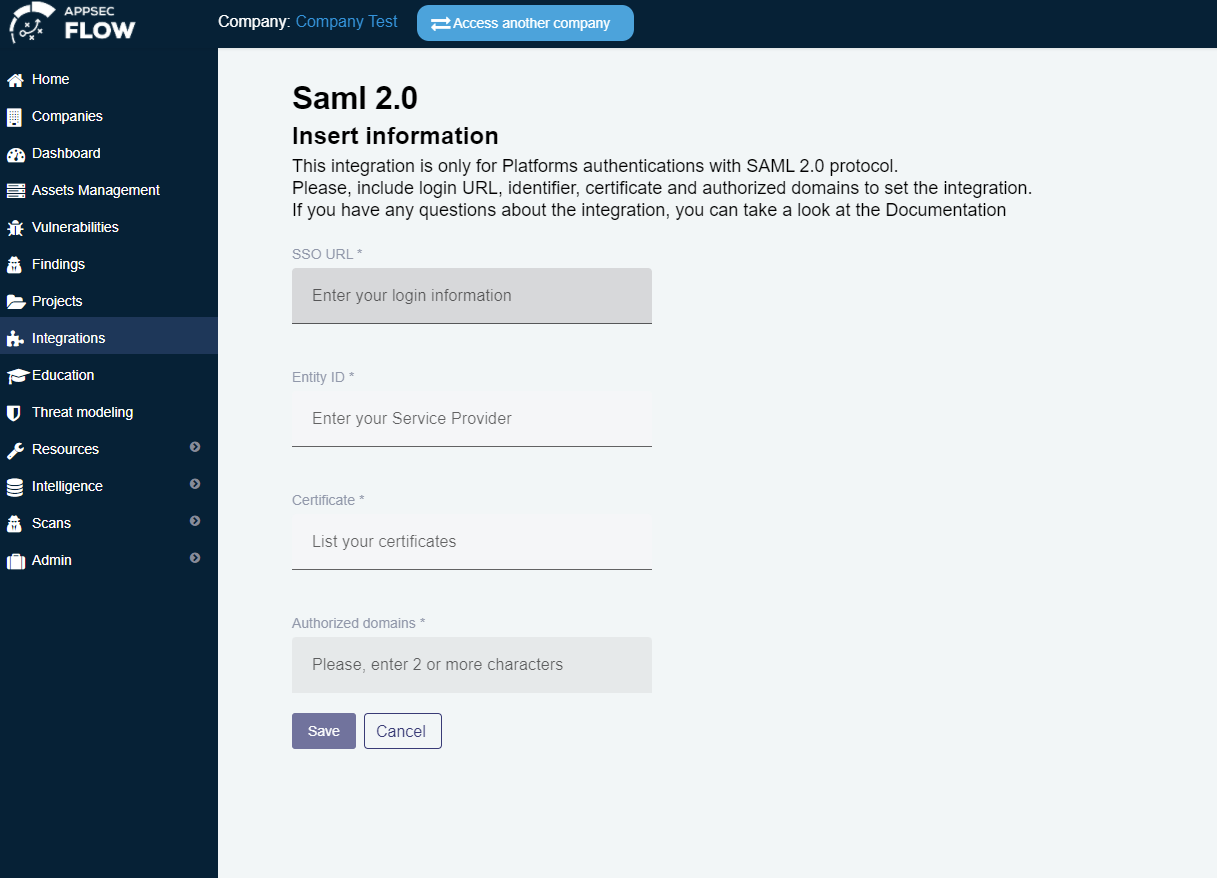
    Improved Single Sign-On integration with enterprise identity providers, supporting SAML 2.0 and modern authentication protocols for better security and user experience.

  • Multi-Factor Authentication
    Enhanced security with support for multiple authentication factors including Google Authenticator and other TOTP-based solutions.


New Feature

Asset Classification

  • Asset Classification Dashboard
    New comprehensive filtering system for assets based on their classification status (Classified, Partially Classified, Unclassified) with visual charts showing distribution across different categories.

New Feature

DAST Report

  • DAST Scan Generation
    Easily generate DAST reports. Get clear visibility into your scan results to identify vulnerabilities and support faster, informed security decisions.

Improvements

User Experience & Workflow Optimization

  • Streamlined Project Creation
    Improved project setup workflows with better asset association and validation processes.

  • Enhanced Report Generation
    Better technical report generation with improved evidence handling and download capabilities.

  • Container Vulnerability Improvements Better handling of container scan results with improved data hygiene and automatic closure capabilities for resolved issues.


Improvements

Performance & Reliability Improvements

  • Faster Platform Response
    Improved overall system performance for better user experience and faster workflow completion.

👉 Access the Conviso Platform to explore these updates in action.

Conviso TeamConviso Team | Conviso AppSec

Release 4.15

Release Notes

Release date: July 22nd, 2025

Key Benefits

Introduction

This release brings significant improvements to help you manage security risks more effectively and streamline your daily workflows. We've focused on making the platform more intuitive, providing better visibility into your security posture, and automating routine tasks to save you time. Whether you're tracking accepted risks, managing your asset inventory, or analyzing vulnerabilities, these updates will help you work more efficiently and make better security decisions.


New Feature

Risk Governance Improvements

  • Set Follow-up Dates for Accepted Risks
    When you accept a security risk, you can now set a reminder date for when it should be reviewed again. This helps ensure that accepted risks don't get forgotten and are reassessed when appropriate.

  • Enforce Reanalysis Date for Risk Accepted
    Complementing the previous change, this update enforces business rules to ensure that all "Risk Accepted" vulnerabilities are properly time-bound with a follow-up date.


New Feature

Workflow Optimization

  • Save Your Custom Views
    Save your frequently used filters and views in the project list. No more recreating the same searches every time - your custom views are always available for quick access.

  • Automatic Closure for Container-Type Vulnerabilities
    Vulnerabilities detected in container scans are now automatically closed if matching resolution criteria are met—reducing manual effort and improving data hygiene.


Improvements

UX and Visibility Enhancements

  • Show Last Execution Date for Each Source
    Adds a field with the last execution timestamp per scanning source in the vulnerability detail view.

  • Tag indicating the vulnerability source directly in the list
    A visual icon now shows which source generated the vulnerability, helping with quick scanning and triage.

  • Asset Name with Link on Vulnerability Detail
    Displays the asset name and a direct link to it in the vulnerability detail view.

  • Add File Name on Attachment Timeline
    Improve traceability and context by displaying file names for uploaded documents in requirement timelines.

  • Better view of DAST configuration on assets list
    Ability to filter DAST results by configured source.


Improvements

Integration and API Updates

  • Enhanced Asset Filtering
    Improved filtering options help you find exactly what you're looking for, whether you're working with development, staging, or production environments.

  • Fix: Duplicated Tags in Asset Filtering API
    Resolved an issue where duplicated tags appeared in asset filter responses.

  • Improve Behavior of Status Filter in Vulnerability Listing API
    Fixes inconsistencies in how the status filter responded to specific combinations, enhancing reliability.

  • Improve Performance of Asset Listing API with Multiple Filters
    Backend performance improvements for filtered asset listing, especially in large workspaces.

  • Refactor Source Sync Flow to Improve Timeout Handling
    Improves stability in the sync process by handling long source sync executions more gracefully.

  • Refactor Legacy GitHub Integration Code
    Cleans up technical debt related to GitHub integration to support newer features and improve maintainability.

  • Validate and Normalize Integration Data Before Save
    Adds validation and data normalization to reduce configuration errors and ensure consistent integration behavior.


👉 Access the Conviso Platform to explore these updates in action.

Conviso TeamConviso Team | Conviso AppSec

Release 4.14

Release Notes

Release date: June 4th, 2025

Key Benefits

Introduction

This release marks the end of a dedicated cycle of improvements focused on enhancing the Vulnerability Management experience. From increased visibility and better usability to automation and flexibility, these updates reinforce our commitment to delivering a platform that supports more effective and intelligent AppSec operations.


Improvements

Vulnerability Management Improvements

đź’ˇ Value Proposition
Improve the experience across vulnerability management workflows, making them more intuitive, efficient, and aligned with real-world security needs. Additionally, deliver a clearer and more contextualized view of identified risks within each organization, enabling a deeper understanding of their security posture in relation to business impact.

🎯 Expected Outcome
Enhance risk management and support more informed decision-making regarding the maturity of each organization’s application security (AppSec), by providing more accessible, structured, and actionable insights.

  • Add RESP to the list of network protocols on the vulnerability creation/edition;
  • Adapt Select component to support infinite scroll;
  • Share asset search filters and results;
  • Display recent SCANS information for each asset;
  • SBOM inventory view;
  • Enable vulnerability deletion;
  • Allow editing of the template for reported vulnerabilities;
  • Display status in the vulnerability listing;
  • Rename “Failure Type” filter to “Analysis Type”;
  • Attach vulnerability evidence during creation;
  • Save filters in the vulnerability screen;
  • Update source select to display active company integrations;
  • List GitHub integration in the asset list;
  • Add asset to vulnerability detail;
  • Allow customizing displayed columns in vulnerability table;
  • Show vulnerability ID in the list;
  • UI/UX adjustments on vulnerability details.

New Feature

JetBrains IDE Plugin Support

Conviso Secure Code Mentor is now also available on JetBrains IDEs. With intelligent suggestions, technical explanations, and resources linked directly to your code, the plugin continues to support your AppSec learning journey — now within the development environment you already use.

Compatible with: IntelliJ IDEA, PyCharm, WebStorm, PhpStorm, RubyMine, GoLand, CLion, Rider, DataSpell, DataGrip, and more.


New Feature

Automatic Image Scan Closure

Enable automatic closure of container-type vulnerabilities by adapting the existing process to support this specific execution context outside traditional AST workflows. This reduces manual effort, improves accuracy in vulnerability status management, and ensures timely updates on container security posture.


Improvements

Other Platform Improvements

  • Add attachment name on requirement timeline upload;
  • Round the "days" values displayed on the dashboard for improved readability.
Conviso TeamConviso Team | Conviso AppSec

Release 4.13

Release Notes

Release date: May 28th, 2025

Key Benefits

What's New

New Feature

Global searchbar on every page

img

Finding what you need just got easier. The new global searchbar lets you search for assets, vulnerabilities, and projects from anywhere in the platform — right from the top navigation.

  • Fewer clicks and faster navigation.
  • Discover relationships between items (e.g., an asset and its critical vulnerabilities).
  • Easier onboarding for new users, with no need to learn the full navigation structure.

Access the conviso plataform to check the updates.

EoF (End of Life)

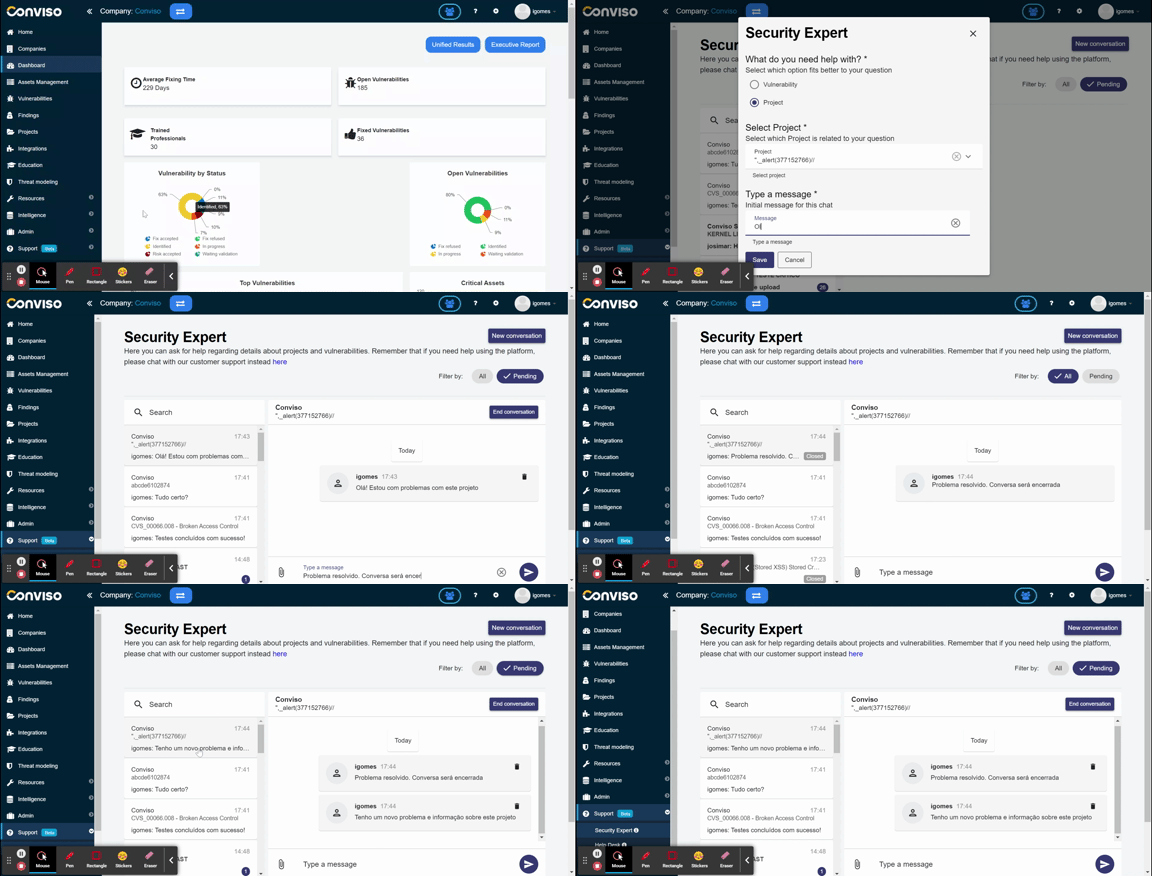
End of Security Expert

img

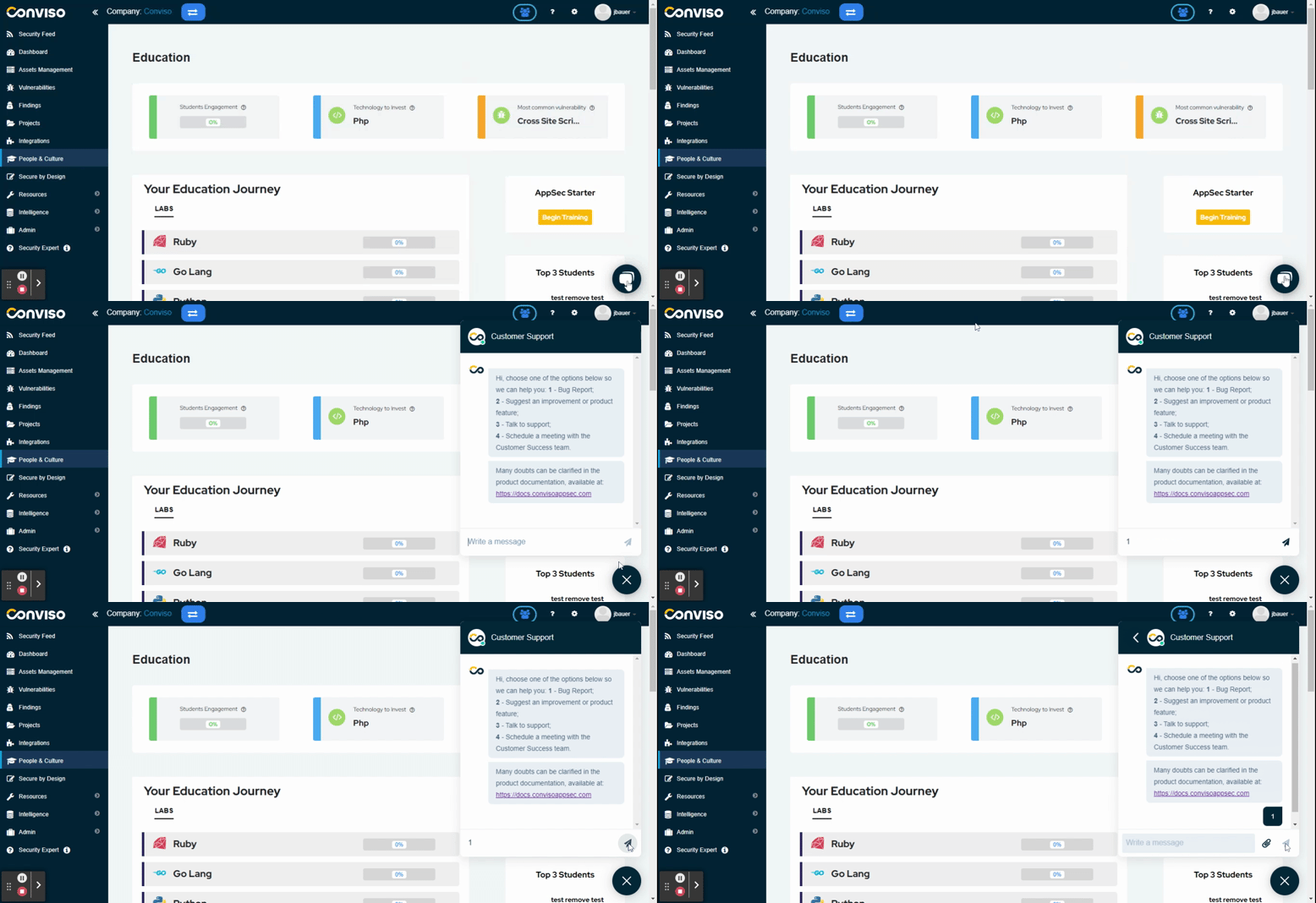
The Security Expert feature will be discontinued as part of a strategic move to consolidate support into a single channel, offering more quality and agility.

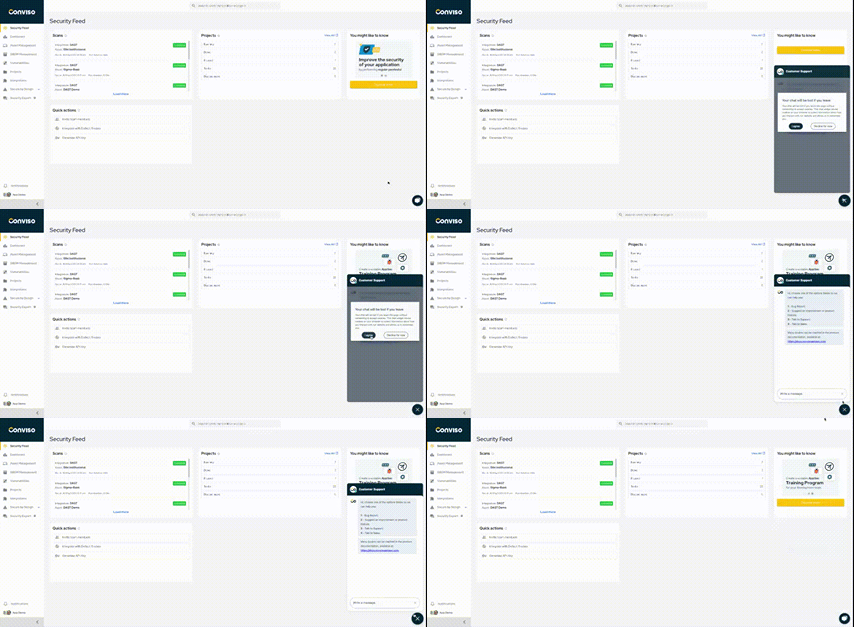
From now on, all questions should be directed to our official support channel, accessible via the chat icon in the bottom right corner of the platform.

This area will include a dedicated field to speak with our analysts, replacing the functions previously handled by the Security Expert.

We’re committed to continuing to offer support aligned with your needs.

Conviso TeamConviso Team | Conviso AppSec

Release 4.12

Release Notes

Release date: May 16th, 2025

Key Benefits

What's New

Feature Improvement

New Analytics Dashboard

img

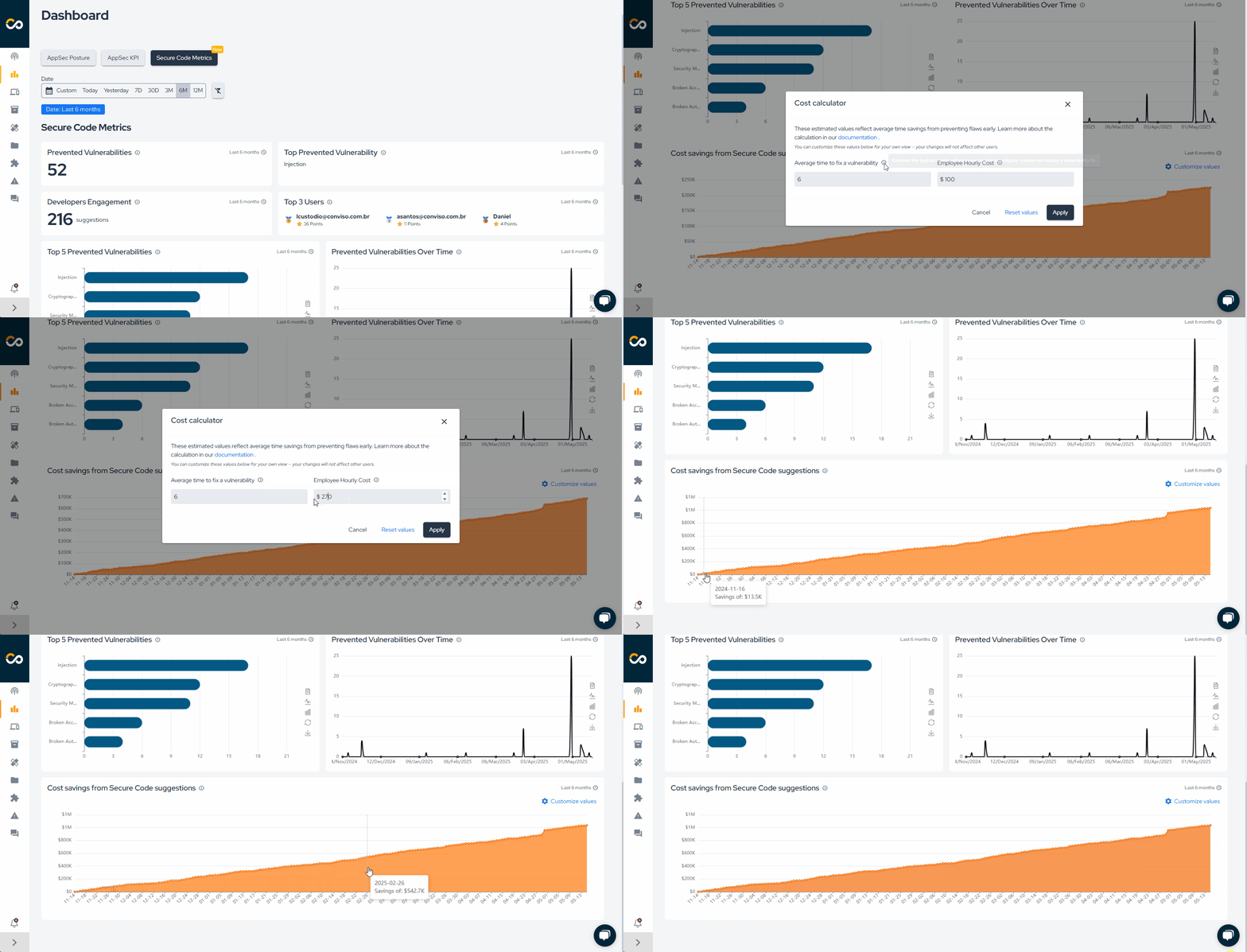
You can now track MTTR by severity, total vulnerabilities, and the top 10 issues, with time filters and a consolidated view of your security posture.

  • MTTR by severity on Dashboard: View the Mean Time to Remediate (MTTR) by severity level and identify remediation bottlenecks.
  • "In the last X days" on all charts: See the time period directly on the charts without needing to apply filters.
  • Top 10 vulnerabilities: A quick view of the most recurring vulnerabilities to help prioritize actions.
  • Total vulnerabilities displayed: A consolidated overview of your application’s security posture.

Access the dashboard to check the updates.

New Feature

Estimated savings with Secure Code Mentor

img

We added a new chart to the Secure Code Dashboard that correlates vulnerabilities prevented using the plugin with estimated cost savings.

Conviso TeamConviso Team | Conviso AppSec

Release 4.11

Release Notes

Release date: April 4th, 2025

Key Benefits

  • New Project Management Enhancements: Makes managing security projects easier and more efficient;
  • SBOM Inventory: View a global inventory of SBOM dependencies across all assets;
  • Conviso AST 2.3.0: More Precision, simplicity, and speed;
  • Save Filters in the Vulnerability Screen: display the most relevant issues for you, boosting productivity and focus.

What's New

Improved Feature

New Project Management Enhancements

img

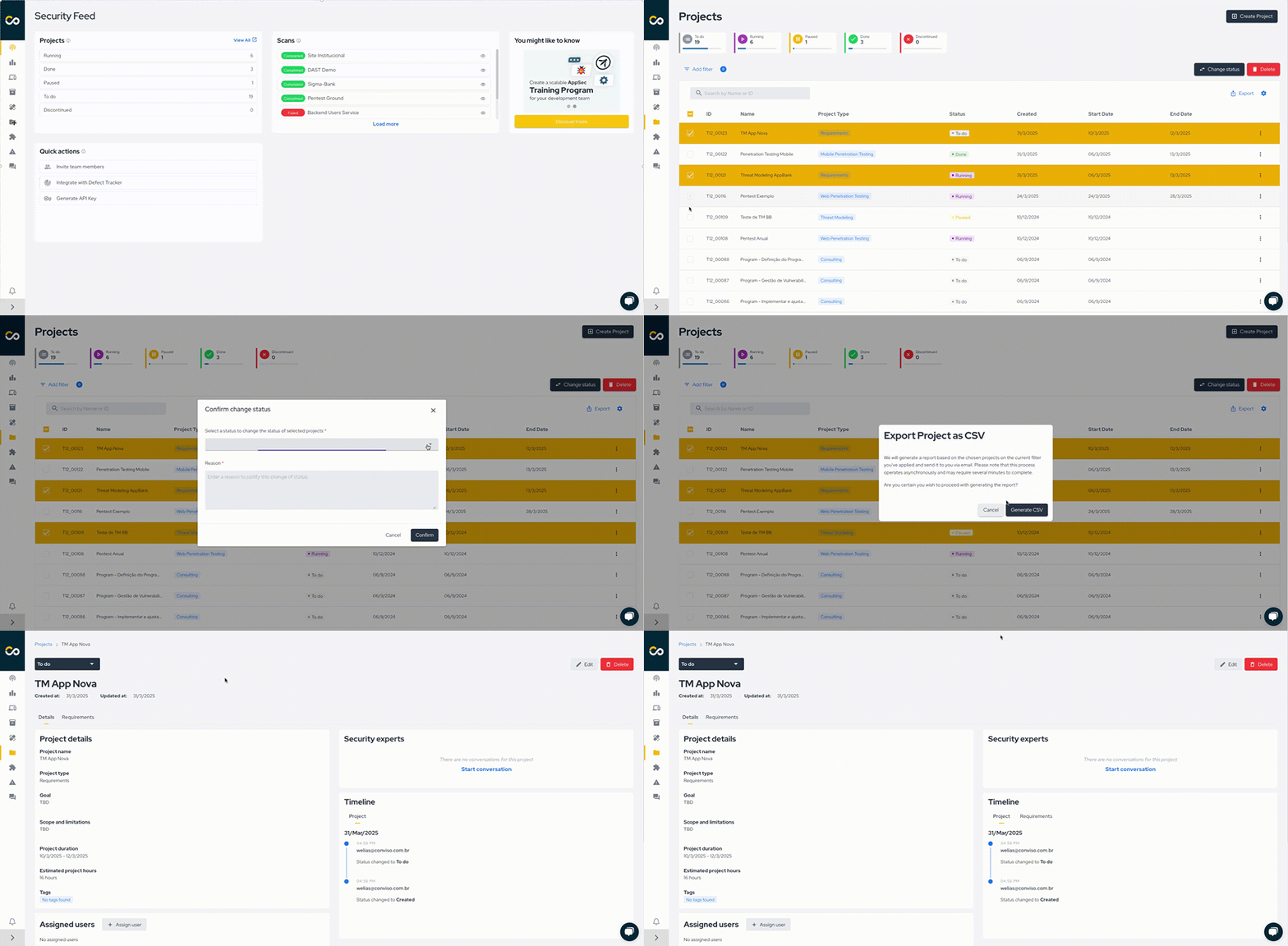
We’ve made managing security projects in the Conviso Platform more powerful and intuitive! This update introduces streamlined workflows, enhanced validation, and greater flexibility, helping you stay in control of your security projects with ease.

This update brings significant improvements to project management. You can easily start, complete, and attach files to activities with a full requirements history. Project creation and editing have been simplified with enhanced flows and support for new project types like API, IoT, and AI Penetration Testing. You can add and edit comments directly on the project details page, improving communication and collaboration. Now we have a bulk status update. Plus, the overall user experience has been enhanced.

Take advantage of these improvements to manage your security projects more efficiently than ever! More information here.


New Feature

SBOM Inventory

img

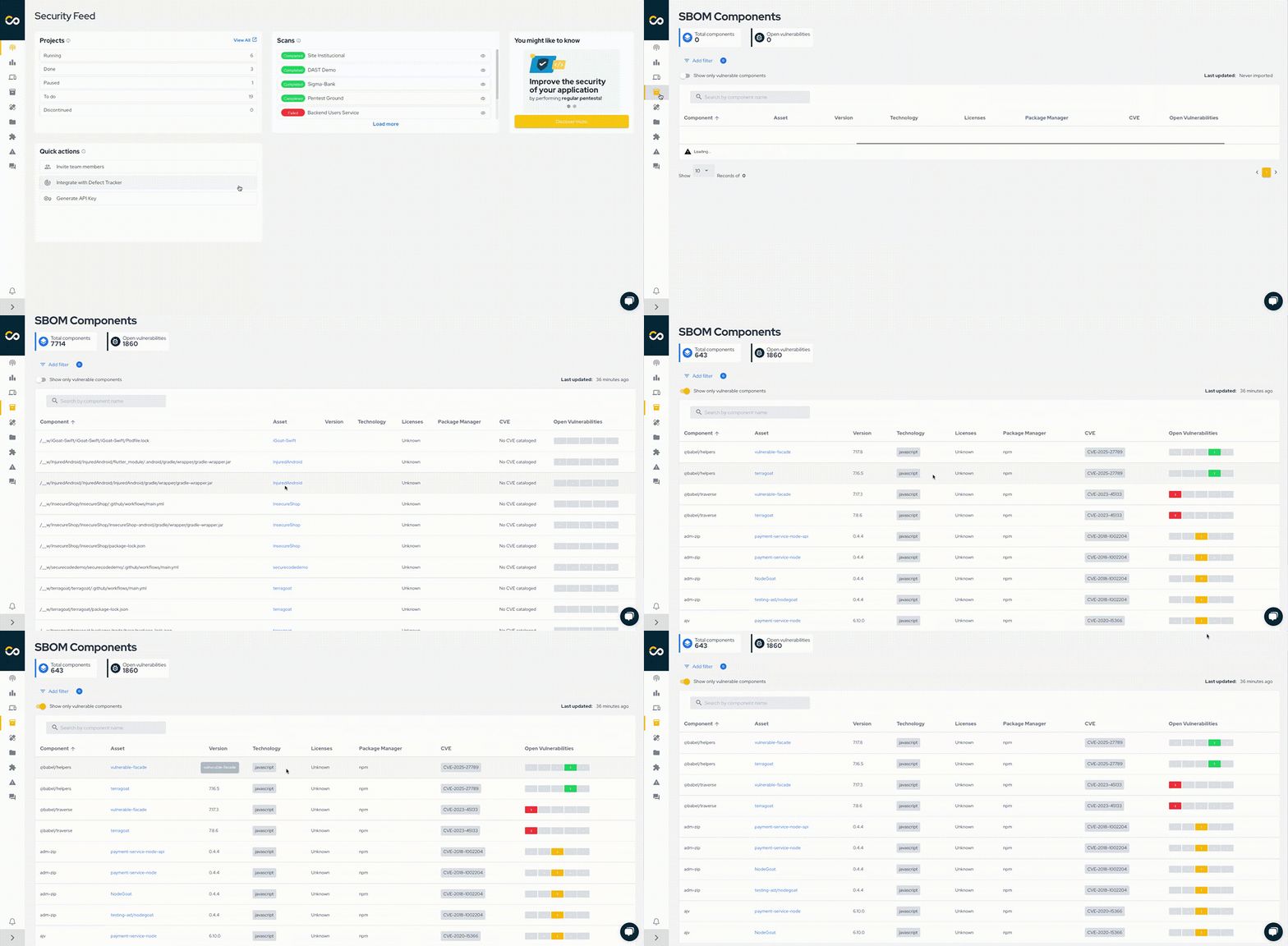
Users now manage and understand more efficiently the security and compliance posture of their assets, making data-driven decisions and prioritizing remediation efforts based on shared dependencies and libraries all in one place.


Improved Feature

Conviso AST 2.3.0

AST now uses Semgrep as the main scanner, with a rule management system powered by Conviso, enabling more precise and customizable security scans. Older scanners will remain available during a transition period to ensure vulnerabilities are properly addressed, preventing premature closure of issues actively being fixed.

More reliability, usability, and speed in your security workflow!


Improved Feature

Save Filters in the Vulnerability Screen

img

Users can personalize their vulnerability management experience by setting the "Vulnerabilities" page to display the most relevant vulnerabilities for their role or team by default, improving overall productivity and efficiency.

Conviso TeamConviso Team | Conviso AppSec

Release 4.10

Release Notes

Release date: December 10th, 2024

Key Benefits

  • Risk-based Prioritization Funnel: Prioritizing vulnerabilities that really matters for your business;
  • Clickup Integration: Improving developers productivity in Vulnerability Management;
  • Better On-Boarding Experience: Improving new users experience in Conviso Platform

What's New

New Feature

Risk-based Prioritization Funnel: Prioritizing vulnerabilities that really matters for your business

img

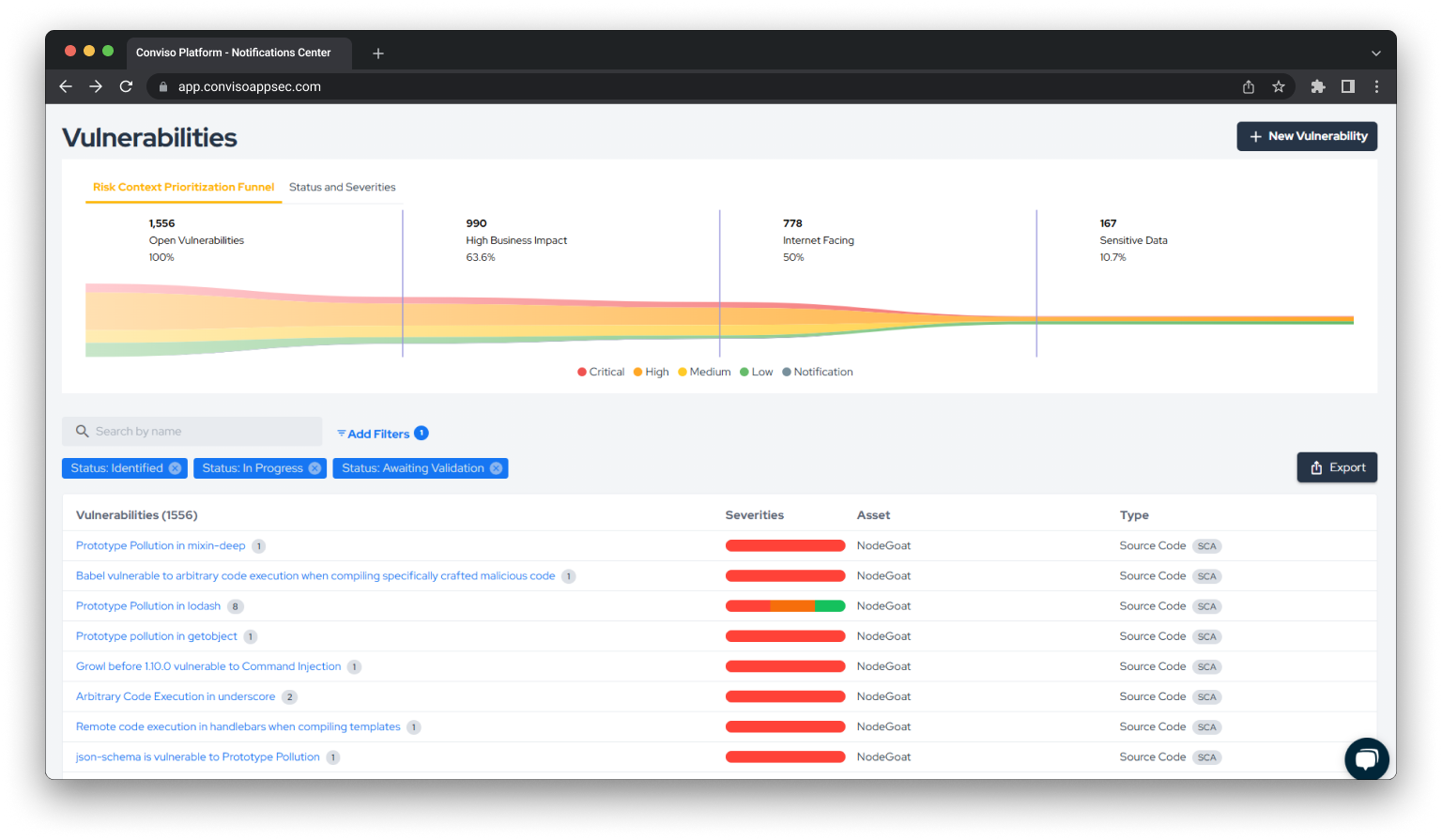
We’re excited to announce the launch of the Risk Context Prioritization Funnel, a powerful new feature designed to help development and security teams prioritize vulnerabilities based on contextual risk rather than severity alone.

This feature evaluates vulnerabilities across critical factors such as severity, business impact, exposure, and sensitivity of data. By incorporating these dimensions, the Risk Context Funnel ensures that resources are focused where they matter most, aligning remediation efforts with organizational priorities and reducing overall risk.

Start using the Risk Context Prioritization Funnel today to take your vulnerability management to the next level! More information here.


New Feature

Clickup Integration: Improving developers productivity in Vulnerability Management

img

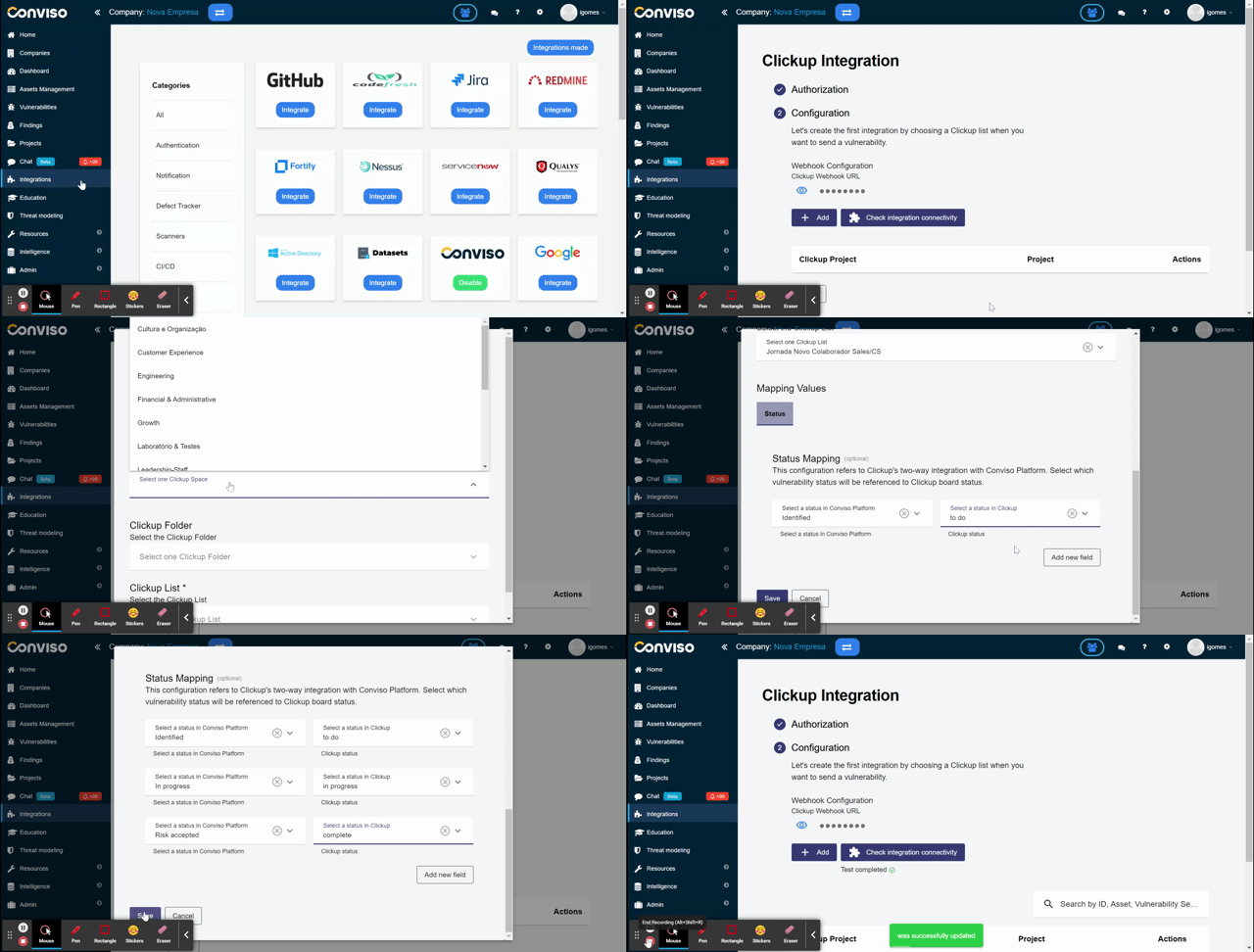
We are glad to announce the release of a native integration with Clickup. Integrating Clickup in Conviso Platform will let developers gain productivity while we do all the hard work by automating the whole vulnerability management triage process.

New vulnerabilities identified in Conviso Platform are created in real time directly in Clickup. With our two-way integration capability, every status update from both solutions are automatically updated in order to reduce the toil and increase developers productivity.

Check the documentation here


UX Improvement

New Users On-boarding: Enhancing the first experience using Conviso Platform

img

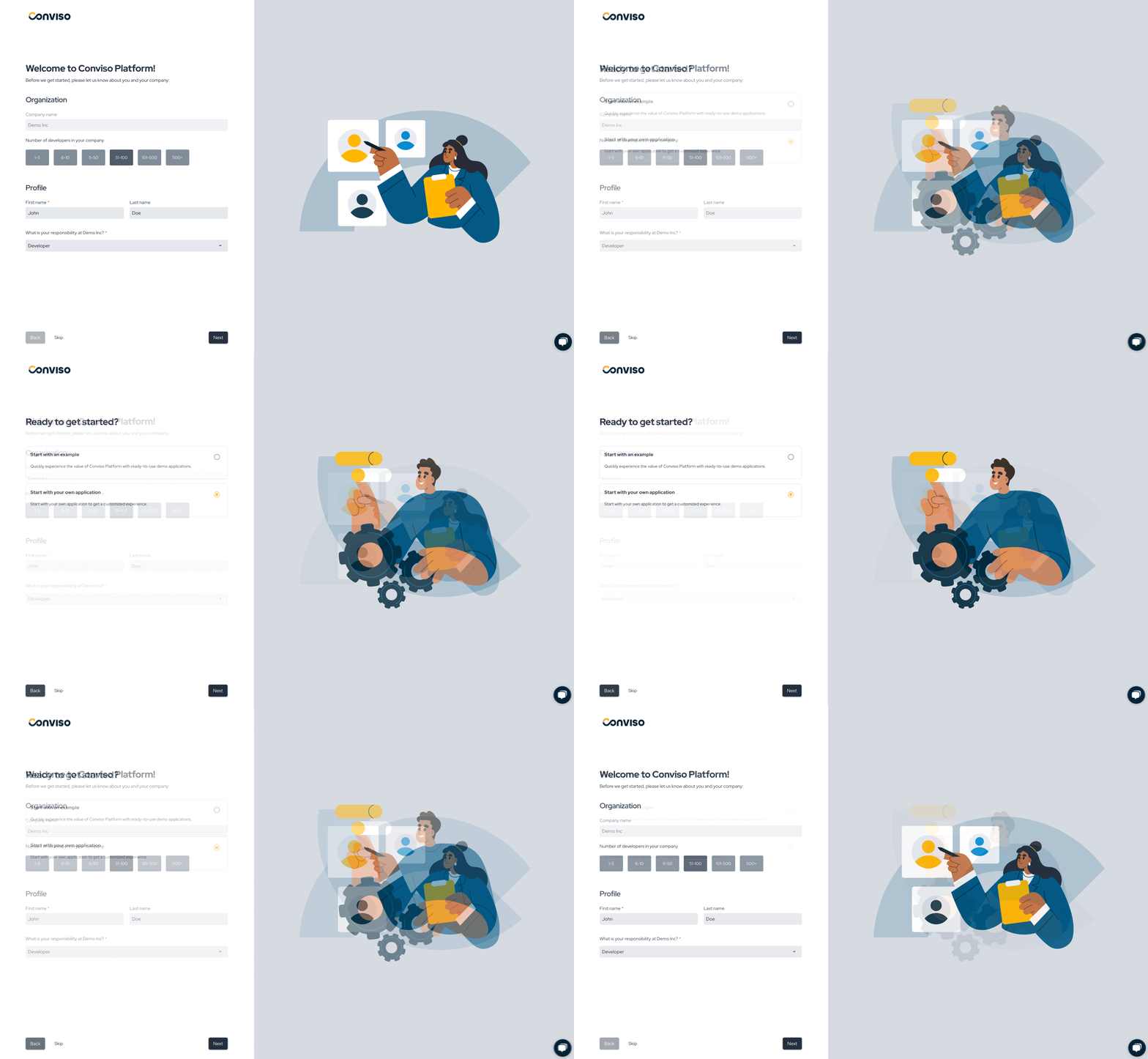
We’re excited to announce new enhancements designed to make onboarding more intuitive and impactful:

  • Personalized Guidance: Onboarding now adapts to your role within the company, providing tailored introductions that focus on the features most relevant to your needs. This ensures you can quickly navigate the platform and understand its value.
  • Instant Value with Demo Applications: To help you get started faster, we’ve added pre-configured demo applications. Instead of creating an application from scratch, you can explore the platform’s capabilities through ready-to-use examples.

These updates are aimed at providing a smoother and more meaningful onboarding experience, empowering you to get the most out of the Conviso Platform right from the start.

Keep updated on upcoming deliveries!

To have a better understanding about what's coming next on our platform, have a look at our Roadmap.


Conviso TeamConviso Team | Conviso AppSec

Release 4.9

Release Notes

Release date: October 28th, 2024

Key Benefits

  • SAML Group Mapping: Automatically Assign User Access and Permissions;
  • Slack Integration: A new notification chat channel;
  • Reshaped Integrations Experience: Enhanced UX and Clear Navigation

What's New

New Feature

SAML Group Mapping: Automatically Assign User Access and Permissions

img

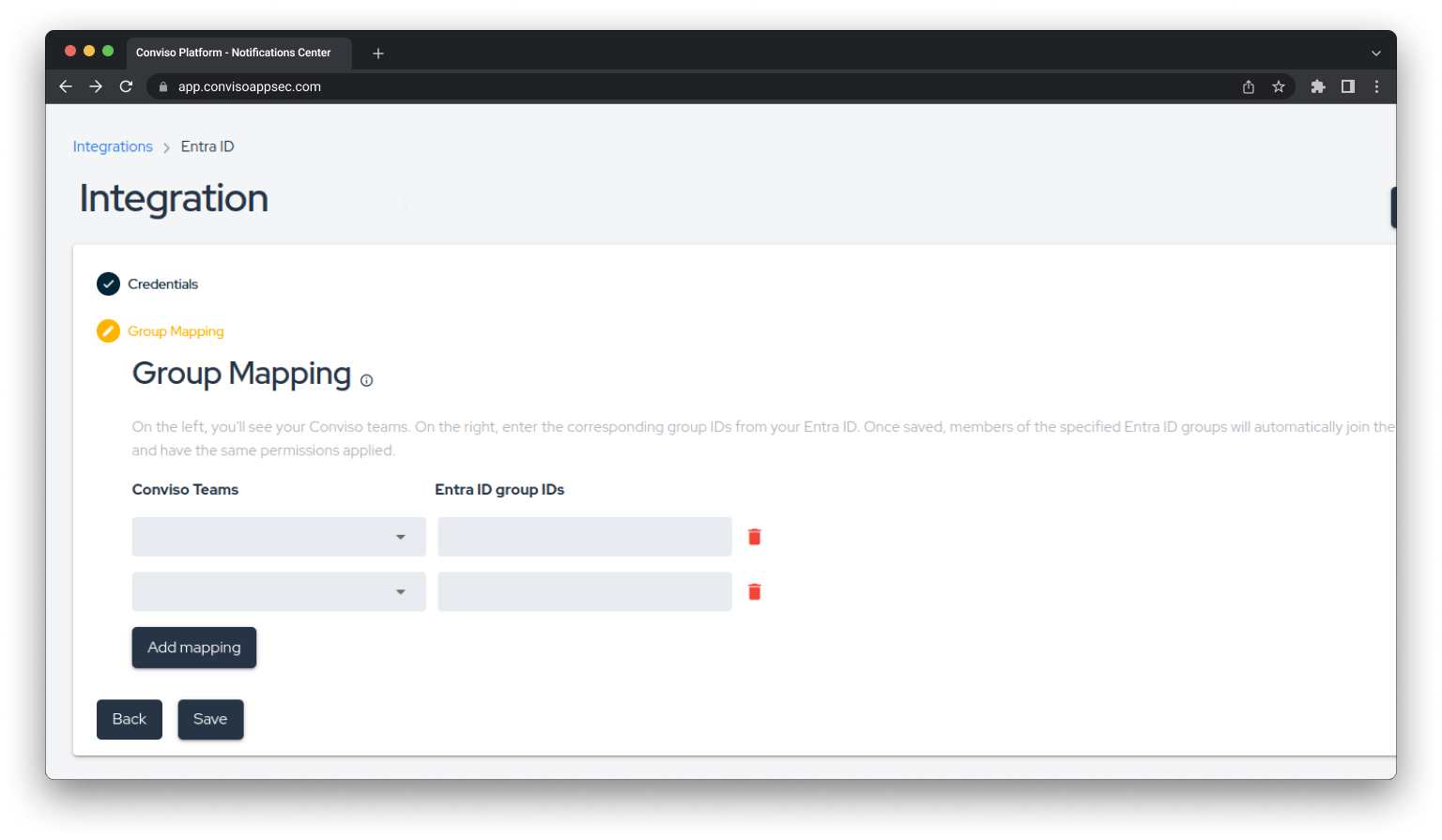
We're excited to introduce SAML Group Mapping into the user management workflow, making it easier than ever to manage user access and permissions. With this new feature, administrators can automatically map users to specific groups within the Conviso Platform based on their SAML attributes, simplifying the assignment of roles and permissions across your organization.

Key features:

  • Automated Group Mapping: Simplify user management by mapping Conviso Platform groups to groups in your customer's Active Directory, such as Entra ID, through the SAML 2.0 protocol, reducing the need for manual intervention.
  • Consistent Access Control: Ensure that users have the right access to the appropriate resources by aligning their group memberships in the Conviso Platform with those in your organization’s directory via SAML 2.0.
  • Customizable Mappings: Define and manage group mappings that align with your organization’s structure, allowing you to flexibly assign user roles and permissions based on your specific needs.

The SAML Group Mapping feature enhances our existing user management capabilities, helping you maintain consistent and secure access control across your platform. This update is part of our ongoing efforts to deliver powerful tools that simplify administration and bolster security.

New Feature

Slack Integration: A new notification chat channel

img

Supporting our previous release, we’re thrilled to announce the integration of Slack into the new Notifications workflow, enhancing your ability to stay informed about the most important AppSec events in real-time. With this new feature, you can now receive notifications directly in your Slack channels, ensuring clear communication and collaboration around security updates.

Key features:

  • Slack Notifications: Get instant alerts for the AppSec events that matter most to you, delivered straight to your Slack channels.
  • Custom Settings: Tailor your notification preferences by choosing specific events to receive, helping you focus on what’s relevant for your team.
  • Increase Collaboration: Foster discussions around security events directly within Slack, enabling faster responses and a more coordinated approach to application security.

The Slack integration complements our existing Notifications Center, providing you with multiple channels to keep you connected and informed. This enhancement is part of our ongoing commitment to empower you with the tools needed for proactive security management.

UX Improvement

Reshaped Integrations Experience: Enhanced UX and Clear Navigation

img

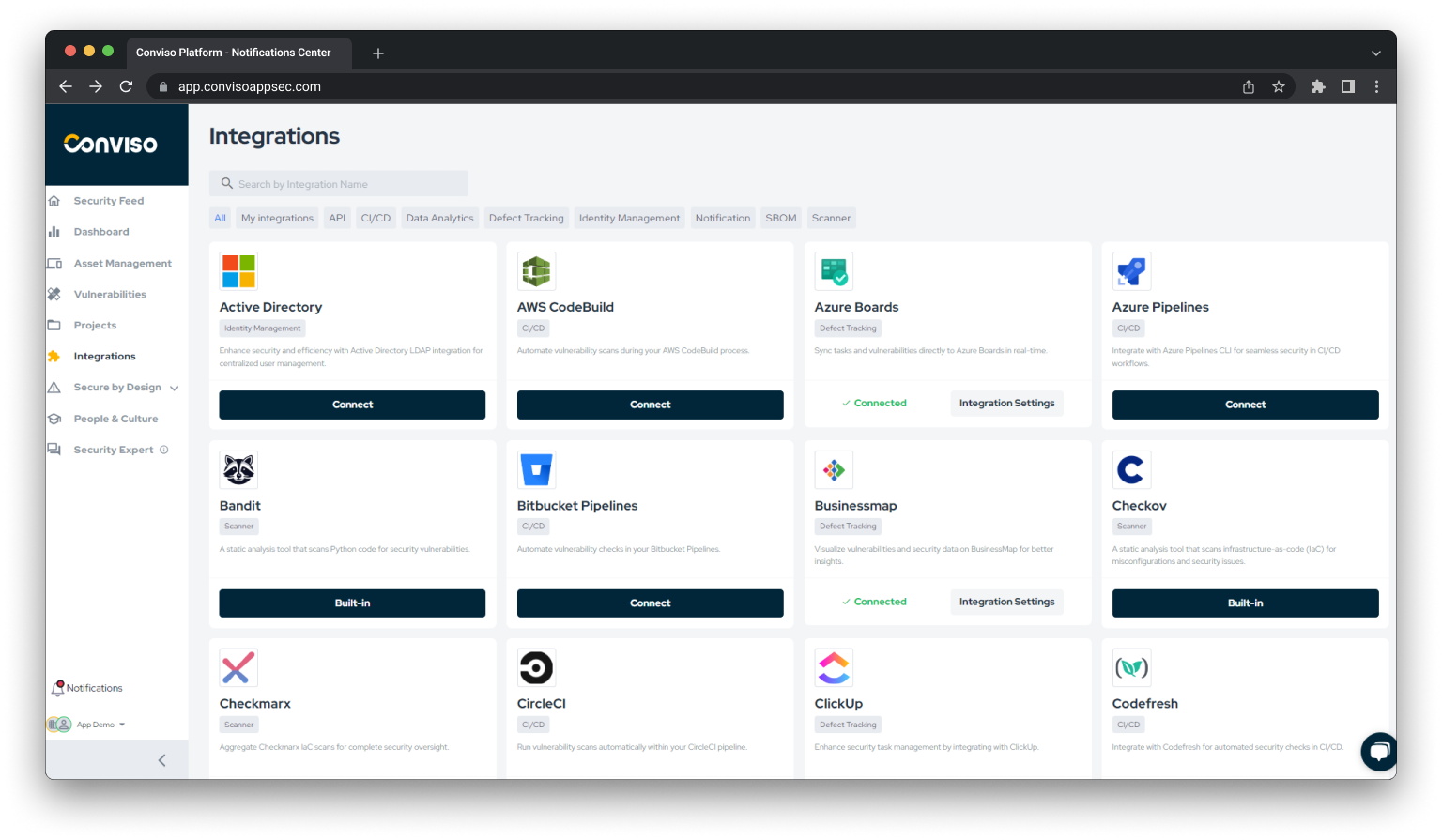
We're excited to introduce a completely reshaped Integrations experience, designed to manage your integrations smoother and more intuitive. This update focuses on providing a better user experience and clearer navigation within the Integrations module, making it easier than ever to connect with the tools and services you rely on.

Key Enhancements:

  • Improved User Interface: Enjoy a cleaner, more intuitive layout that simplifies the process of setting up and managing integrations, allowing you to focus on what matters most.
  • Clear Navigation: Navigate through the integrations with ease, thanks to a reorganized menu and clearer categorization that makes it simple to find the integrations you need and access configuration settings.
  • Enhanced Workflow: Experience a more efficient integration setup process with clearer guidance and better-organized steps, helping you get connected quickly and with confidence.

This update is part of our commitment to providing you with a smooth and user-friendly experience, ensuring that you can easily integrate the tools that support your security goals. The reshaped Integrations experience is here to help you stay connected and maximize the value of your integrated ecosystem.

Keep updated on upcoming deliveries!

To have a better understanding about what's coming next on our platform, have a look at our Roadmap.

Conviso TeamConviso Team | Conviso AppSec

Release 4.8

Release Notes

Release date: October 4th, 2024

Key Benefits

  • Empower your Security Supply Chain: Introducing SBOM Generation Support;
  • Enhanced Access Control: Associate Profiles and Access with Teams in a refreshed UI;
  • Plans & Usage: Better visibility and management;
  • Improvements to vulnerability filtering and perfomance loading time

What's New

New Feature

Empower your Security Supply Chain: Introducing SBOM Generation Support

img

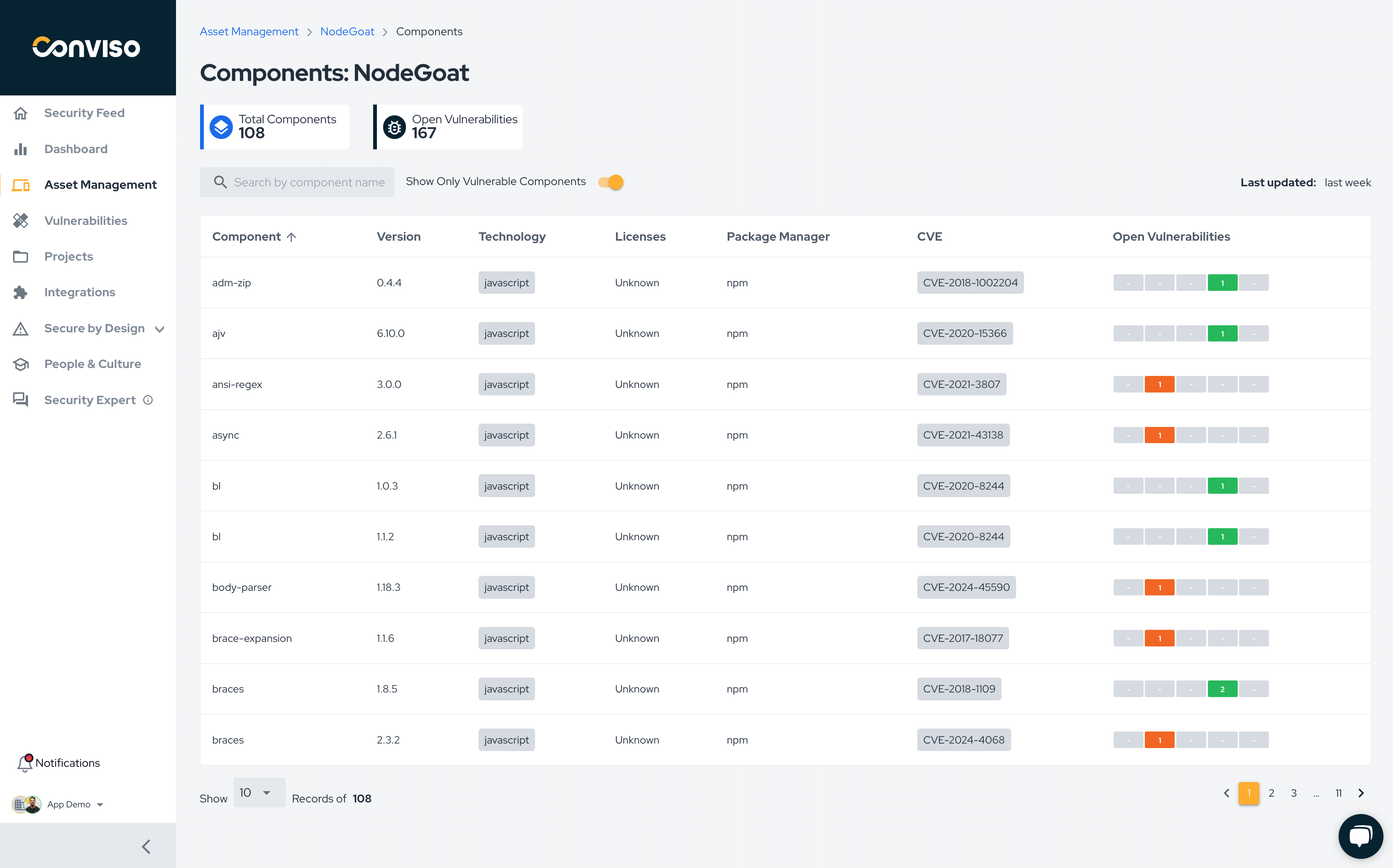
Gain visibility into the security supply chain of your applications with our new SBOM generation feature in Conviso AST. Stay informed with an up-to-date list of components, ensuring you have the insights needed to manage your application’s security effectively to be compliant and follow best security practices.

Key features:

  • Creation of all the dependencies of the application in realtime when new code changes are made in code;
  • Lists important information of de dependency like Technology, Dependency Manager, License;
  • Links Open Vulnerabilities associated with the dependency;

How does it work: Generate your SBOM effortlessly using Conviso CLI within your repository or CI/CD pipeline through one of the following commands:

  • conviso ast run
  • conviso sca run
  • conviso sbom generate

This feature is available when using the latest version of Conviso CLI or version 2.2.2 and above.

Next improvements:

  • Licensing security compliance validation;
  • Dependency Graph generation for each dependency

Enhance the security posture and compliance of your applications with our SBOM generation support!

New Feature

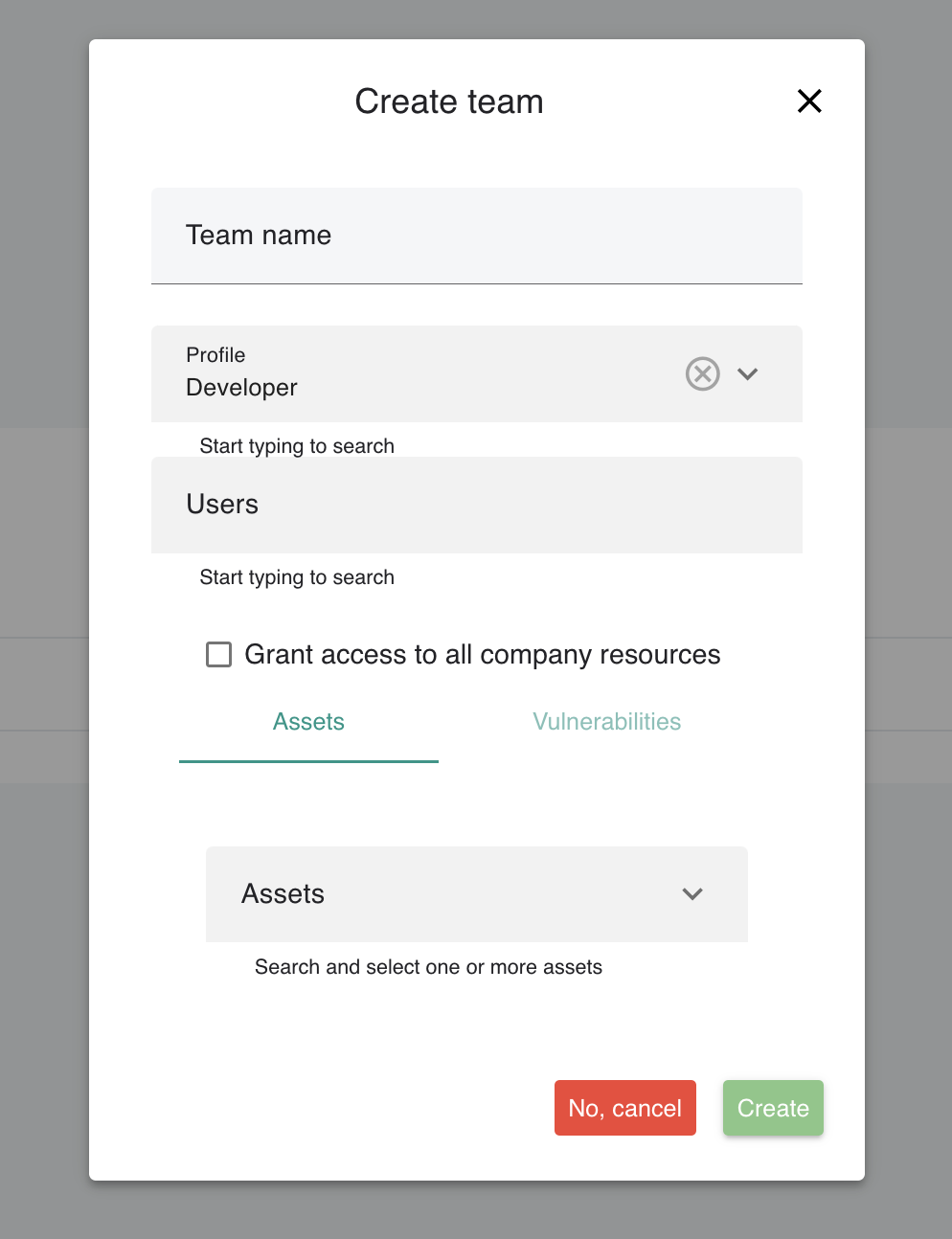
Enhanced Access Control: Associate Profiles and Access with Teams in a refreshed UI

img

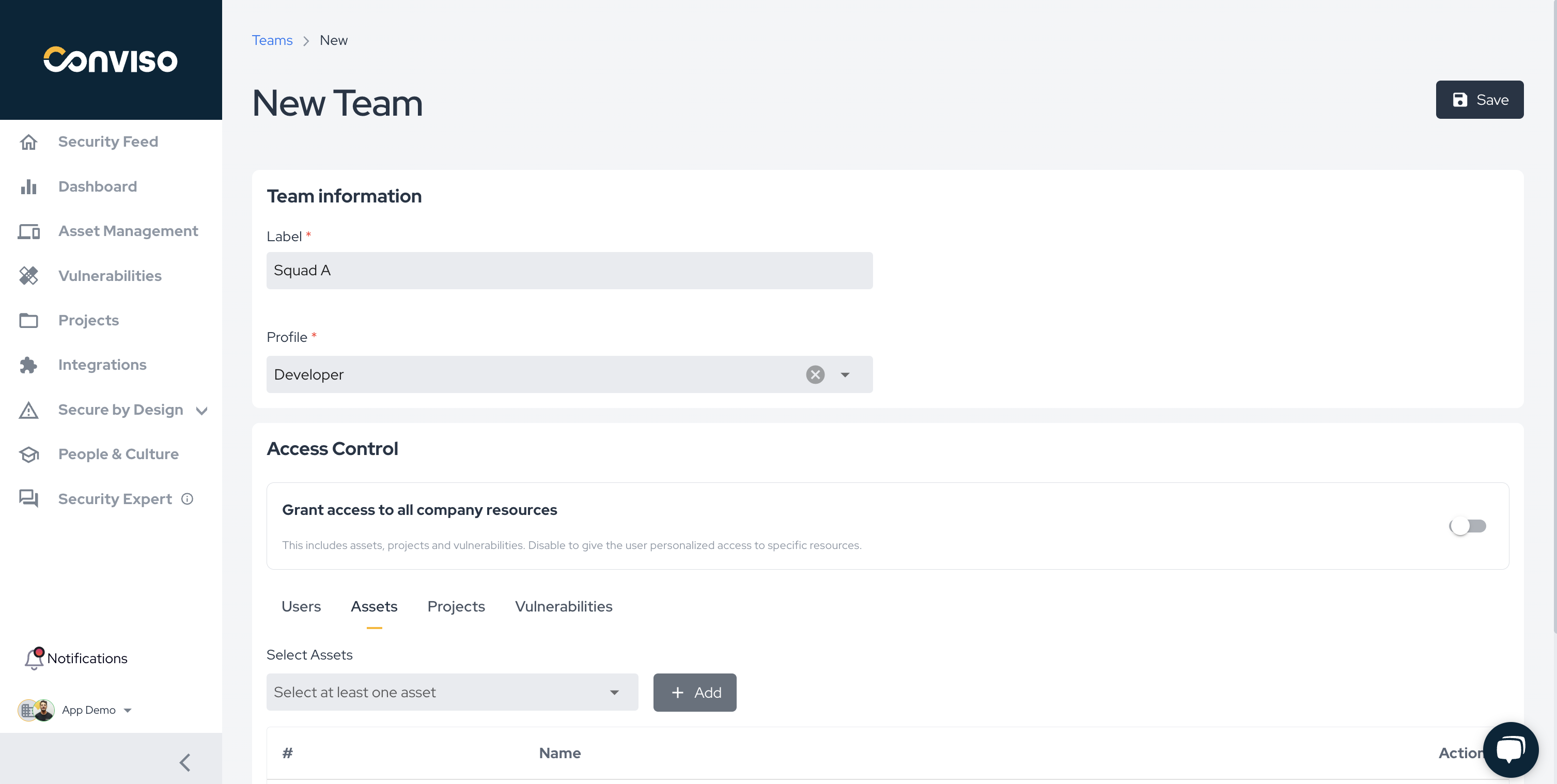
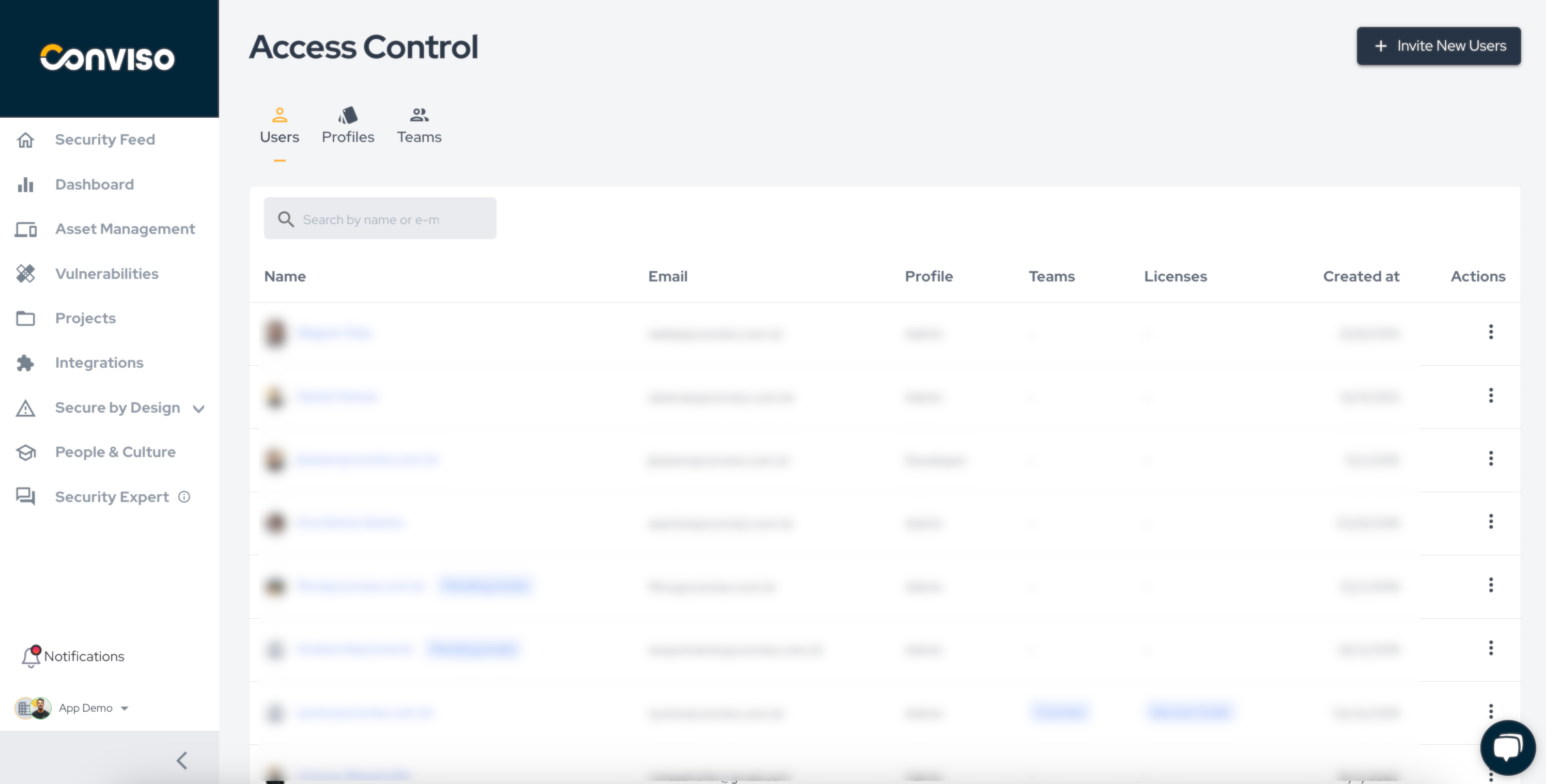
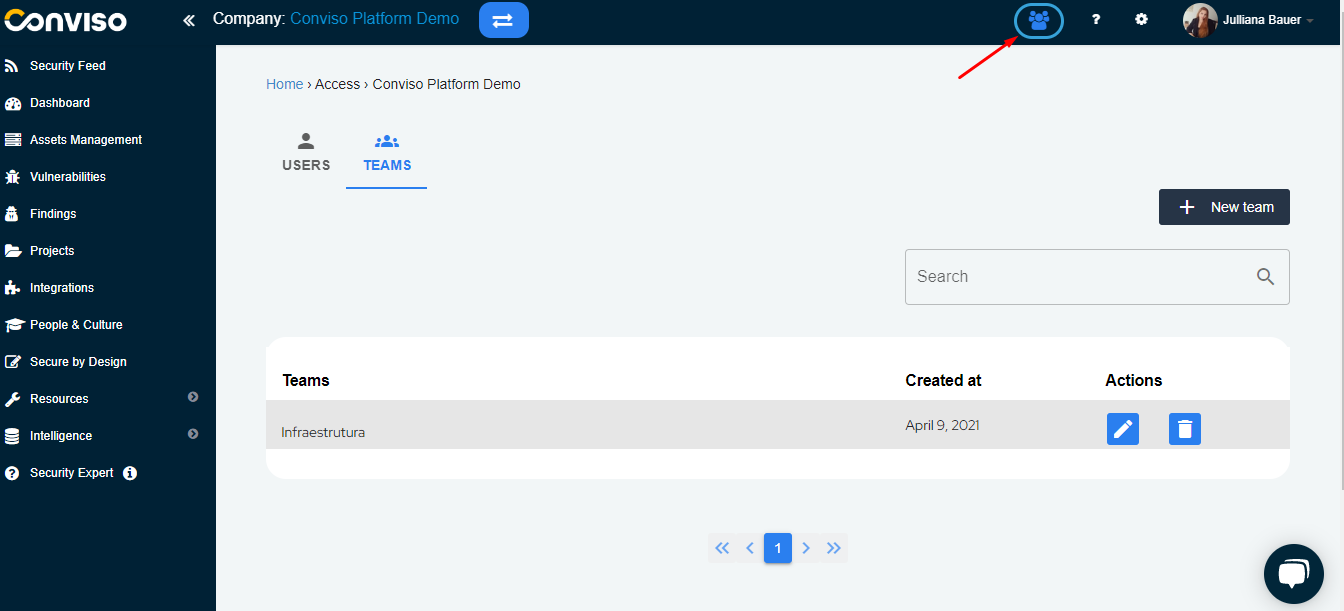
We’re thrilled to introduce an update to our Access Control feature! You can now associate Profiles and Access definition at the Team level, providing a more organized and scalable way to manage roles and permissions across your organization.

img

Along with this functionality, we've completely refreshed the UI to ensure a smoother and more intuitive experience. The new interface is designed to enhance usability, allowing you to quickly navigate, configure, and manage access with improved clarity and efficiency.

Dive into these updates today and take full control of your team's security with ease!

New Feature

Plans & Usage: Better visibility and management

img

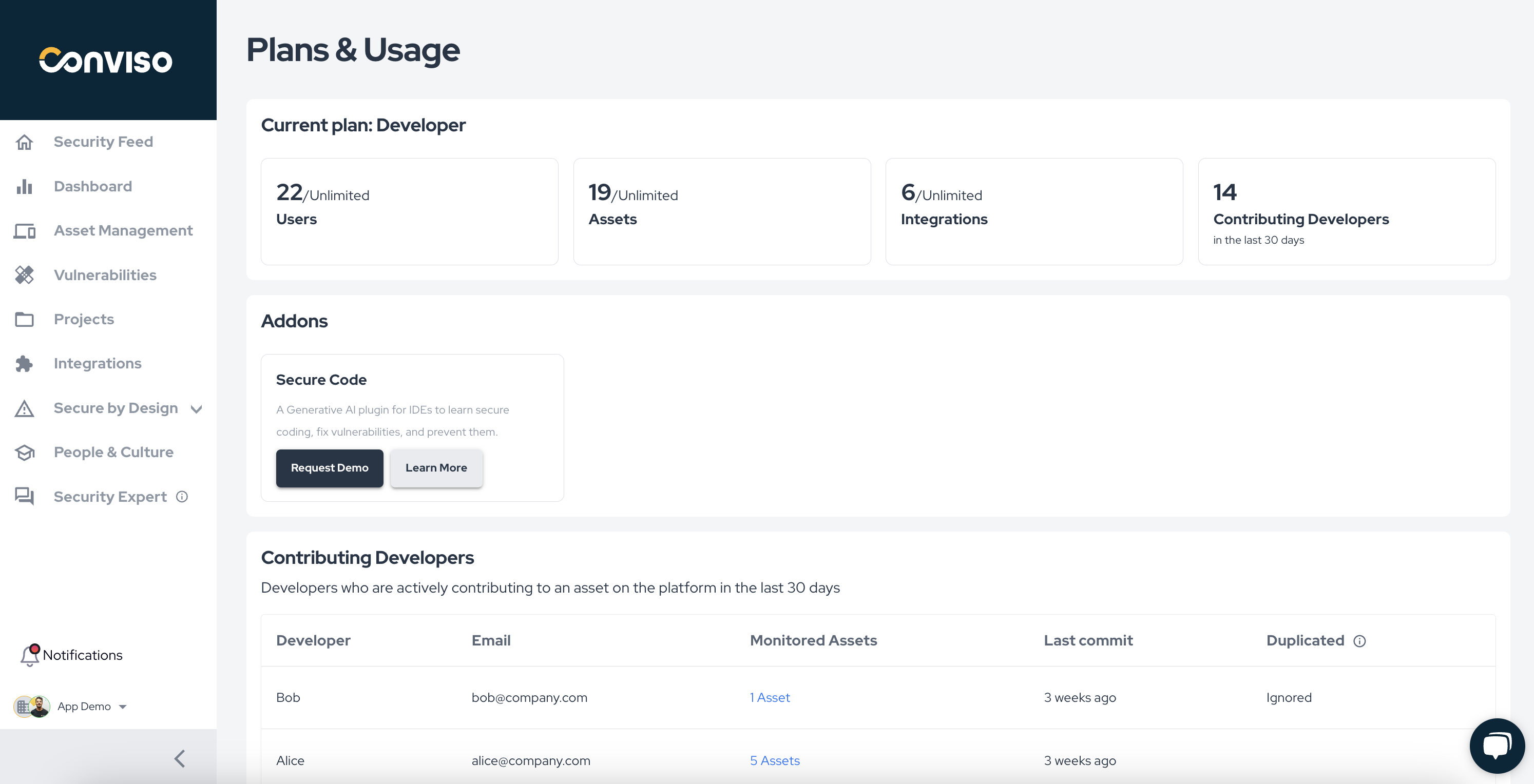
Easily manage and have a clear visibility of plans, usage and Add-ons management from a single page. Plan information; Basic usage metrics such as Users, Assets and Integrations; Advance usage information of Active Developers for an easy and transparent assessment; Add-ons management.

Only users with Admin profile will have access to this page.

UX Improvement

Improvements to vulnerability filtering and perfomance loading time

img

We have introduced several improvements to enhance the ASPM user experience on the vulnerabilities page:

  • Filter Tags: Applied filters are now visible as tags above the list, making it easier to see which filters are active.
  • Filter Removal: Removing filters has been streamlined to a single click.
  • Tooltip Enhancements: Tooltips have been added to each vulnerability status to clarify their meanings.
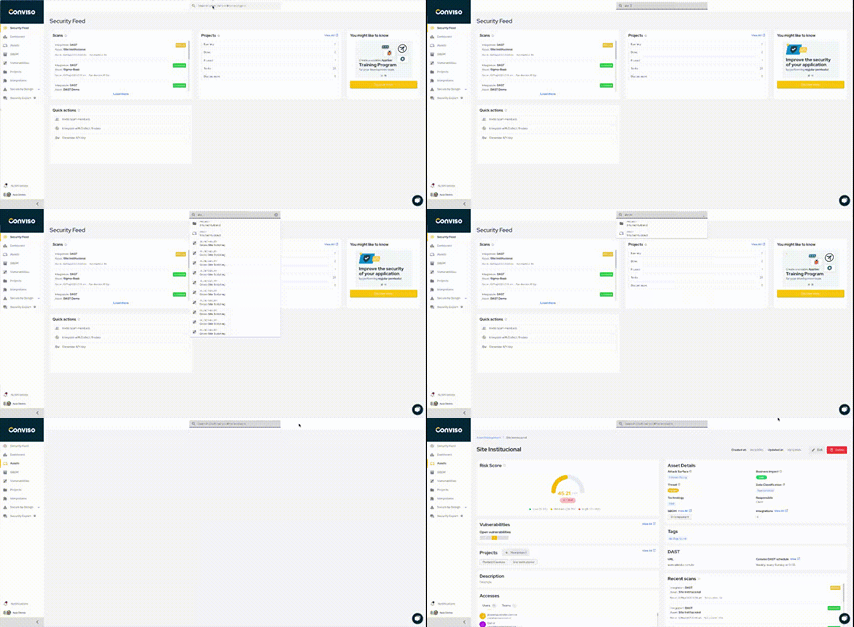
  • Performance Boost: Screen loading time has been reduced by over 33%.

Keep updated on upcoming deliveries!

To have a better understanding about what's coming next on our platform, have a look at our Roadmap.
Conviso TeamConviso Team | Conviso AppSec

Release 4.7

Release Notes

Release date: Semptember 24rd, 2024

Key Benefits

  • Promoting Secure Code Awareness: Conviso Secure Code Add-on;
  • Your Custom Hub for AppSec Events: Introducing the Notifications Center;
  • Microsoft Teams Integration: A new notification chat channel;
  • Checkmarx IaC Support: Aggregating more scan results from Checkmarx;
  • Conviso AST: Kotlin language Support;

What's New

New Feature

Promoting Secure Code Awareness: Conviso Secure Code Add-on;

img

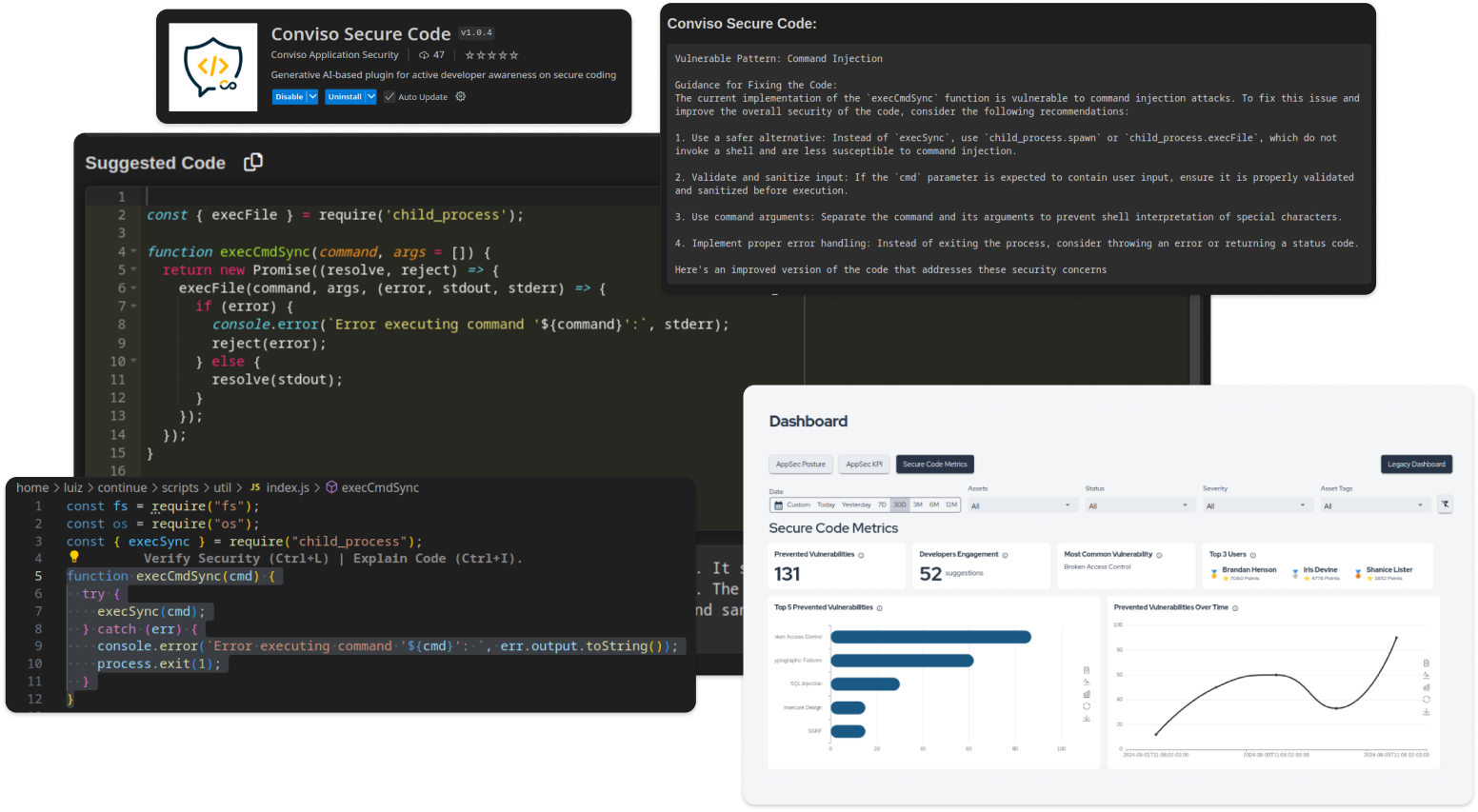
Conviso Secure Code (Conviso Platform Add-on) is a plugin integrated with Conviso Platform ecosystem and available within the developer's IDE.

Its main purpose is to promote secure code awareness, helping to prevent, identify, and fix vulnerabilities.

Through specialized generative AI, Conviso Secure Code supports Security Champions programs by providing training insights and performance metrics.

Key features:

  • Real-time code correction suggestions, identifying, fixing, and preventing vulnerabilities;
  • Information provided directly in the developer's IDE without disrupting their workflow;
  • Detailed explanations of the prevented vulnerabilities, ranked by the number of occurrences;
  • Dashboard for monitoring the development of Security Champions, with metrics such as prevented vulnerabilities, most engaged developers, top prevented vulnerabilities, and date filters;

Key benefits:

  • Increased security maturity from the start of development;
  • Cost savings by avoiding the high expense of late vulnerability fixes;
  • Continuous learning and awareness of best security practices;

We are offering a free 14-day trial for companies seeking to increase their maturity in secure code development and increase security awareness among developers! You can contact our sales team here in order to get your hands on it.

New Feature

Your Custom Hub for AppSec Events: Introducing the Notifications Center

img

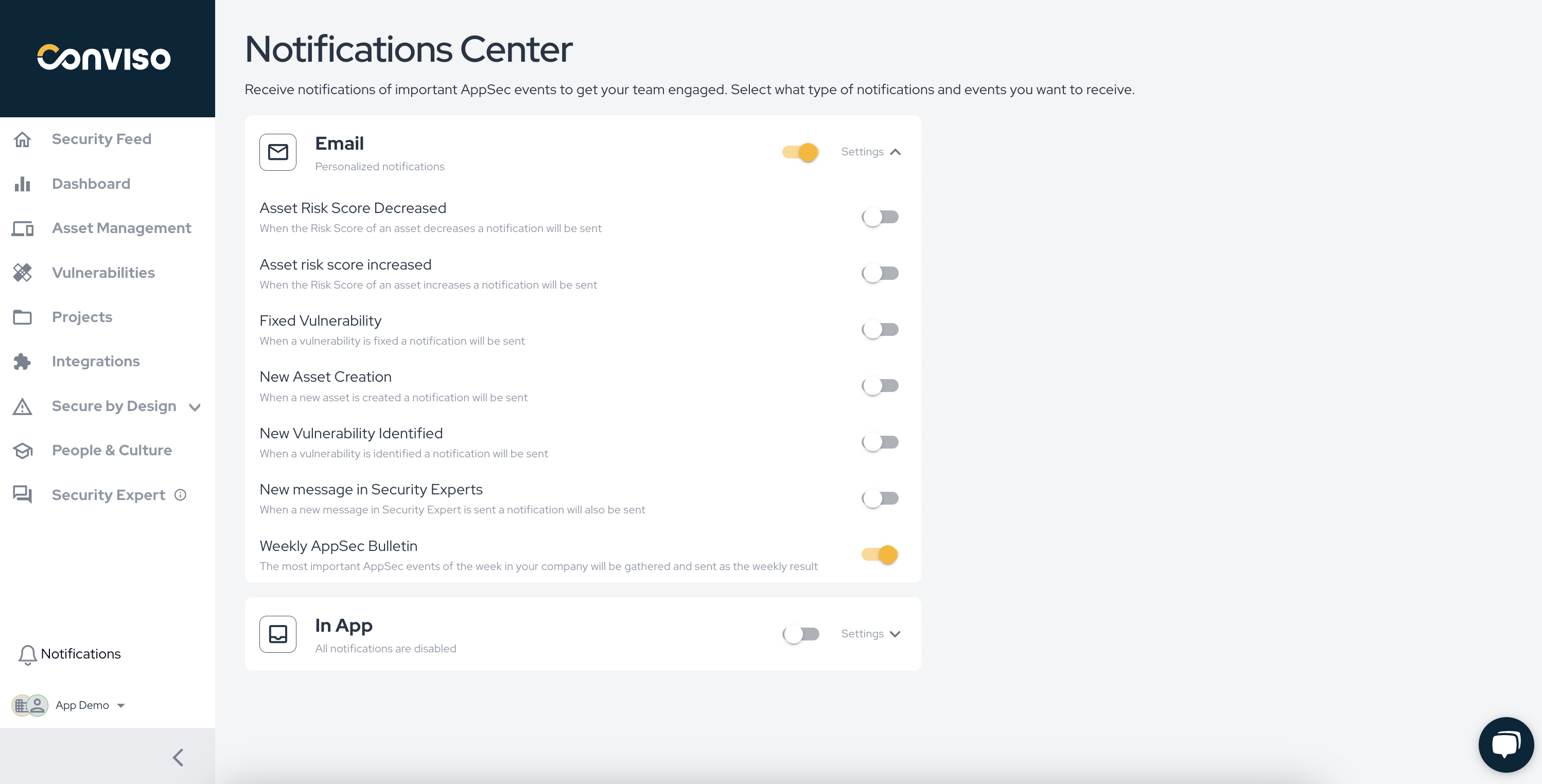
We're excited to announce the launch of our new Notifications Center, a powerful feature designed to put you in control of the AppSec events that matter most to you. With the Notifications Center, you can now configure custom notifications tailored to your unique needs, ensuring you're always informed about critical security updates.

Key Features:

  • Custom Notifications: Choose which AppSec events you want to be notified about, enabling or disabling specific events to suit your preferences;
  • Multiple Communication Channels: Receive notifications through your preferred channels, including In-App, Email, Chat, with more options to come in the next release including Slack Chat provider;
  • Digest of Notifications: When multiple events occur in a short period of time, they will be consolidated and sent in a single notification for a better user experience;
  • Enhanced Control: Gain full control over your notifications, allowing you to stay connected with the security status of your applications without hassle.

The Notifications Center is designed to enhance user engagement and bring everyone closer to AppSec events, fostering a culture of security awareness within your organization.

Next improvements:

  • Slack notification channel.

Start customizing your notifications today and stay ahead in the world of application security!

New Feature

Microsoft Teams Integration: A new notification chat channel

img

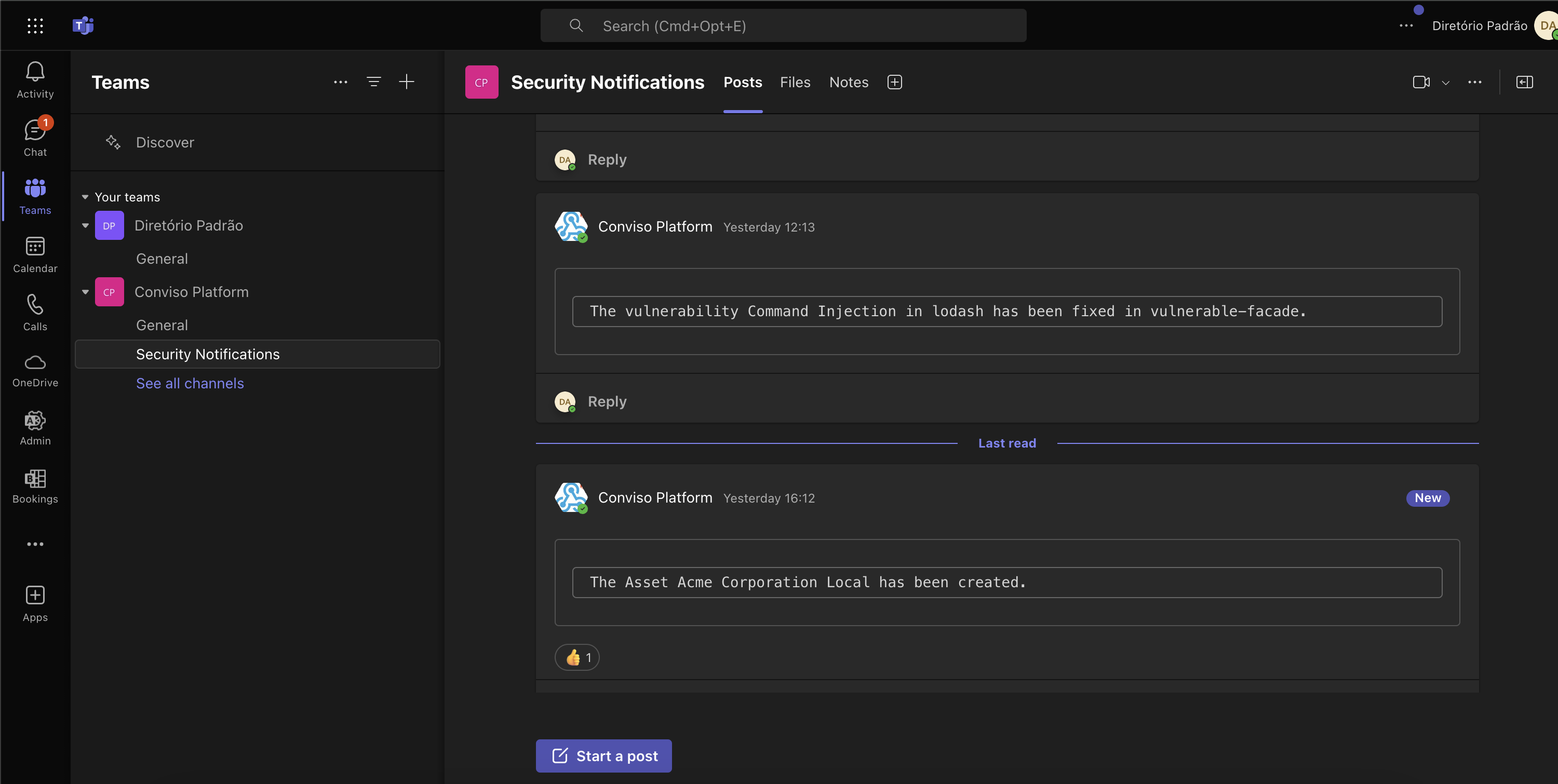
We’re thrilled to announce the integration of Microsoft Teams into our Notifications workflow, enhancing your ability to stay informed about the most important AppSec events in real-time. With this new feature, you can now receive notifications directly in your Microsoft Teams channels, ensuring clear communication and collaboration around security updates.

Key Features:

  • Microsoft Teams Notifications: Get instant alerts for the AppSec events that matter most to you, delivered straight to your Teams channels.
  • Custom Settings: Tailor your notification preferences by choosing specific events to receive, helping you focus on what’s relevant for your team.
  • Increase Collaboration: Foster discussions around security events directly within Teams, enabling faster responses and a more coordinated approach to application security.

img

The Microsoft Teams integration complements our existing Notifications Center, providing you with multiple channels to keep you connected and informed. This enhancement is part of our ongoing commitment to empower you with the tools needed for proactive security management.

New Feature

Checkmarx IaC Support: Aggregate more scan results

img

We’re excited to announce the enhancement of our integration with Checkmarx, now featuring robust support for Infrastructure as Code (IaC) scan results. This new capability allows you to aggregate and analyze IaC security findings alongside your existing application security results within Conviso Platform, providing a comprehensive view of your security posture.

There is no extra configuration needed if you are already using Checkmarx integration.

New Feature

Conviso AST: Kotlin language Support

img

We are happy to announce that support for Kotlin language has been added to Conviso AST.

This new language support is the beginning of a series of upcoming updates in Conviso AST, most specifically for SAST scans. The support has been made through the integration of Semgrep engine as a new scanner in Conviso AST.

Please validate you are using CLI version >= 2.1.22 or using the :latest Docker image version. No additional setup is required to use this new feature.

Keep updated on upcoming deliveries!

To have a better understanding about what's coming next on our platform, have a look at our Roadmap.
Conviso TeamConviso Team | Conviso AppSec

Release 4.6

Release Notes

Release date: July 10, 2024

Key Benefits

  • Redefined Dashboard Experience;
  • SonarCloud Integration;
  • SonarQube Integration;
  • Support for Team Access Control;

What's New

UX Improvement

Redefined Dashboard Experience

AppSec Posture

img

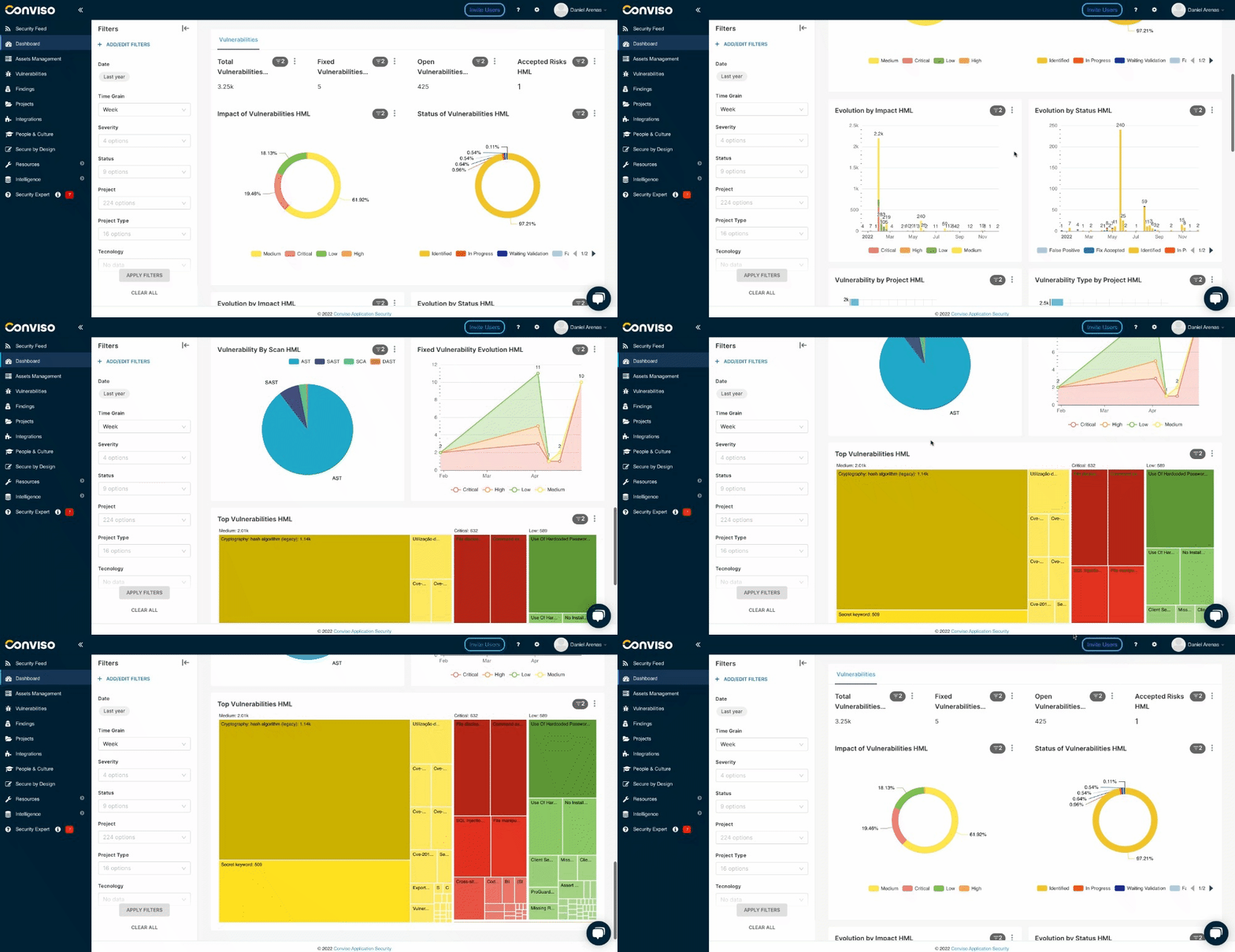
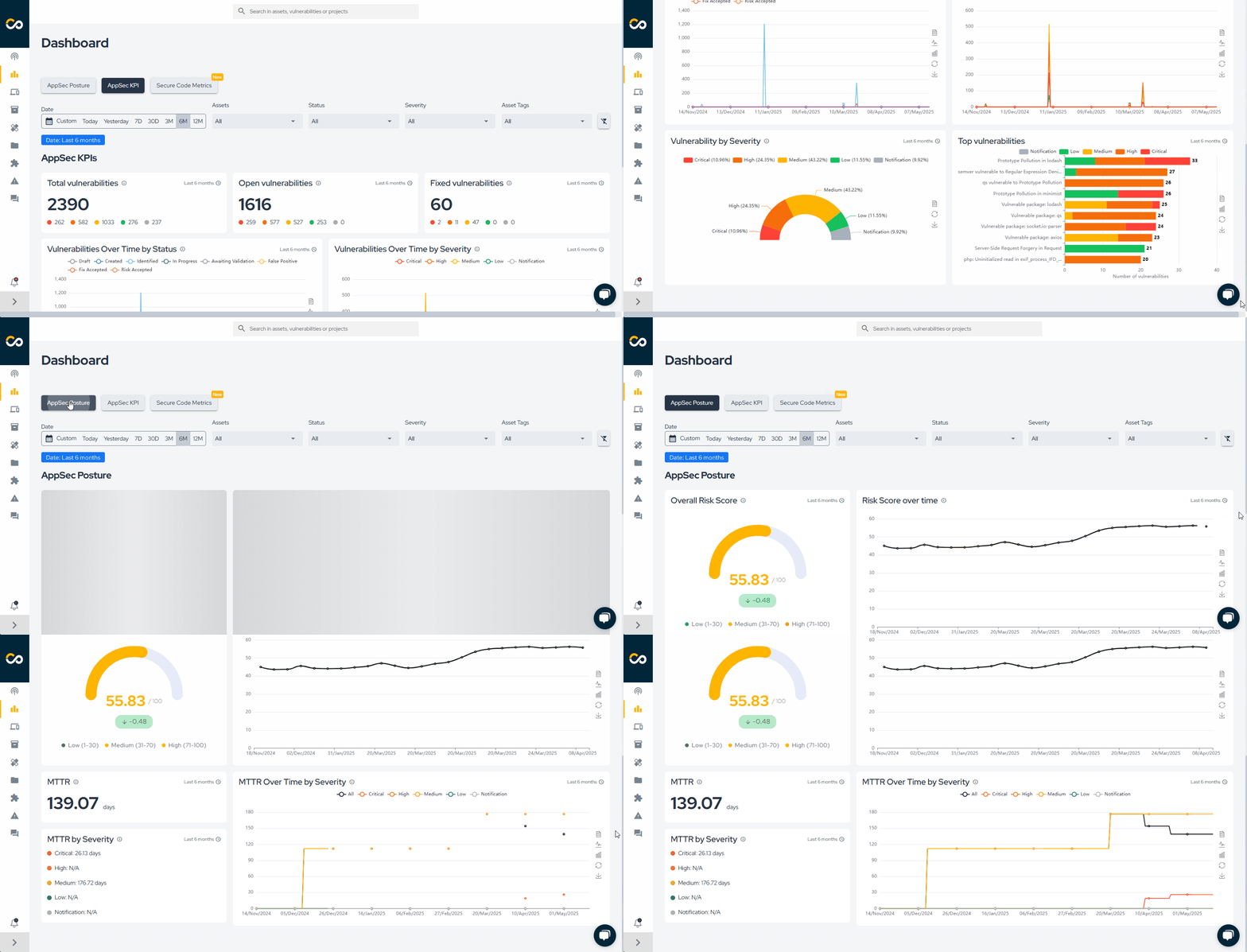
We are excited to present a brand-new experience related to Dashboard. Introducing AppSec Posture insights, tailored by AppSec specialists to guide you and your team to the correct path of AppSec maturity.

Here you will be able to assess how's your Overall Risk Score at the moment, and how is it been given a specific period of time.

Another very important maturity indicator related to MTTR (Mean Time To Resolve), that will guide your time in relation to how fast your devs are fixing new risks in your application from the moment they are identified.

AppSec KPIs

img

Also, we introduce you with AppSec KPIs, where you will find the most important indicators for your daily AppSec journey. We provide different charts that will help you gather information, share it with your team and discuss them regularly.

An important note, is that you will have granularity regarding filters, so you can assess what it matter the most.

We are going to keep improving AppSec Posture and AppSec KPIs Dashboard with new key insights to help you gain maturity in AppSec practices a involve your team in key indicators.

New Feature

Sonarcloud Integration

img

Yes! We heard you and we are glad to announce the release of a brand new native integration with Sonarcloud.

This integration consolidates scan results of applications in Sonarcloud with Conviso Platform, keeping both solutions synced in real time.

It supports a two-way integration regarding new vulnerabilities and status mapping, so every update in Sonarcloud will also update Conviso Platform, as well as updates in the triage of vulnerabilities within Conviso Platform vulnerability management, specifically for False Positives and Accepted Risks transitions.

Aggregating Sonarcloud results and other security tools with Conviso Platform will let you have a centralized view for a more efficient prioritization and security risk management of your applications.

Check out the documentation here

New Feature

Sonarqube Integration

img

We are also excited to introduce a brand-new native integration with Sonarqube, the on-premise version of Sonarcloud.

Similar as Sonarcloud, this integration consolidates scan results of applications in Sonarqube with Conviso Platform, keeping both solutions synced in real time.

It supports a two-way integration regarding new vulnerabilities and status mapping, so every update in Sonarqube will also update Conviso Platform, as well as updates in the triage of vulnerabilities within Conviso Platform vulnerability management, specifically for False Positives and Accepted Risks transitions.

Aggregating Sonarqube results and other security tools with Conviso Platform will let you have a centralized view for a more efficient prioritization and security risk management of your applications.

Check out the documentation here

New Feature

Support for Team Access Control

img

For a better and more efficient way to manage user access, now you can define a Profile and Access to a team so, users will automatically inherit those permissions and accesses of the team.

With this new feature you don't need to configure access control user by user anymore!

Keep updated on upcoming deliveries!

To have a better understanding about what's coming next on our platform, have a look at our Roadmap.
Conviso TeamConviso Team | Conviso AppSec

Release 4.5

Release Notes

Release date: May 23rd, 2024

Key Benefits

  • Checkmarx Integration;
  • Azure Boards Integration;
  • General availability of new Conviso AST;
  • Improved UX in Vulnerabilities;

What's New

New Feature

Checkmarx Integration

img

We are exited to introduce a brand-new native integration with Checkmarx.

This integration consolidates scan results of applications in Checkmarx with Conviso Platform, keeping both solutions synced in real time. It supports a two-way integration regarding new vulnerabilities and status mapping, so every update in Checkmarx will also update Conviso Platform, as well as updates in the triage of vulnerabilities within Conviso Platform vulnerability management, specifically for False Positives and Accepted Risks transitions. Aggregating Checkmarx results and other security tools with Conviso Platform will let you have a centralized view for a more efficient prioritization and security risk management of your applications.

Check out the documentation here.

New Feature

Azure Boards Integration

img

Yes! We heard you and we are glad to announce the release of a native integration with Azure Boards.

Integrating Azure Boards in Conviso Platform will let developers gain productivity while we do all the hard work by automating the whole vulnerability management triage process.

New vulnerabilities identified in Conviso Platfom are created in real time directly in Azure Boards. With our two-way integration capability, every status update from both solutions are automatically updated in order to reduce the toil and increase productivity.

Check out the documentation here

New Feature

General availability of new Conviso AST version

img

This new version of Conviso AST brings new and updated scanners that will increase both quality and coverage of security scanners.

What's new?

  • Updated and new SAST scanners support.
  • OSV Scanner for SCA;
  • Gitleaks for Secret Detection;
  • Checkov for IaC

For customers already using Conviso AST, no required changes are needed. You can have more information here

UX Improvement

Improved UX in Vulnerabilities

img

In response to user feedback, we've enhanced the user experience in Vulnerabilities:

  • Better formatting of texts like Description, Solution and References when imported from external sources;
  • Show More/Show Less toggle for long texts;
  • CVE direct link to https://cve.mitre.org/ references

Keep updated on upcoming deliveries!

To have a better understanding about what's coming next on our platform, have a look at our Roadmap.
Conviso TeamConviso Team | Conviso AppSec

Release 4.4

Release Notes

Release date: March 7th, 2024

Key Benefits

  • BusinessMap Integration;
  • Conviso AST new capabilities;
  • Risk Score calculation enhancement;
  • Security Experts UX

What's New

New Feature

BusinessMap Integration

img

We are glad to announce that a native integration with Businessmap has been released.

Integrating Businessmap in Conviso Platform will let developers gain productivity while we do all the hard work by automating the whole vulnerability management triage process.

Receive in real time new vulnerabilities identified in Conviso Platfom, directly in Businessmap lanes. With our two-way integration capability, every status update from both solutions are automatically updated in order to reduce the toil and increase developers productivity.

Check out the documentation here.

New Feature

Conviso AST in Github Actions Marketplace

img

For a quicker setup, you can now use our official Github Action in order to integrate Conviso AST within your workflow.

Check it out here.

New Feature

Vulnerability Auto-closing

This is a new capability that automatically closes previously identified vulnerabilities in Conviso Platform when using Conviso AST.

This a huge gain in developer productivity as we continue focusing on automation and reducing manual work of developers and security professionals.

You can start using this new capability adding the parameter --vulnerability-auto-close :

conviso ast run --vulnerability-auto-close

More details in our documentation.

New Feature

Defining a custom Asset name

Now you can define a custom name when setting up Conviso AST within the CI/CD.

There are two ways to do this:

  1. Passing the value as a parameter using the CLI:

conviso ast run --asset-name 'your custom asset name'

  1. Passing the value as an Environment variable within the CI/CD:

CONVISO_ASSET_NAME='your custom asset name'

More details in our documentation.

Enhancement

Risk Score Calculation Enhancement

We've made significant updates to how we calculate the risk score of assets. Here's what's changed:

  • Partial Risk Score Calculation:

Previously, certain fields such as "Business Impact," "Attack Surface," and "Data Classification" were mandatory for calculating the risk score. Now, we've introduced partial calculation, allowing the risk score to be computed even if these fields are not present or if the asset has no vulnerabilities.

  • Data Classification Impact:

We've fine-tuned how Data Classification influences the risk score, ensuring a more accurate assessment of asset risk.

UX Improvement

Security Expert Chat Improvements:

In response to user feedback, we've enhanced the user experience of the Security Expert chat feature:

  • Improved Text Input Handling:

Previously, hitting Enter would send the message. Now, pressing Enter will simply break the line, allowing users to continue typing within the chat interface seamlessly.

Also text format is preserved to have a more clear readability of messages.

Keep updated on upcoming deliveries!

To have a better understanding about what's coming next on our platform, have a look at our Roadmap.
Conviso TeamConviso Team | Conviso AppSec

Release 4.3

Release Notes

Release date: January 12th, 2024

  • Enhanced risk assessment with the introduction of asset risk scores;
  • Improved Security Feed with the addition of Top Asset Risk Scores card;
  • Optimized asset synchronization with external scanners, achieving a 5x speed boost;
  • Real-time monitoring of asset synchronization progress;

What's New

New Feature

Asset Risk Scores and Security Feed Upgrade

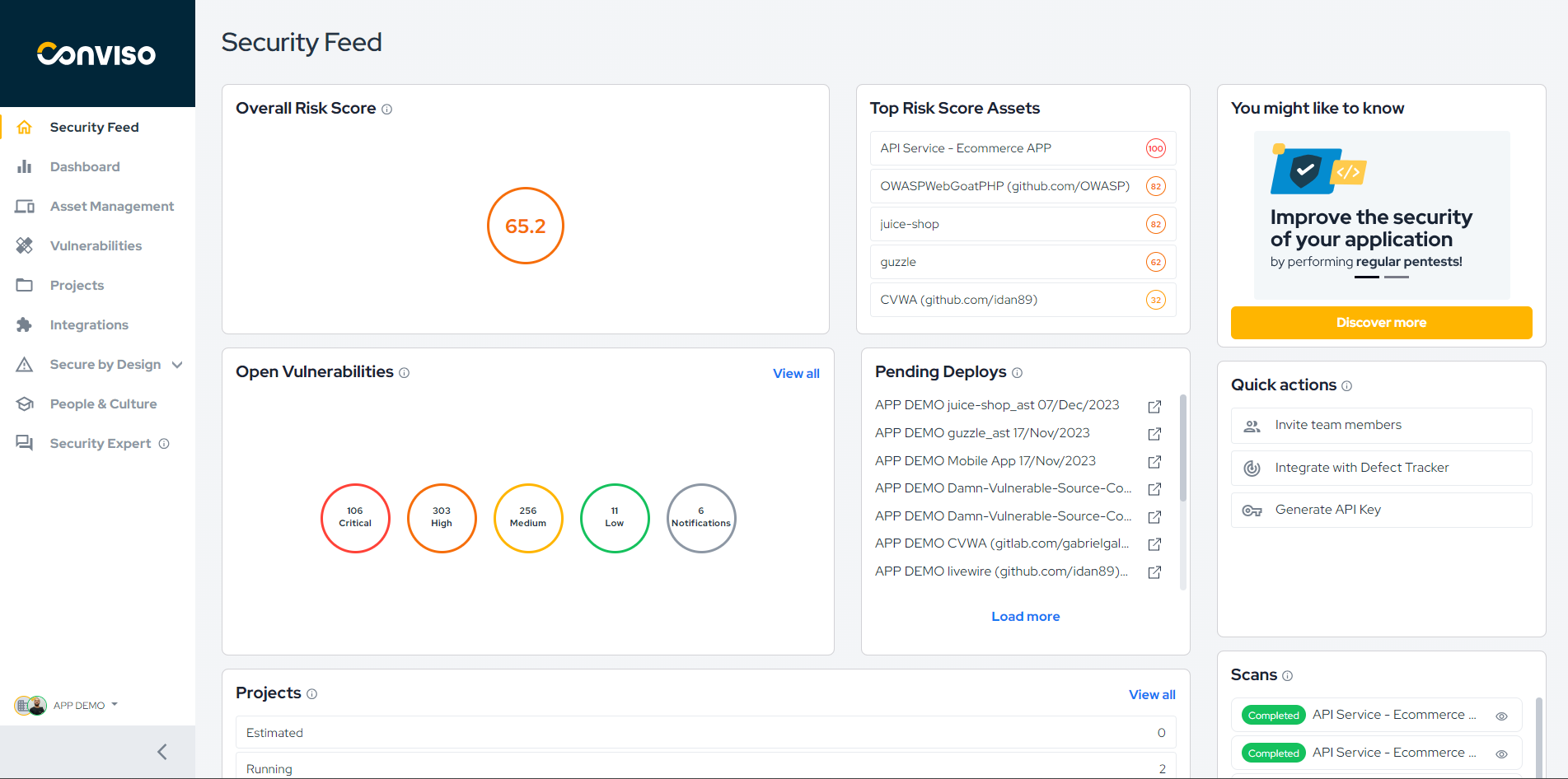
img

In our continuous efforts to empower users with comprehensive security insights, we are thrilled to introduce Asset Risk Scores. This new feature provides a holistic view of an asset's risk based on factors such as open vulnerabilities, attack surface, business impact, and data classification. Understanding the real risk of each asset is crucial for informed decision-making and prioritizing security efforts.

To complement this, we have added the Top Asset Risk Scores card to the Security Feed, allowing users to quickly assess and prioritize assets with the highest risk scores. Stay ahead of potential threats by focusing on the assets that matter most to your organization.

Enhancement

Accelerated Asset Synchronization and Real-Time Monitoring

img

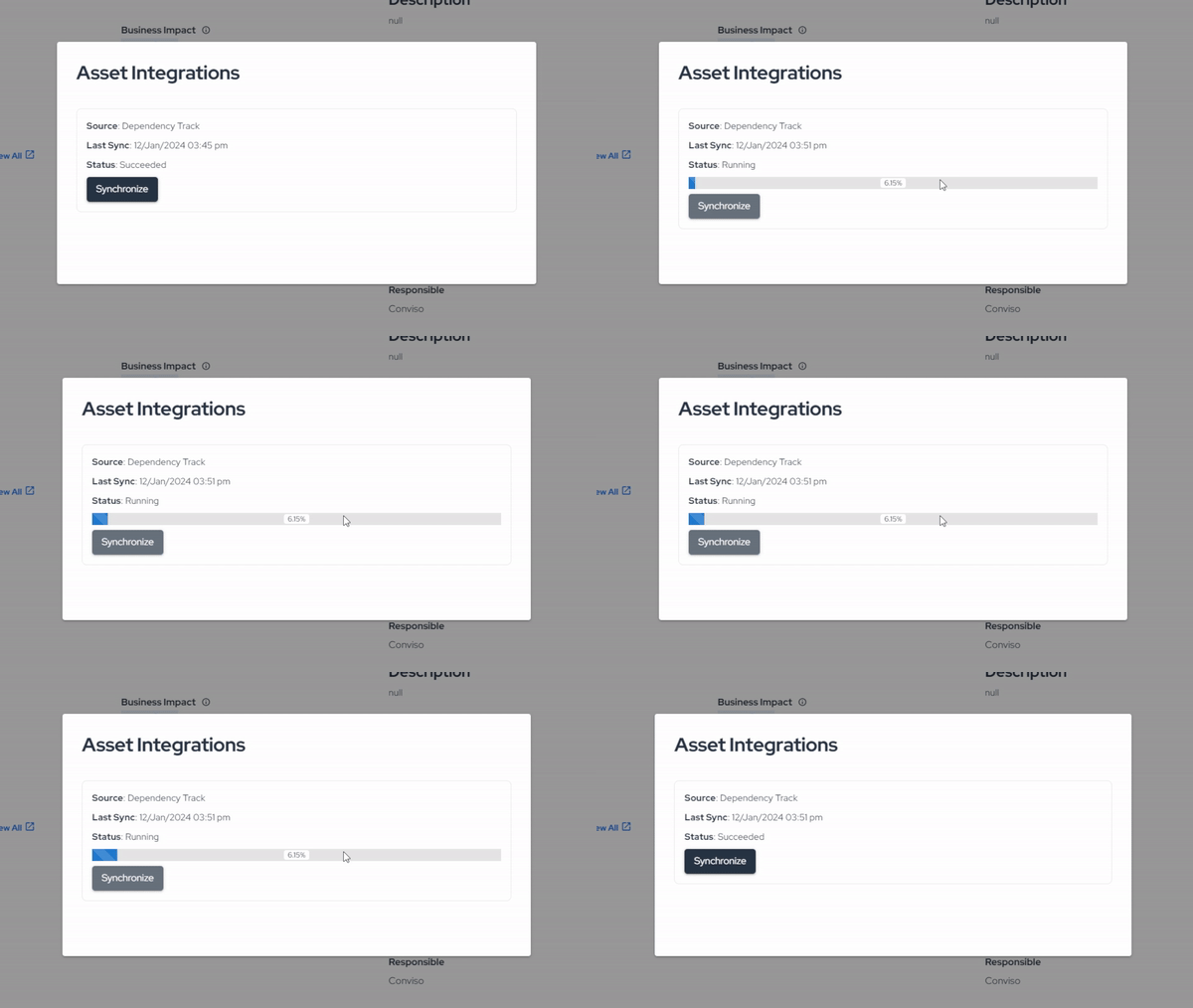
Efficiency is at the core of our latest improvements in asset synchronization. We've revamped the synchronization process, boosting its speed by five times compared to the previous version. Now, users can experience faster and more responsive asset updates, ensuring timely awareness of security postures.

But that's not all - with our real-time monitoring feature, users can track asset synchronization progress as it happens. Gain insights into the status of your assets at any given moment, empowering you to take immediate action when needed.

Conviso TeamConviso Team | Conviso AppSec

Release 4.2

Release Notes

Release date: January 2th, 2024

We are constantly working to promote a better experience for our users. We rely on your feedback to make this experience even better.

Overview

  • Our Security Feed has undergone a significant improvement, aiming to provide the main information so that you can have a holistic view of the security of your applications;
  • Thinking about improving the experience, all security initiatives will be carried out from an asset, eliminating the need for an associated project;
  • The vulnerability management experience has been reshaped. Now, the findings and vulnerabilities are unified, allowing centralized management and resulting in more assertive correction and prioritization processes;
  • We've made some visual improvements to the platform so your experience can be more enjoyable while browsing.

Security Feed

img

You are in control of your applications. That was our purpose in building the new Security Feed, to provide you with the vital information and insights you need to make decisions about the security of your products.

  • We've added a Risk Score chart that provides a holistic view of an asset's risk based on factors such as open vulnerabilities, attack surface, business impact, and data classification. You can also view your highest assets, allowing users to evaluate and prioritize assets with the highest risk scores quickly.
  • In "You might like to know" area, you will receive the news that we have prepared for you and suggestions for some practices you can carry out to improve the security of your applications.
  • You can get quick access to some essential actions to make your day-to-day easier;
  • Now, you can view a history of security tests performed on the company's applications through the “Scans” section.

Asset Management

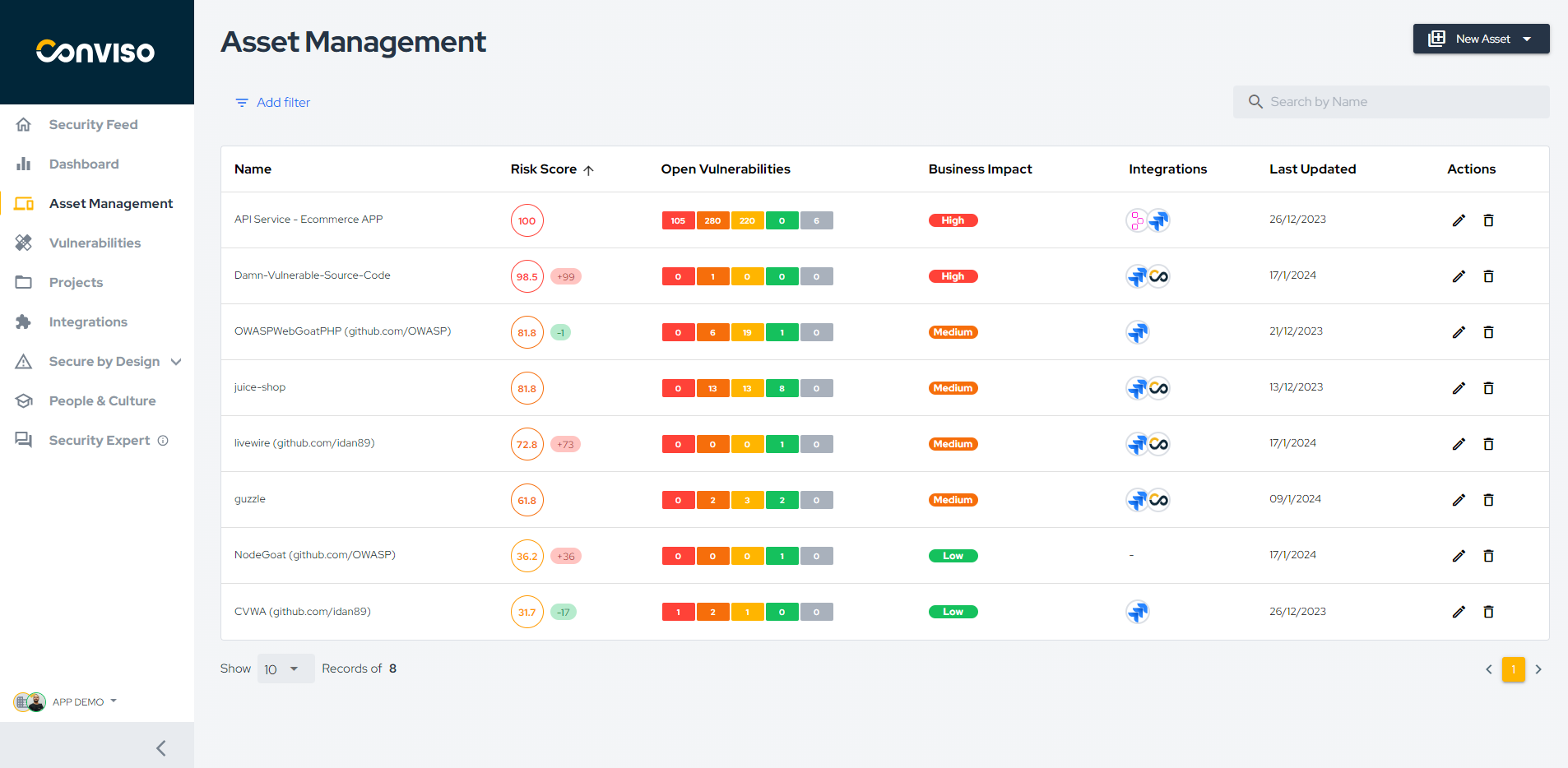
img

We've launched a new experience in Asset Management. We're dedicated to enhancing your platform experience and empowering you to manage the security of your applications proactively!

  • We've improved the way you view your assets and get relevant information about each one;
  • View all vulnerabilities pending remediation associated with your assets and grouped by their severity;
  • Get access to all integrations related to the Asset. Example: Jira, Slack, Qualys, Fortify, etc;
  • Check when the asset was last updated and sort by date;

Vulnerability Management

img

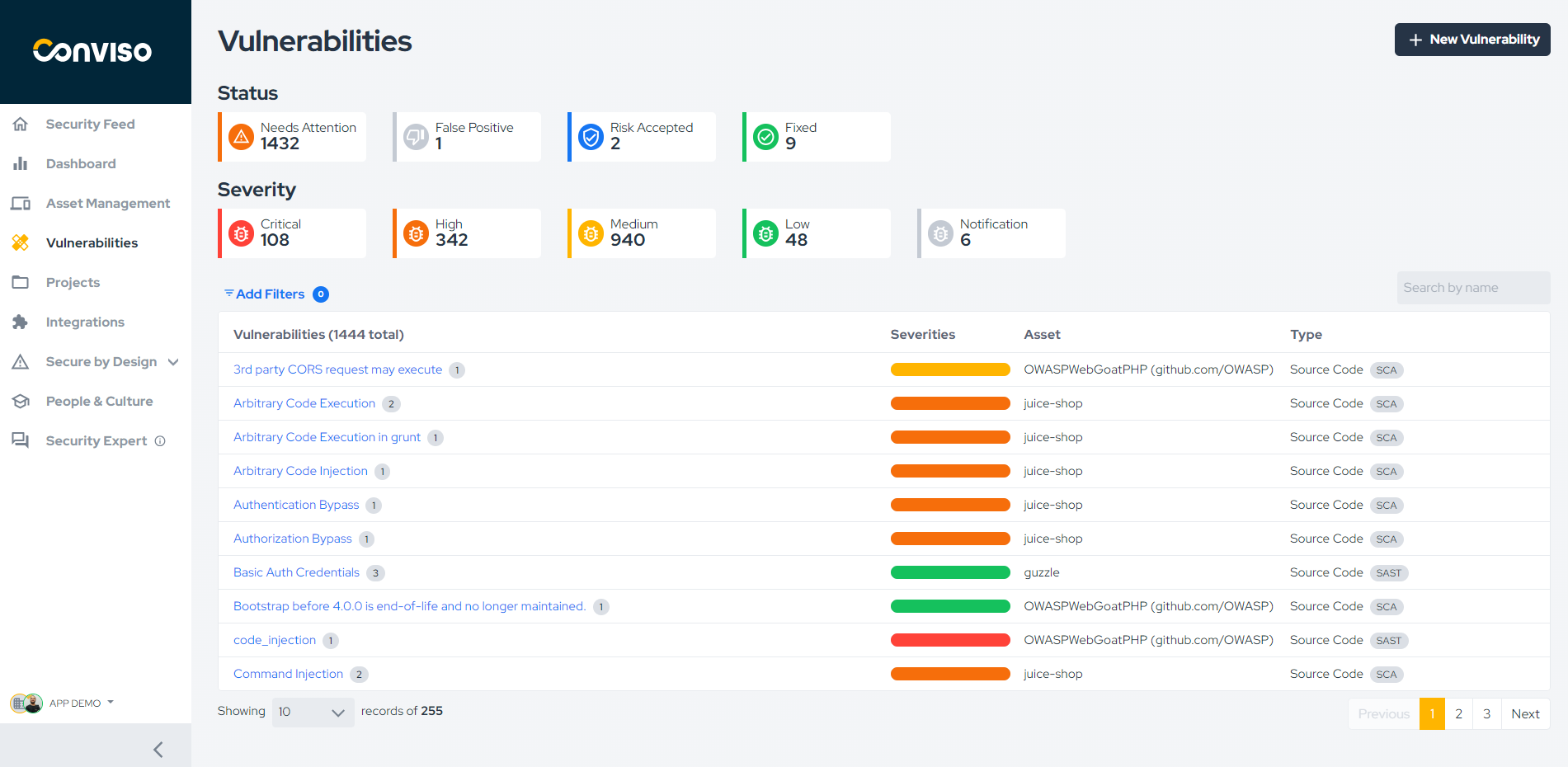
We have made several improvements in the experience related to registering, managing, and monitoring vulnerability corrections. These improvements seek to provide greater context in the vulnerabilities identified, group similar vulnerabilities, and facilitate the management process.

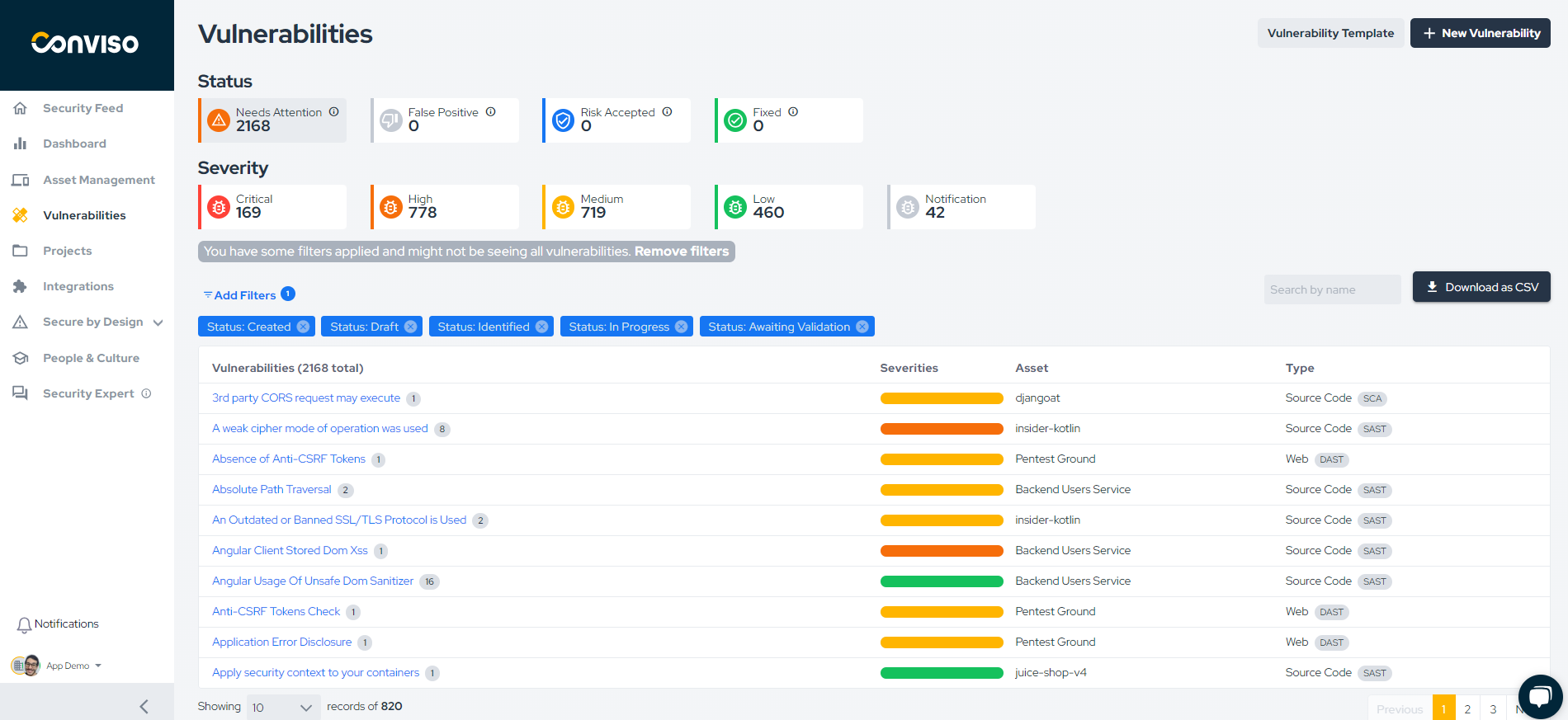
  • Our main change is that findings and vulnerabilities have been unified, enabling more complete management;
  • We create a new grouping, Needs Attention, and its function is to gather all the vulnerabilities that need correction and are already being worked on or are still pending;
  • We've added a new severity, Notification, to address vulnerabilities with low impact and probability;
  • We have improved how vulnerabilities are recorded on our platform, making the process easier and improving the control of the operation.

Our team is working tirelessly to promote better experiences and develop features that add value to your work.

If you have any questions, don't hesitate to contact our support team.

Conviso TeamConviso Team | Conviso AppSec

Release 4.1

Release Notes

Release date: May 5th, 2023

  • More flexibility and granularity for users and teams;
  • Threat Modelling usability and experience improvements;

What's New

New Feature

Developer and Admin default profiles now available

img

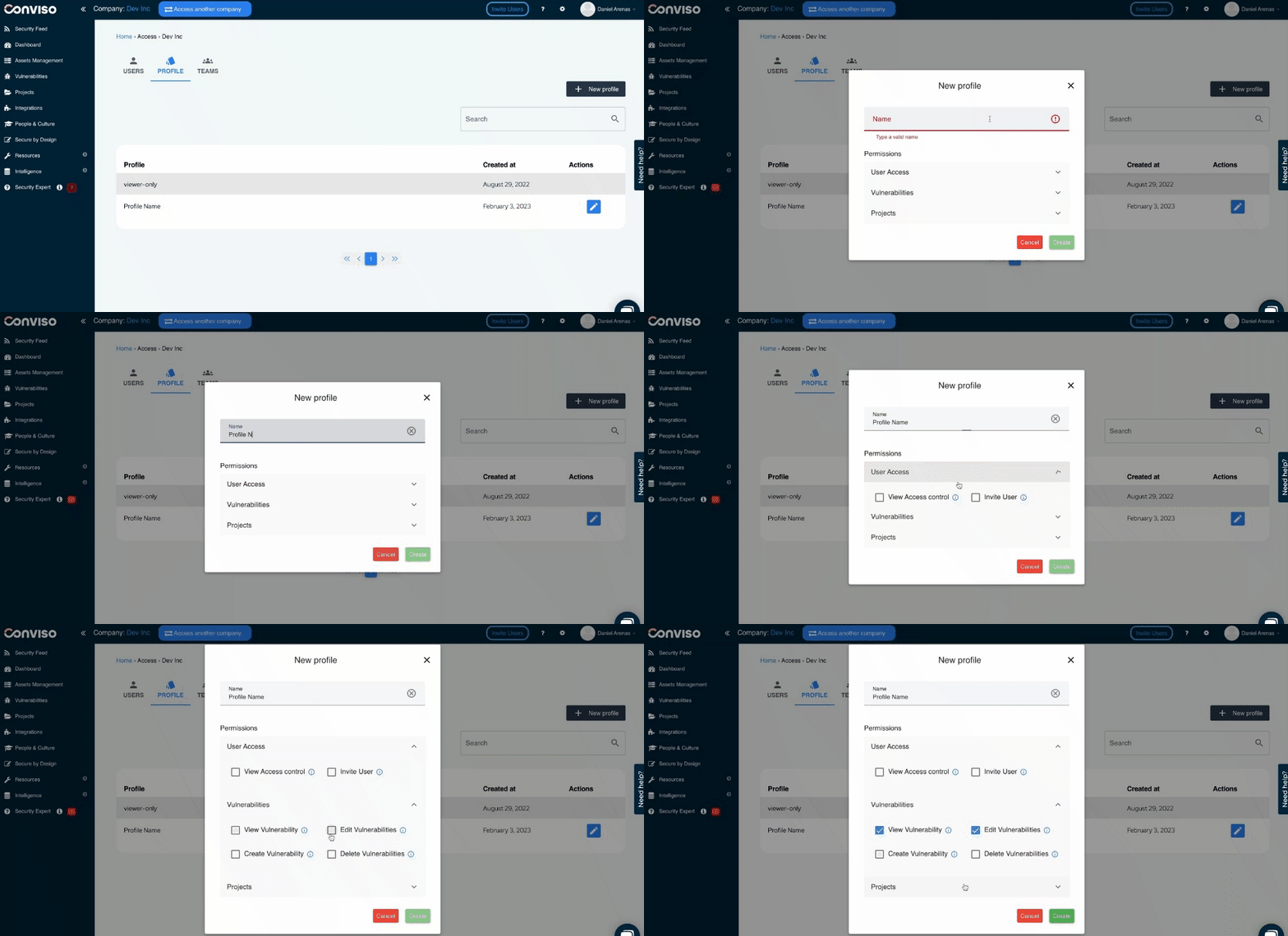
In February, we released the Custom Profiles feature, which gave teams flexibility in managing user access. As part of our ongoing efforts to enhance the Access Control module, we are excited to announce two default Profiles that are meant for most businesses with a set of pre-defined permissions to easily manage users within the organization.

  • Admin: The Admin profile is designed to provide full access to all the functionalities of the company's platform to which they belong, in addition to the following exclusive accesses:

    • Full access to Access Control:
      • Management of users in their account;
      • Profile management;
      • Team management.
    • Business unit management.
  • Developer: The Developer profile does not have access to any assets by default, but should receive access to assets from another user, such as an Admin or even another Developer. Permissions:

    • Limited vulnerability status update (False Positive and Risk Accepted are not allowed);
    • Create, view, and edit Assets;
    • Create, view, and edit Projects.

With these default Profiles, you can manage users of Conviso Platform to have the specific set of permissions depending on their role in your organization. Let your users do what they are expected to do - and nothing more.

Remember that if some of the permissions do not comply with your internal processes, feel free to create a custom profile instead.


Enhancement

Threat Modeling improvements

img

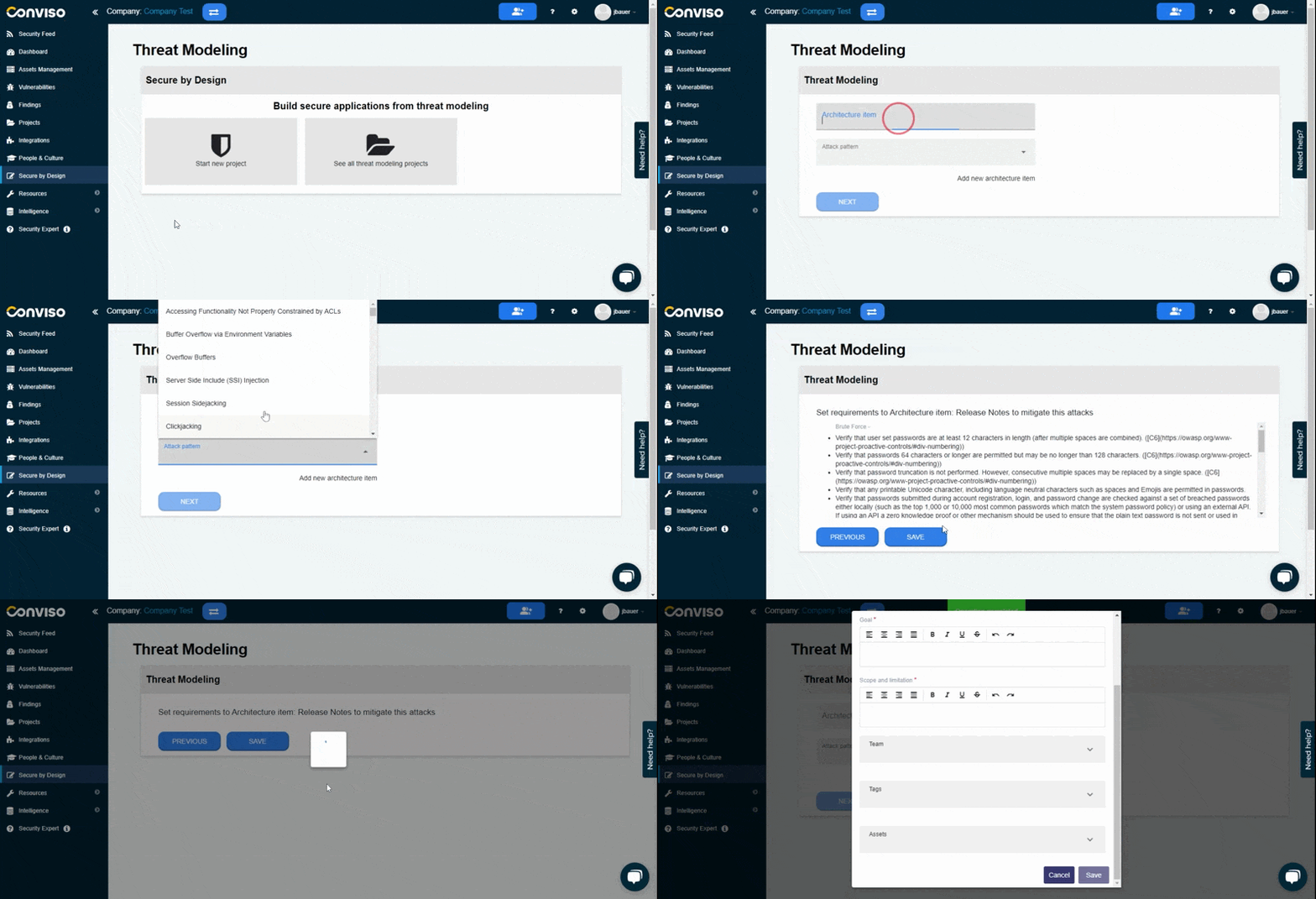
We've made significant improvements to enhance the usability and performance when conducting Threat Modeling. Updates include:

  • Attack pattern list was consolidated to better reflect CAPEC;
  • Both attack patterns and requirements to be implemented are more clear and structured for an easy user understanding;
  • The final step for the creation of the threat modeling project has also been simplified to gain in usability and performance;
  • Information within each requirement in the project has been improved with a clearer requirement title and reference;
  • Minor label updates for usability improvements.

You can now access Threat Modeling through the "Secure by Design" menu option. In future updates, we will add STRIDE categorization for easier identification of attacks within CAPEC.

Keep updated on upcoming deliveries!

To have a better understanding about what's coming next on our platform, have a look at our Roadmap.
Conviso TeamConviso Team | Conviso AppSec

Release 4.0

Release Notes

Release date: March 10th, 2023

This new version includes the ability to import results from external scanners that use SARIF format as their output and a simpler way to invite your team to Conviso Platform

  • Increased productivity for developers;
  • Less manual work;
  • Aggregate results and manage vulnerabilities from different tools like Trivy, Semgrep, Conviso Scan tools and other tools supporting SARIF format;
  • Bring your team to Conviso Platform and start embracing AppSec cultural change

With these enhancements, you can easily bring your team to the platform to manage and address vulnerabilities across different tools, saving time and effort while ensuring the security of your applications.

What's New

New Feature

SARIF Support now available!

img

Developers can now automate the entire vulnerability management process within Conviso Platform by integrating it with tools that use SARIF as the output format. That means you can now focus on fixing vulnerabilities instead of doing manual work - our automation handles it for you! Configuring this feature with your preferred CI/CD tool is easy. Simply use our CLI and follow a few easy steps.

This is an example that shows how to run a Trivy scan an send the results to Conviso Platform using Github Actions:


name: Trivy Security Scan + Conviso importation

on:
  push:
    branches:
      - main

jobs:
  scan:
    # In this example we are using Trivy, but you can change the Scanner to any who performs SARIF output
    name: Trivy Scan
    runs-on: ubuntu-20.04
    steps:
      - name: Checkout code
        uses: actions/checkout@v3

      - name: Run Trivy vulnerability scanner in repo mode
        uses: aquasecurity/trivy-action@master
        with:
          scan-type: 'fs'
          ignore-unfixed: true
          format: 'sarif'
          output: results.sarif
          severity: 'CRITICAL'

  import:
    name: Importation SARIF results to Conviso Platform 
    needs: scan
    runs-on: ubuntu-20.04
    container:
      image: convisoappsec/flowcli:1.12.0-rc.2
      env:
        FLOW_API_KEY: ${{secrets.CONVISO_API_KEY}}
        FLOW_PROJECT_CODE: ${{secrets.CONVISO_PROJECT_CODE}}
    steps:
      - name: Checkout code
        uses: actions/checkout@v3

      - name: Download result from previous scan
        uses: actions/download-artifact@v3
        with:
          name: results.sarif

      - name: SARIF Importation
        run: |
          conviso findings import-sarif --input-file results.sarif

Check our documentation to learn more and start making use of it!


Enhancement

A new, simpler and redesigned User Invitation process

img

We believe effective application security requires the whole team to participate and engage. From Developers, Security Champions, Security Analysts, Engineering Managers, CISOs to CTOs, all need to have the proper tools and information to make that culture shift to bring security to the entire software development life-cycle. That's why you can and should invite team members to Conviso Platform without any extra cost.

In this release, we are delivering a simpler experience and redefined design for both, in-app and email design.

Bring the whole team to Conviso Platform and start changing the Culture of Application Security in your company.

Keep updated on upcoming deliveries!

To have a better understanding about what's coming next on our platform, have a look at our Roadmap.
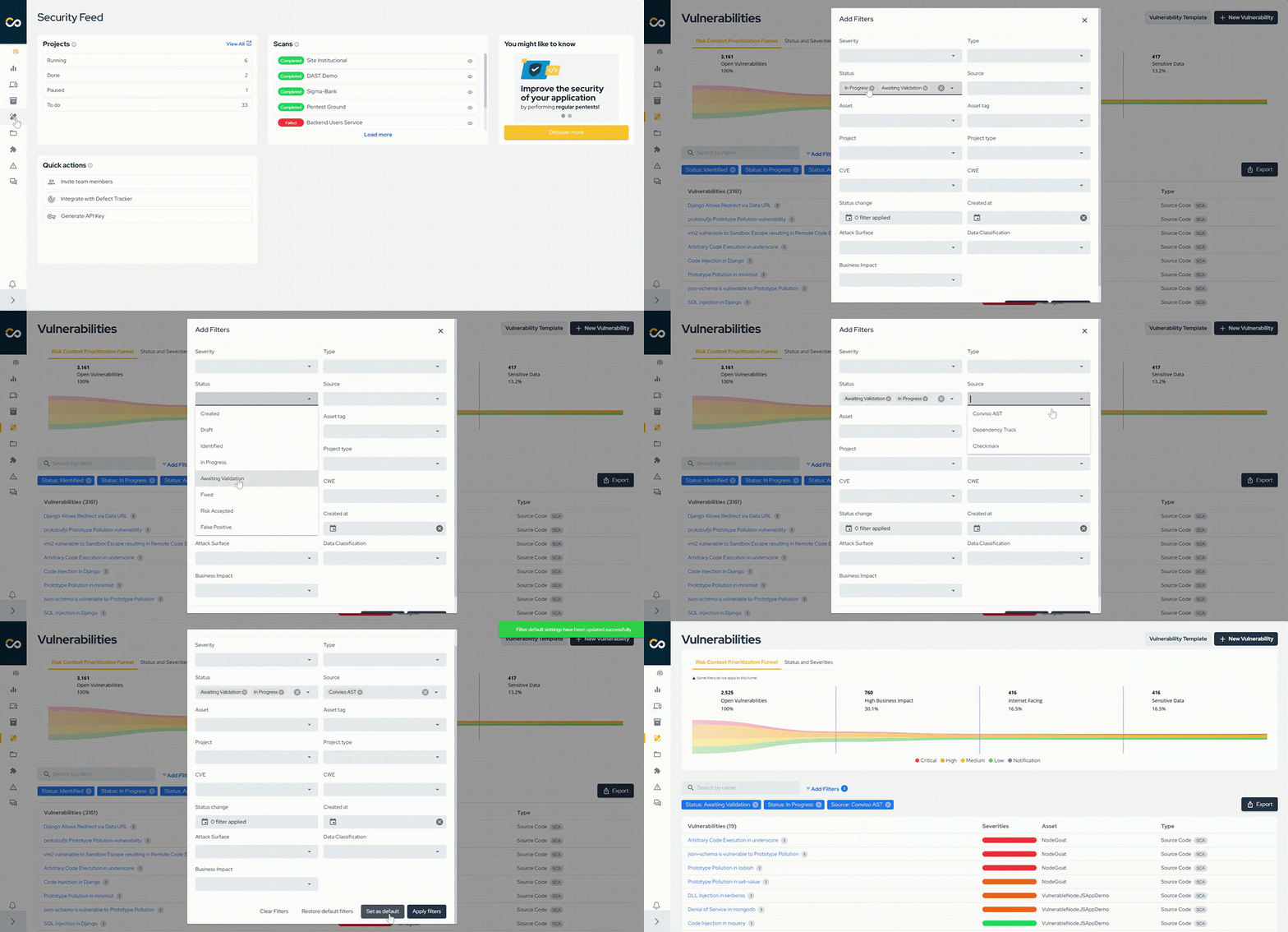
Conviso TeamConviso Team | Conviso AppSec

Release 3.9

Release Notes

Release date: February 6th, 2023

What's New

Welcome to our first 2023 product release note! We are constantly implementing changes to optimize user experience on our platform and to integrate it even more with the developer's ecosystem.

Create Profiles and bring more flexibility to user management

img

With this new feature you can let users do what they are only allowed to do. Bring the whole team to the platform and set up the permissions that make sense for your company. For now there is a global Profile called View-Only and it should be used with users that are not capable of changing anything. Additional global profiles will be introduced in future versions.

In this first release of profiles, you can set permissions for three resources within the platform:

  • User Access: View, Invite Users
  • Vulnerabilities: View, Create, Edit, Delete
  • Projects: View, Create, Edit, Delete

There are more resources to come in the following releases so you can make a more granular configuration of your custom profiles.

Please share your feedback through our chat so we can understand your thoughts about this new feature.

Bug Fixes

To make Conviso Platform a more reliable product, these are some bugs that we fixed recently:

  • Fortify integration fixes;
  • Dependency Track integration fixes;
Conviso TeamConviso Team | Conviso AppSec

Release 3.8

Release Notes

Release Date: December 20th, 2022

What's New

Welcome to our Release 3.8! We are constantly refining Conviso Platform to empower developers to build secure applications. We have recently implemented several changes to improve the user experience on our platform. Check them out:

A new dashboard experience for better decision making

Welcome to Conviso Platform's new, improved dashboard experience, focused on leveraging your decision-making process. We enhanced it not only to make it more attractive but also to improve your experience. For all these purposes, we included better graphics and even more information, so you can have a better vision and gain better insights regarding your applications, improving your decision-making process with the platform.

For now, only a few customers can try this new experience but don't worry, it will be available for everyone in the following weeks.

img

Managing Teams in access control is now easier

We are glad to present you with a new experience for managing teams in Access Control, with more organized and optimized resources! Access Control enables clients to manage Users, Profiles, and Teams. A new flow has been created in the experience related to teams. Our goal is to offer a more effective interconnection between profiles and users. We also implemented a new, enhanced UI to improve the user experience. Find it by clicking on the blue icon on the top right corner of the platform.

Have a look:

img

Create assets with Conviso CLI

We also included automation that creates assets from a pipeline through the Conviso CLI. With this automation, the integration process becomes simpler. The reach of Conviso CLI for developers was increased, improving their interaction with the platform.

For more information you can check the documentation here.

You can now name your Projects as you wish

When accessing the Projects item in the main menu, you will notice that you can now label each project with up to 120 characters. We made this change to enable you to write longer, more detailed titles, bringing more clarity to your team.

img

Bug Fixes

To make Conviso Platform a more reliable product, these are some bugs that we fixed recently:

  • Improvements in the readability of vulnerable codes present in vulnerabilities;;
  • In Requirements Controls, when clicking on a requirement within a project, it did not allow the user to view its contents - this bug has been fixed;
  • A few customers reported difficulties when registering a new user. The user registration process is now working as it should be;
  • When accessing the deployments, some users reported that they were receiving an error message, which has already been addressed and fixed;
  • We also fixed a bug that some users of the platform were encountering when trying to use the filter on the findings page.

Coming Soon

We are working on the user experience and toward better usability of the main domains of the Conviso Platform. While you read this document, our Product Development team is working on the following improvements:

  • Profiles for better Access Control capabilities;
  • New UI with better menu navigation;
  • The redesign of a vulnerability management experience;
  • A status update automation for Conviso scans results;
  • Company off-boarding.
  • The possibility to create learning journeys for your developers on People & Culture.

See you on our next product release!

Conviso TeamConviso Team | Conviso AppSec

Release 3.7

Release Notes

Release Date: Nov 23rd, 2022

What's New

We are constantly improving our platform to simplify the ecosystem of security tools for developers. This time we have implemented several changes to improve your experience on our platform. Let’s begin by telling you about our chat:

A new Chat Experience

Conviso Platform has updated its messaging experience. Our help desk chat is no longer on our main menu, as it used to be - you can now find it in the bottom right corner, by clicking on the icon that will trigger the chat box. And the experience has changed too! We have listened to your suggestions, and through this new, improved chat, you can now:

  • Report bugs;
  • Suggest improvements;
  • Speak directly to our Support team;
  • Schedule a meeting with the Customer Success team.

img

A few of our menu options were updated to communicate our strategy more clearly. Each of Conviso Platform's five products plays an indispensable, complementary role in supporting the secure development cycle. So, to improve your experience, we have made our products easier to find within the platform. In this process, we updated the name tags of some of our menu items.

Check it out:

Now you can find Threat Modeling as Secure by Design

The area before known as Threat Modeling is now called Secure by Design - a Conviso Platform product that helps you bring security to the earliest stages of your development cycle.

To access it, go to the main menu on the left.

img

Secure by Design helps you implement a shift-left approach to the development process through features such as threat modeling, risk definition, requirements, and more. A true ally in optimizing the time and budget of security and development teams.

Now you can find Education as People & Culture

img

Education is now under the name People & Culture, our product that focuses on AppSec training with secure code challenges - based on your team's main gaps, with gamification to promote engagement for active learning. Our goal is for vulnerability correction to no longer be a challenge - and to become part of your company's culture. Development teams get to learn, in practice, to identify and correct security flaws, and to build secure code from scratch, all while gaining access to a library of constantly updated labs.

To access People & Culture, go to the main menu on the left.

And you can also find Home as Security Feed

Go to the main menu on the left to find it. Security Feed is a choice of wording that matches our strategy, but we are also working on improvements for this area. What would you like to see in our Security Feed? Use the chat to tell us!

Security Experts has some new capabilities as well!

  • We made improvements in notifications and conversations. Users can now focus more and organize their interactions;
  • Link detection in messages;
  • We have also implemented a delete attachment feature.

And last, but not least

  • Fortify integration now supports SCA (Software Composition Analysis) results to be imported;
  • People & Culture metrics cards helpers added so you can understand better what they mean in order to make wise decisions with them;

img

Bug Fixes

To make Conviso Platform a more reliable product, these are some bugs that we fixed recently :

  • People and Culture fixes related to user access, labs, and metrics;
  • Fixes in report generation;
  • Security Bug Fixes.

Coming Soon

We are working on the user experience and toward better usability of the main domains of Conviso Platform. As you read this document, our Product Development team is working on the following improvements:

  • Profiles for better Access Control capabilities;
  • More complete and powerful dashboards;
  • New UI with better menu navigation;
  • The redesign of a vulnerability management experience;
  • A status update automation for Conviso scans results;
  • Company off-boarding.
Conviso TeamConviso Team | Conviso AppSec

Release 3.6

Release Notes

What's New

  • Possibility to include project requirements within the technical report generation;
  • Read-only permission can now be configured to selected users for resources like Vulnerabilities and Projects (This is an experimental feature and right now it is being tested with a small amount of customers only);
  • In order to improve the response time in Security Experts, notifications of total new messages are now being displayed in the lateral menu;
  • API improvement by enabling the filter of vulnerabilities by their original scanner;
  • People & Culture exercises now can be filtered by status, level of difficulty and technology;

Bug Fixes

We take bugs seriously. In order to make Conviso Platform a more reliable product, these are some of the most important bugs that were fixed in this latest release.

  • Fixed synchrony issues with external scanners;
  • Fixed a variery of issues during the generation and presentation of technical reports;
  • Fixed issues within People & Culture;
  • Fixed security issues;

Coming Next

  • Better vulnerability management with Vulnerabilities and Findings in only one view;
  • New Access control management module in order to create profiles based on different set of permissions;
  • Better visibility and management regarding the total amount of lines a customer is using in their actual contract;
  • Add new functionalities to integration scanners in order to recognise SCA vulnerabilities;
  • We are working on separating the frontend from the backend to make our development process easier, bring future performance improvements to the platform as well as the new Conviso visual identity;
  • New IaC scanner integration with support for Docker, Kubernetes, Ansible, Terraform and more.
Conviso TeamConviso Team | Conviso AppSec

Release 3.5

Release Notes

New ClickUp Integration

In this release you will be able to easily integrate ClickUp as an Issue Tracking tool and gain automation as well as productivity for your developer's team. With this integration you will be able to connect a ClickUp workspace and lists, including the ability to configure custom attribute mapping and achieve a two-way integration with Conviso Platform. This two-way integration feature allows information, for example like status updates to be sent back and forth between ClickUp and Conviso Platform. This enables automation, saving time by reducing manual interaction on your behalf.

With this integration, your developers will gain productivity by getting notified with new ClickUp tasks when vulnerabilities are identified.

img

New Chat Experience

Conviso Platform brings a new messaging experience: Communication with the Support team, to report bugs and/or ask questions regarding the use of Conviso products and services, is now found in the side menu as Help Desk, as a sub-item of the Support icon. This will trigger the chat in the lower right corner of the screen. Communication with Conviso Security Experts to talk about a particular Vulnerability or Project. This is where, for example you can ask for help understanding a vulnerability or even ask about the deadline of a specific project. This also can be found as a sub-item in the Support menu as Security Expert option.

img

End of life (EOL)

The endpoint POST /api/v2/deploys is no longer valid for creating deploys within the platform. In order to create deploys for code-review purposes, please refer to the specific documentation of the CI/CD your company is using. Here is an example of GitHub Actions.

Bug Fixes:

We take bugs seriously. In order to make Conviso Platform a more reliable product, these are some of the most important bugs that were fixed in this latest release.

Vulnerabilities Fixes:

Vulnerability groupings issues; Findings status update failure in deleted projects; Bulk Change publishing vulnerabilities issues.

Asset Management Fixes:

Asset synchronization failures.

Integrations Fixes:

Settings errors in Jira integration; Error sending Vulnerabilities to Jira board; Settings and synchronization errors in Fortify integration; Errors in SonarQube integration.

Others:

Issues getting metrics from Bitbucket repositories; Problems with document attachments as evidence; DAST resource issues.

Conviso TeamConviso Team | Conviso AppSec

Release 3.4

Release Notes

New Security Champions positioning

Looking for a better concept and understanding of Security Champions on the Conviso Platform, we have updated our positioning as following:

For Projects:

You can find Security Champion now as "Any question about the project?". The experience remains the same for now, but usability improvements are on the way. Remember: through this channel, we should exchange content about the specific project you are in

img

For Vulnerabilities:

You can find Security Champion now as "Talk to an expert". The experience also remains the same after clicking the button. The difference is that this communication has lost one additional step to the user through an easier access.

img

Conviso TeamConviso Team | Conviso AppSec

Release 3.3

Release Notes

Playbooks as Requirements

Playbooks will now be found in the Platform as Requirements. We believe that the term requirements shares a better understanding of this functionality within the product. Requirements are used to guide the user to perform specific activities, using these to organize and validate the outcome of a Project.

Release Notes

Release notes are an essential artifact when a new product release goes live to production. There you can find detailed information about what is new to the product, as well as enhancements and a summary of bug fixes. Now, you can find this information more easily in the Help's top menu bar section.

img

Status Page

We also included in the Help's top menu bar section, a way to stay up-to-date with the status of our services in our platform Status Page. We believe that transparency is the best way to grow and build up trust between our customers and us.

img

Conviso TeamConviso Team | Conviso AppSec

Release 3.2

Release Notes

New product brand positioning

In this release, we bring you our new product positioning, now called Conviso Platform. This new positioning's goal is focused on offering products as a solution to empower developers to build secure applications, as our new slogan is Security in DevOps: From Devs to Devs.

img

Global Domain

Our application domain was updated to a global positioning as app.convisoappsec.com. Check it out!

Checkmarx Integration Fixes, Enhancements and new UX

Now you are able to easily configure recurrence and periodicity (daily or weekly) for automatic synchronization between Checkmarx and Conviso Platform.

img

Bug Fixes

We keep taking bugs seriously. In order to make Conviso Platform a more reliable product, we fixed bugs related to Integrations, general Configuration and Notification in this latest release.

Conviso TeamConviso Team | Conviso AppSec

Release 3.1

Release Notes

Jira Integration Fixes, Enhancements and new UX

In this release you will be able to easily configure new Jira boards as well as custom attribute mapping for two-way integration with Conviso Platform. Your feedback was heard and the team focused on enabling you with a more practical Jira integration user experience.

Adding new boards is easy-peasy now, as well as editing previous configurations. With this integration, your developers will gain productivity by getting notified with new Jira issues when vulnerabilities are being found. Also, by using webhooks, both Jira and Conviso Platform will be synced.

img

Generic SAML 2.0 Integration

There are already a variety of Single Sign On integrations within Conviso Platform, but now it is possible to configure custom Identity providers that support SAML 2.0 protocol.

In a nutshell, if there is no specific integration for your tool, you can just use the generic SAML 2.0 integration instead.

For example, if you use Oracle Access Management (OAM) you can now use this integration to set it up as your identity provider for logging in to Conviso Platform without user/password authentication.

img

Bug Fixes

We take bugs seriously. In order to make Conviso Platform a more reliable product, these are some of the most important bugs that were fixed in this latest release.

Projects

Fixed: Misleading behavior when trying to create a new project

Fixed: Unable to change status to in progress for some project types

Fixed: CSS issue while using the filter option

Fixed: Misleading message when deallocating an analyst from a project

Vulnerabilities

Fixed: CSS issue while using the filter option

Fixed: Inaccurate English translations

Fixed: Unable to search for specific vulnerabilities by their name

Fixed: Unable to properly filter vulnerabilities by date range

Home

Fixed: Unable to load home page for specific users

Education

Fixed: Unable to add or remove user access

Integrations

Fixed: Inaccurate English translations within integrations list

Fixed: Priority is not being set when Jira Issues are created

API

Fixed: Wrong response format of scope attribute in GraphQL Project query

Conviso TeamConviso Team | Conviso AppSec

AppSec Flow 3.0.5

Release Notes

We are happy to share with all customers and partners the availability of another AppSec Flow release - version 3.0.5!

This release is an additional step towards our strategy of putting Flow at the center of the DevSecOps pipeline, supporting our customers in the implementation of their "secure by design" application building program.

Main Highlights of version 3.0.5

Flag to consider all Finding as Vulnerability in Policies

The setting to classify all findings as vulnerabilities will be valid once this option is selected. It is also possible to classify by its severity.

img

Two-way communication with Jira

When a customer changes the Jira state of a given task to "in fix" (or similar), Flow now updates the vulnerability state as well. Vulnerability statuses are synchronized.

Duplicate/Triplicate Vulnerabilities

Vulnerabilities must and will be unique. This setting has been fixed for all clients.

img

Performance tweaks

  • Correction applied to the error message when trying to save an Analysis, without the amount of hours filled.

  • The notification via e-mail referring to comments made in Security Champions, has returned to work.

  • Adjusted character encoding interpretation in deploy review, making it easier to remove malicious characters.

  • Integrations with Bitbucket and Fortify have been fixed.

  • Adjustments in the Education module, allowing the start of all activities.

  • Adjustments were made to the states of user-initiated estimates.

  • We've made improvements to the layout of the vulnerability history timeline, allowing for better visibility of changes made.

  • We fixed sending evidence of AppSec Flow vulnerabilities to Jira.

Coming Soon...

The next release (3.0.6) will include

  • New Contract Registration Flow

In the meantime, do not hesitate to contribute with your criticisms, ideas and suggestions at product@convisoappsec.com.

Conviso TeamConviso Team | Conviso AppSec

AppSec Flow 3.0.4

Release Notes

We are happy to share with all customers and partners the availability of another release of AppSec Flow - version 3.0.4!

This release is an additional step towards our strategy of putting Flow at the center of the DevSecOps pipeline, supporting our customers in the implementation of their "secure by design" application building program.

Main Highlights of version 3.0.4

New automated creation of vulnerability templates

img

It is now easier to create vulnerabilities from the evidence found in their integrations with Conviso's different scanning engines. Select a group of "findings" and use the existing information to create custom templates quickly and efficiently.

New Integration with Dependency Tracker

img

The new integration with Dependency Track allows rapid analysis of dependency composition, allowing customers to track the possible use of insecure components in their applications and act to prevent supply chain attacks.

New integrated environment for Code Review

Analyze the security of your application deploys quickly and efficiently, contextually considering all elements of evidence of vulnerabilities ("findings") and the affected code snippet itself.

img

Performance tweaks and bug fixes

Version 3.0.4 also introduces performance tweaks to the vulnerability filters of its security scans, as well as a number of bug fixes and customer-requested improvements.

Coming Soon...

The next release (3.0.5) completes the series of improvements implemented in Flow, placing the platform at the center of managing the secure development of your applications. The main milestone will certainly be the availability of native integration with all N-Stalker engines and easy control to include these native analysis in your development pipeline.

In the meantime, do not hesitate to contribute with your criticisms, ideas and suggestions at product@convisoappsec.com.

Conviso TeamConviso Team | Conviso AppSec

AppSec Flow 3.0.2

Release Notes

The platform has released a new version, with some features that will help our customers with some troubles.

New Features

  • Playbooks;

  • Assets importing;

  • New integrations (Qualys, SonarQube, Fortify, Slack, GitHub, Nessus, Datasets, Veracode, Amazon Inspector and Trello);

Benefits

The Playbook aims to help large teams working with the same goals, following a pattern within a process. Playbooks allow you to create an action plan based on tasks that must be carried out; in some cases they can be placed as mandatory for project closure, which guarantees the manager control over the execution.

img

The Assets Importing is a feature that we created for the user to import their assets from platforms and .csv file. With the assets registered in Appsec Flow, the customer has a vision of the life cycle of each asset, facilitating the follow-up and monitoring of possible weaknesses.

img

New integrations

Network Scan and Cloud Platform (Nessus, Qualys and Amazon Inspector)

Consolidate network vulnerabilities. From a single console, you can consolidate and apply vulnerability analysis identified by network and development scans, develop action plans for the treatment of vulnerabilities.

Cloud Vulnerability

Consolidate all identified company vulnerabilities into your AWS Cloud platform and develop a single action plan to address the vulnerabilities.

img

  • Sonarqube and Fortify

Consolidation of SAST and DAST vulnerabilities: Associate analysis with assets and promote all actions to address vulnerabilities using complete workflow.

img

  • GitHub SCA

Manage 3rd party library vulnerabilities, all company vulnerabilities identified by GitHub in 3rd party libraries, consolidate using full workflow.

img

Demand and Notification Management

Integrate security with the dev team and optimize communication. Send vulnerabilities to the demand management platform and notify teams in Slack channels.

  • Slack

img

  • Trello

img

Datasets

Integration with Data Analytics and Data Science. Optimize your time by easily issuing custom reports. This feature allows you to extract and analyze data in various BI platforms such as Tableau, Google Studio, Power BI and others.

img

To learn more about BI, click here Business Intelligence

Conviso TeamConviso Team | Conviso AppSec