Explore the Notifications Center for Proactive AppSec Alerts
Introduction
The Notifications Center allows you to control how and when you receive alerts about important Application Security (AppSec) events in the Conviso Platform.
By configuring notifications, you can:
- Follow what changed in your company without opening the platform
- Reduce blind spots related to risk, vulnerabilities, and projects
- Keep your team aligned through email, in-app alerts, or chat tools
- Notification preferences are fully customizable per user, giving you control without adding unnecessary noise.
Most of what the platform reports about vulnerabilities, assets and SLAs arrives once a day, in the Vulnerability Daily Digest. The remaining events are sent as they happen.
Usage
To access the Notifications Center:
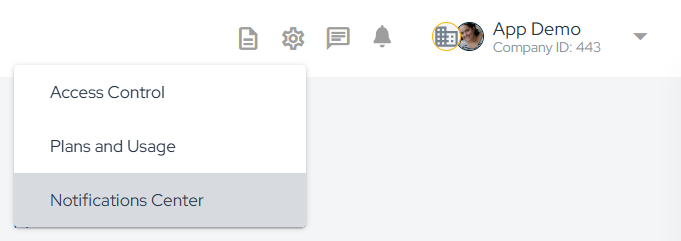
- Click your user menu in the top-right corner of the platform
- Select Notifications Center
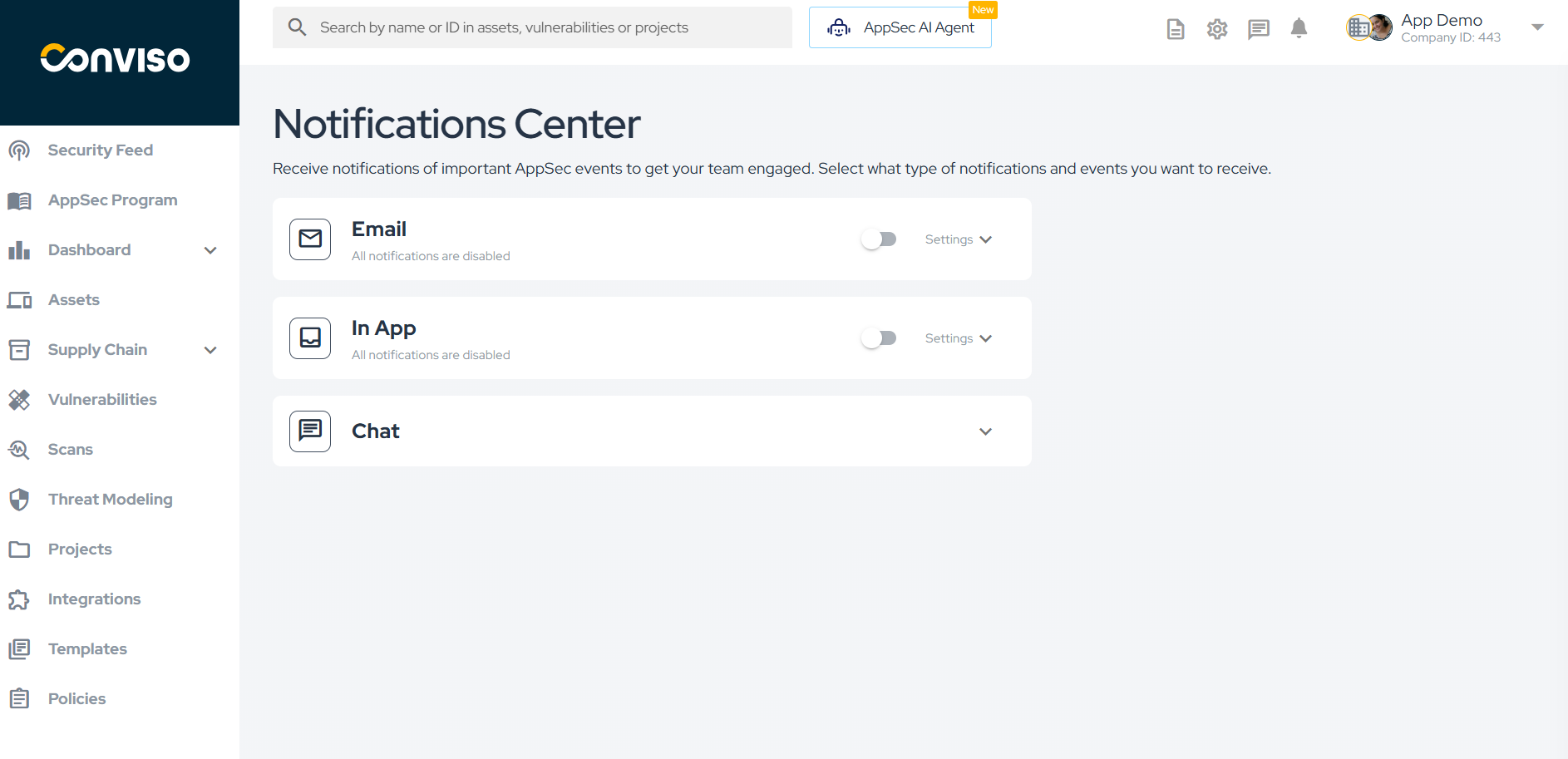
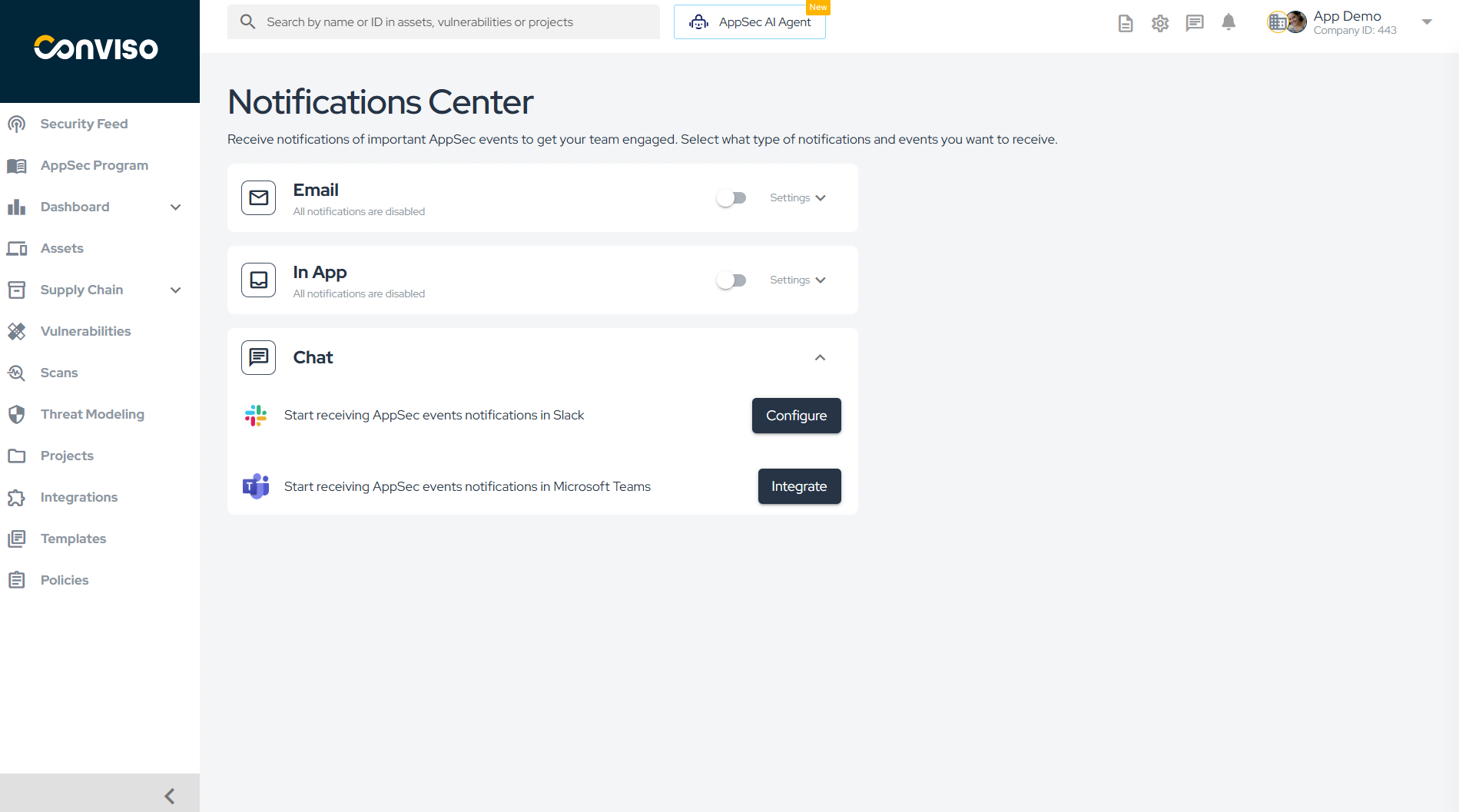
From this page, you can manage all notification channels and event preferences.
Notification Channels
The Conviso Platform supports multiple channels for receiving notifications. Each channel can be enabled or disabled independently.
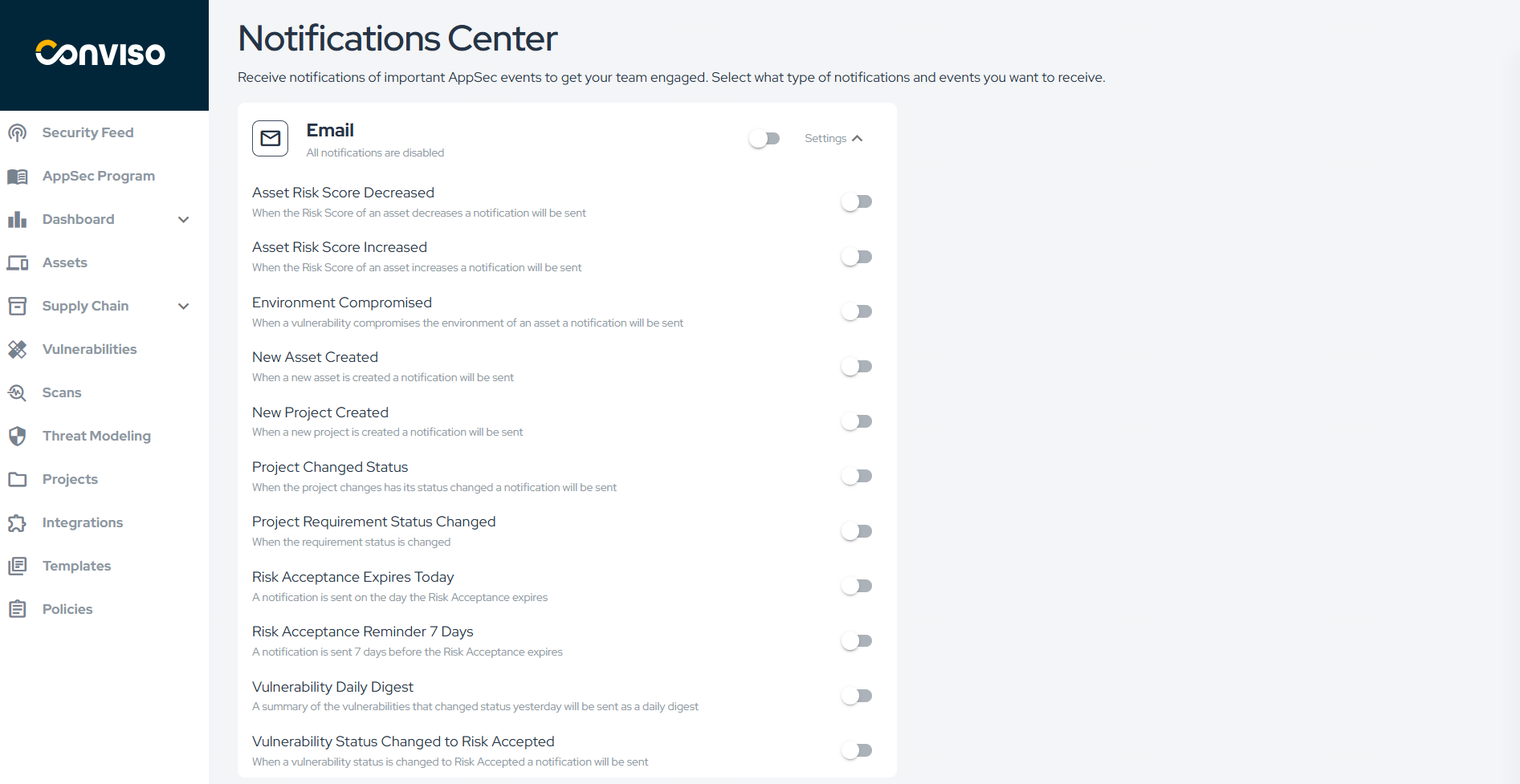
Receive notifications directly in your inbox.
Recommended for:
- Critical security alerts
- Risk acceptance expiration reminders
- Events that require follow-up outside the platform
Email notifications can be customized per event using the Settings option.
In-App
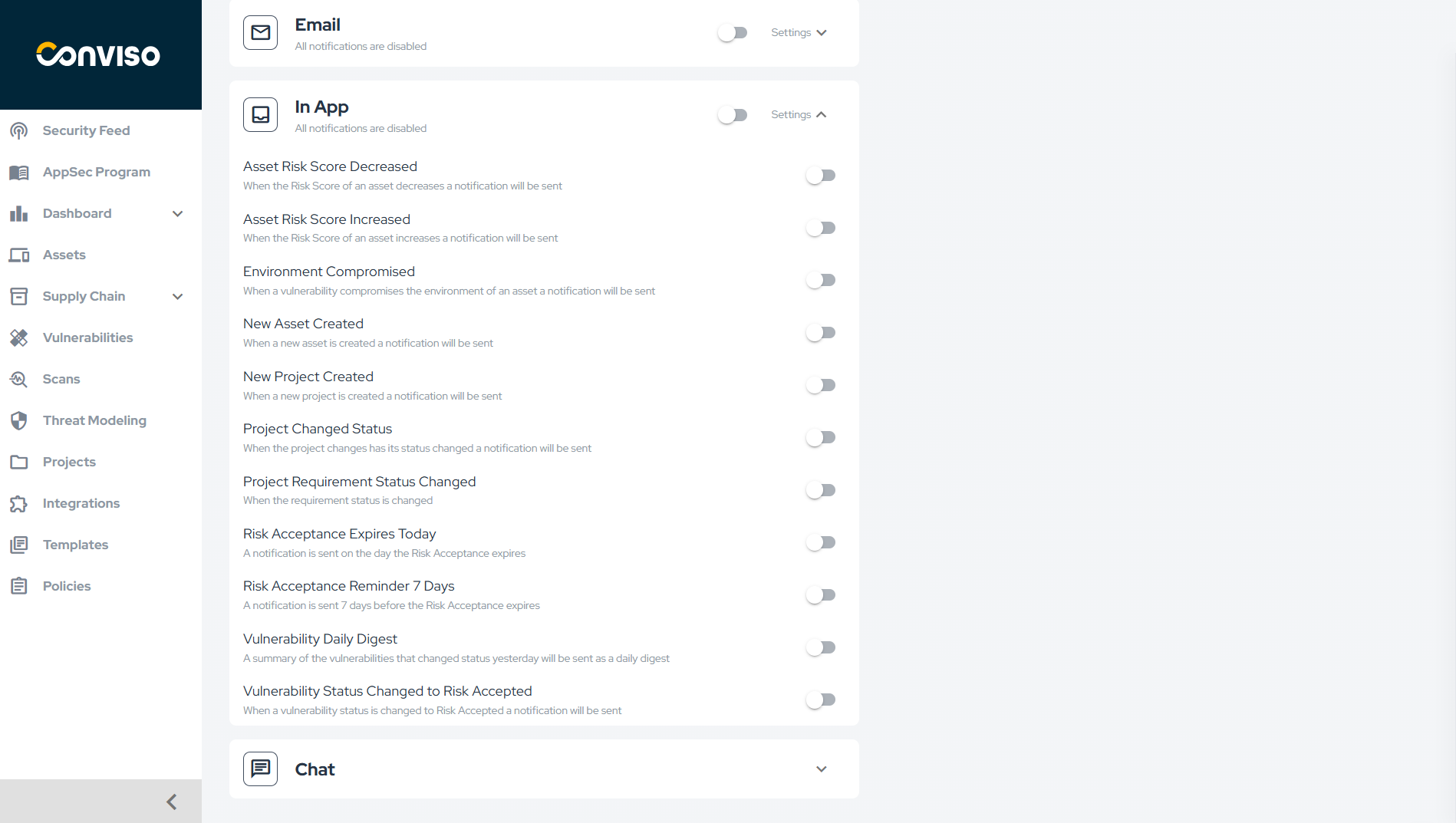
Receive notifications directly inside the Conviso Platform interface.
Recommended for:
- Day-to-day operational visibility
- Real-time awareness while using the platform
- In-app notifications appear in the notification bell and can be configured per event type.
Chat (Integrations)
Send AppSec notifications to collaboration tools used by your team.
Supported integrations:
- Slack
- Microsoft Teams
Chat notifications help surface security events where teams already communicate.
To configure chat notifications, expand the Chat section in the Notifications Center and click Integrate for the desired tool.
A chat integration is connected by one user, and the channel receives that user's notifications. Since the digest only reports what its recipient is allowed to see, the numbers in the channel are the ones visible to whoever connected the integration. If that account is deactivated or loses access to the company, the channel stops receiving.
Slack
Slack integration allows AppSec events to be delivered directly to Slack channels, improving visibility and response time for development and security teams.
For setup instructions, refer to the official documentation: https://docs.convisoappsec.com/integrations/slack
Microsoft Teams
Microsoft Teams integration enables AppSec notifications to be sent to Teams channels, ensuring visibility for teams using the Microsoft ecosystem.
The webhook is created with the Workflows app in Teams. The older Incoming Webhook connector was retired by Microsoft in May 2026 and integrations still using a connector URL no longer deliver notifications.
For setup instructions, refer to the official documentation: https://docs.convisoappsec.com/integrations/microsoft-teams/
Vulnerability Daily Digest
One message per day, sent every morning at around 7:30 (Brasília time), covering what happened the day before. A section only appears when it has something to report, so a quiet day produces a short message — and a company with nothing to report gets no message at all.
| Section | What it reports |
|---|---|
| Vulnerabilities status changes from yesterday | How many vulnerabilities moved to each status: Created, Identified, In Progress, Awaiting Validation, Risk Accepted, Fix Accepted and False Positive. For what each status means, see Workflow Status. |
| Risk score changes from yesterday | How many assets ended the day with a Risk Score different from the one they had before. An asset that changed and came back to the same value is not counted. See Risk Score. |
| New assets created yesterday | How many assets were created. |
| SLA alerts | How many vulnerabilities crossed the Approaching threshold (75% of the SLA window) or Breached it. See Remediation SLA. |
| Risk acceptance | How many risk acceptances expire today or in seven days. |
Every line links back to the platform with the filters already applied, so you land on the exact list the number refers to.
Two things worth knowing:
- The digest is personal. Each recipient sees only the assets and vulnerabilities their access allows, so two people in the same company can receive different numbers.
- SLA crossings are reported once. A vulnerability appears under Approaching once and under Breached once, never repeatedly.
Who receives it: every active user with access to the company, whether granted directly or through a team, on the channels they left enabled.
Other Notification Events
Sent as they happen, not in the digest.
Environment Compromised Triggered when a vulnerability compromises an asset's environment.
New Project Created Triggered when a new project is created.
Project Changed Status Triggered when a project's status changes. For project status definitions, see Workflow Status.
Project Requirement Status Changed Triggered when the status of a project requirement is updated. For the project execution flow, see Process.
Asset Risk Score Increased, Asset Risk Score Decreased, New Asset Created, Risk Acceptance Expires Today, Risk Acceptance Reminder – 7 Days, Vulnerability Status Changed to Risk Accepted and the one-off SLA alerts used to arrive as separate notifications. They are now sections of the daily digest.
Some of them still appear as switches in the preferences list. Turning one on has no effect — nothing triggers those events anymore, and what they used to report reaches you through the digest instead.
Managing Your Notification Preferences
Notification settings are configured per user
- Each channel (Email, In-App, Chat) can be managed independently
- Events can be selectively enabled per channel
- Changes take effect immediately
Best Practices
- Use In-App notifications for continuous operational awareness
- Use Email for the daily digest and for deadline-based reminders
- Use Slack or Microsoft Teams to give the whole team the same daily picture
- Avoid enabling all events across all channels to reduce notification fatigue
Notes and Limitations
- Notification settings are user-specific and not global
- Chat notifications require an active integration
- The digest reports the previous day, so a change made today shows up tomorrow morning
- Notifications complement dashboards and reports but do not replace in-depth analysis
Enhance your development lifecycle's security with the Conviso Platform. Join us today and foster a security-first culture!
Support
Should you have any questions or require assistance while using the Conviso Platform, feel free to reach out to our dedicated support team.
Contribute to the Docs
Found something outdated or missing? Help us improve the documentation with a quick suggestion or edit.
How to contributeResources
By exploring our content, you'll find resources that will enhance your understanding of the importance of a Security Application Program.
Conviso Blog: Explore our blog, which offers a collection of articles and posts covering a wide range of AppSec topics. The content on the blog is primarily in English.
Conviso's YouTube Channel: Access a wealth of informative videos covering various topics related to AppSec. Please note that the content is primarily in Portuguese.