SSL Certificates
Overview
SSL/TLS certificates are managed in Conviso Platform as a first-class asset type. They are not a tab inside another asset: certificates have their own list, their own detail page and their own issuance flow, under Inventory > Assets > Certificates in the left menu, alongside Repositories, Cloud, FQDN and API.
From that area you can:
- Issue a certificate through a certificate authority, without leaving the platform.
- Validate control of the domains it covers, by DNS record, HTTPS file or e-mail.
- Track the certificate through its lifecycle, from the order to issuance and expiry.
- Reissue it — the renewal path — and revoke it when it should stop being trusted.
- Download the issued certificate and its CA bundle.
Certificates also appear in your general asset inventory, so a certificate is inventoried like any other asset in your account.
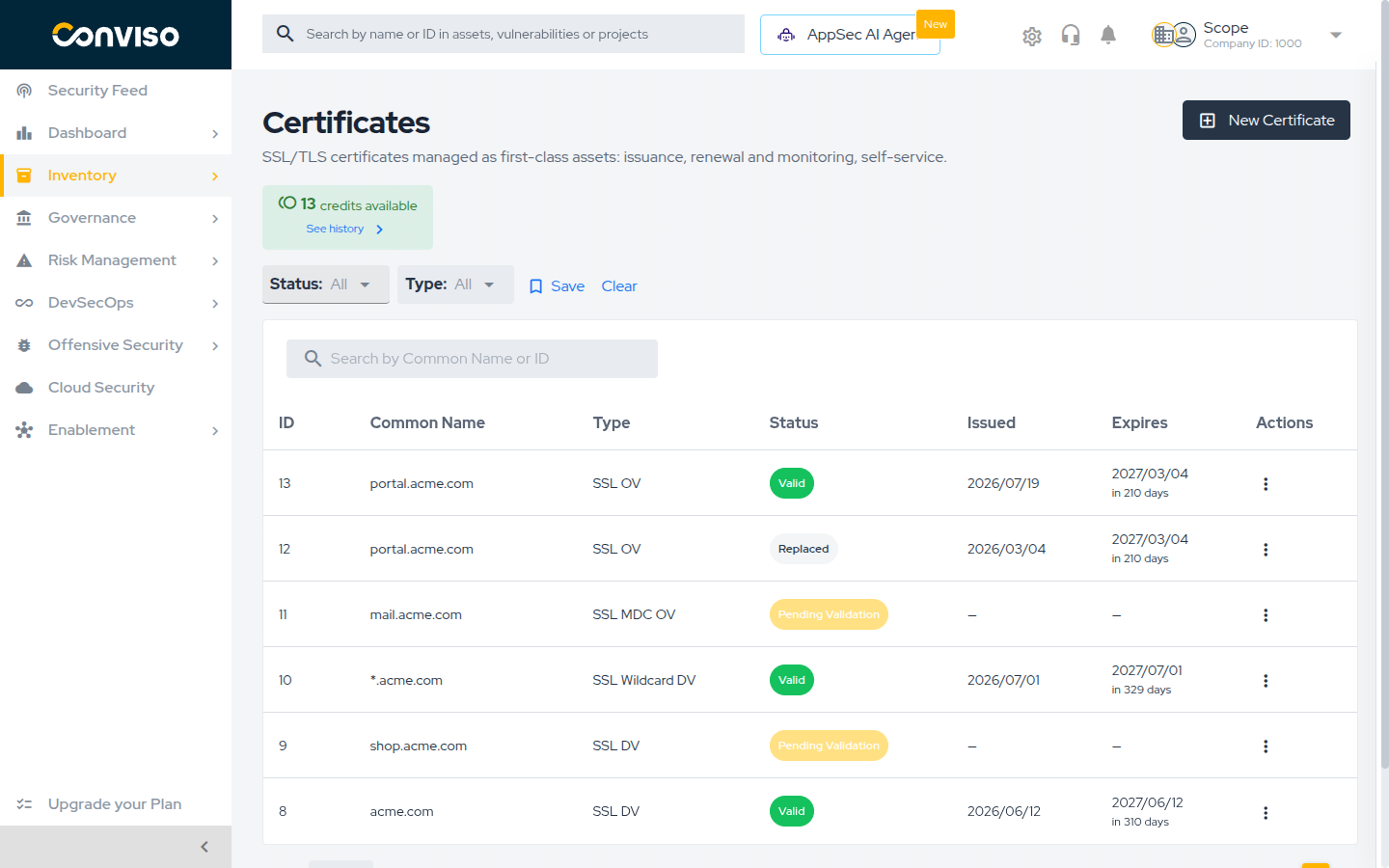
The platform issues certificates through a certificate authority. It does not scan your infrastructure to discover certificates you already have, and it does not produce self-signed certificates. Only certificates issued here are listed.
Certificate Types
Two independent choices define a certificate: how much the certificate authority verifies before issuing it, and how many domains it covers. A product combines one of each — for example a wildcard certificate with domain validation, or a multi-domain certificate with organization validation.
Validation level: DV, OV and EV
The validation level is what the certificate authority checks about you before issuing. It does not change the encryption — it changes what the certificate asserts, and how much work issuance takes.
| Level | What the certificate authority verifies | What you provide | Typical effort |
|---|---|---|---|
| DV — Domain Validation | That you control the domain | A CSR and a validation record | Fastest, fully self-service |
| OV — Organization Validation | Domain control and that your organization legally exists | Everything in DV, plus the organization's legal data and a contact person | Slower: the certificate authority contacts that person |
| EV — Extended Validation | Everything in OV, plus the jurisdiction where the organization is registered | Everything in OV, plus jurisdiction data and three named vetting contacts | Longest: the most documentation and the most verification |
For OV and EV, the certificate authority contacts the person you register as the Application Representative, by phone or e-mail, to confirm the request was authorized. Issuance stays pending until that person responds. Register someone who is reachable — an unreachable contact is the most common reason an OV or EV order stalls.
Domain coverage: single, wildcard and multi-domain
The coverage decides which host names the certificate is valid for.
| Coverage | Shown in the Type column as | Covers |
|---|---|---|
| Single | SSL DV, SSL OV, SSL EV | One fully qualified domain name, for example www.acme.com |
| Wildcard | SSL Wildcard DV | A domain and one level of its subdomains, for example *.acme.com |
| Multi-domain (MDC) | SSL MDC OV | Several distinct domains in a single certificate |
| SAN / Unified Communications | SSL SAN EV | Several host names listed as Subject Alternative Names |
| Multi-domain with wildcard | SSL MDC Wildcard DV, SSL SAN Wildcard DV | Several domains, where any of them may be a wildcard |
The Type column combines both axes, so SSL Wildcard DV is a wildcard certificate with domain
validation, and SSL MDC OV is a multi-domain certificate with organization validation.
Which combinations are allowed
Not every coverage works with every validation level, and the platform refuses invalid combinations before the order reaches the certificate authority:
- EV certificates cannot cover wildcard domains. A wildcard needs DV or OV.
- Whether a multi-domain certificate can contain a wildcard depends on the product you spend.
SSL MDC DVandSSL SAN DVreject one, in the Common Name and in the additional domains alike.SSL MDC Wildcard DVandSSL SAN Wildcard DVaccept one in either place, and each wildcard takes one of the certificate's domain slots, exactly like an ordinary domain. Multi-domain EV products never accept one. - A wildcard product requires a Common Name starting with
*., and a non-wildcard product rejects one. - Wildcard domains cannot be validated over HTTPS. They accept DNS (CNAME) or e-mail validation only.
If you need to protect an unpredictable set of subdomains, choose a wildcard. If you need to protect a fixed set of different domains, choose a multi-domain certificate and list them as additional domains. If you need both at once — a fixed set of domains where one of them has to be a wildcard — choose one of the multi-domain wildcard products. If a browser padlock showing your legal identity matters to your business, choose OV or EV — and plan for the extra verification.
Before You Start
The SSL Certificates module is licensed separately from the rest of the platform. If the Certificates item does not appear under Inventory > Assets, the module is not enabled for your account — contact Conviso to have it enabled.
Once the module is enabled, access is still controlled by your access profile. Four separate permissions exist for certificates, and they can be granted independently:
| Permission | Allows |
|---|---|
| Read | Viewing the certificate list, the detail page and the credits |
| Create | Requesting credits and issuing new certificates |
| Update | Changing validation methods, revalidating, synchronizing and reissuing |
| Delete | Revoking a certificate and rejecting an issuance |
Ask your account administrator to review these on the access profile if you can see certificates but cannot act on them.
Certificate Credits
Issuing a certificate consumes one credit. A credit is bought in advance and carries the product it can be spent on: the validation level, the coverage, the number of domains and the subscription term in years.
Two rules are worth memorizing:
- Issuing a certificate consumes one credit.
- Reissuing consumes none. Within the subscription term, you can reissue a certificate as often as you need — that is how renewal works. See Renewing with Reissue.
Checking your balance
The Certificates list shows your available balance above the table, with a hint when it is running out:
| Balance | What you see |
|---|---|
| More than 3 credits | The count of credits available |
| 1 to 3 credits | A warning and Request more credits before continuing |
| No credits | An alert and No credits: request some before issuing a certificate |
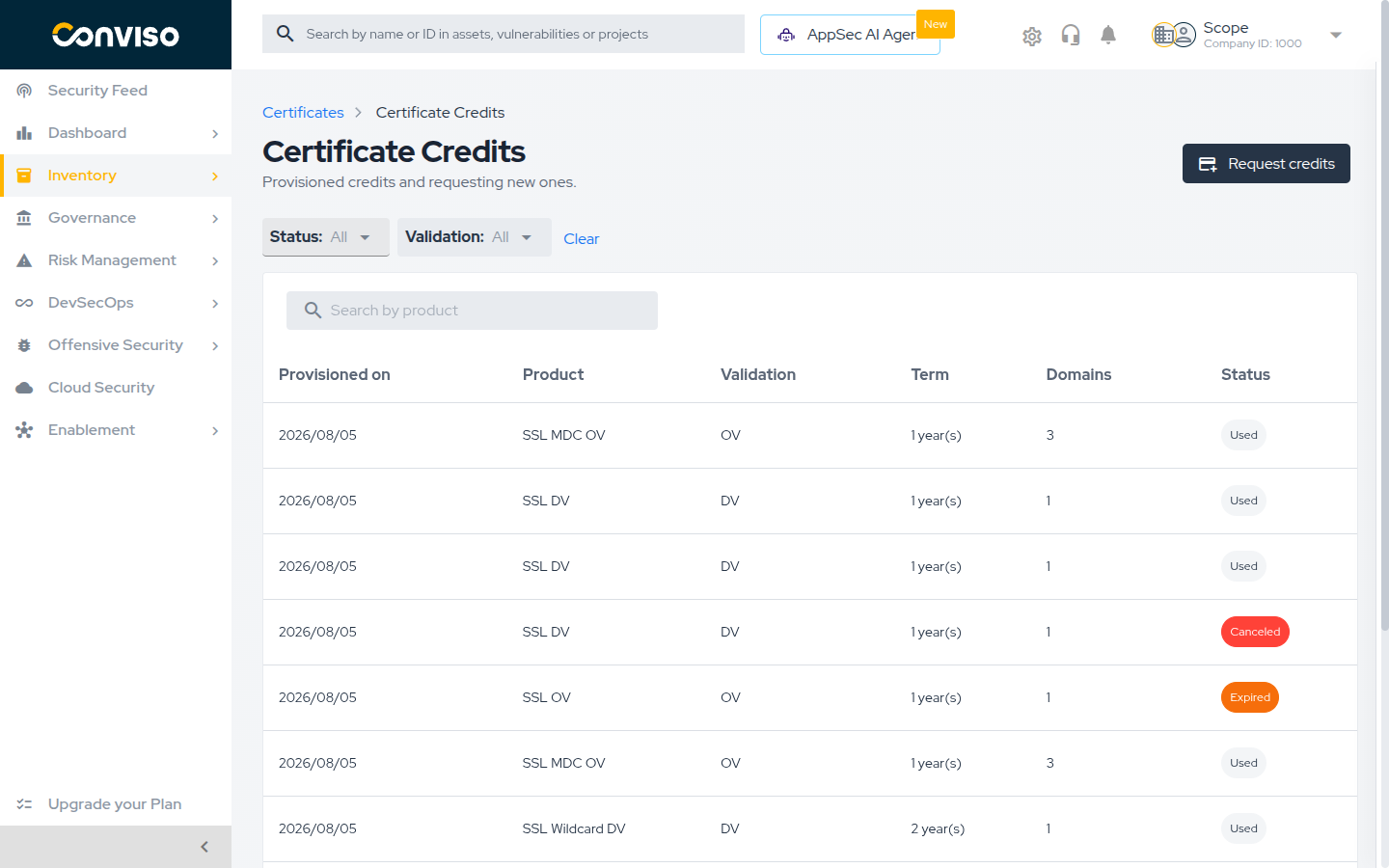
Select See history to open the Certificate Credits page, which lists every credit provisioned for your company:
| Column | Content |
|---|---|
| Provisioned on | When the credit was added to your account |
| Product | The certificate product the credit can be spent on |
| Validation | DV, OV or EV |
| Term | The subscription length in years |
| Domains | How many domains the credit covers |
| Status | Available, Used, Expired or Canceled |
Only credits with status Available can be spent. Filter the list by Status and by Validation, or search by product name.
Requesting credits
Credits are not self-served. Requesting them opens a support ticket, and the Conviso team provisions them for your company.
-
Open Inventory > Assets > Certificates, then select See history.
-
Select Request credits.
-
Fill in the request:
Field Required Notes Product Yes The certificate product you want credits for Term Yes Limited to the terms that product offers, from 1 to 5 years Number of credits Yes Defaults to 1, up to100per requestNote (optional) No Context that helps support fulfil the request -
Review the summary under This ticket will be submitted with: and select Request.
The platform confirms with Request sent to support. and opens the ticket it created, so you can
follow the request there.
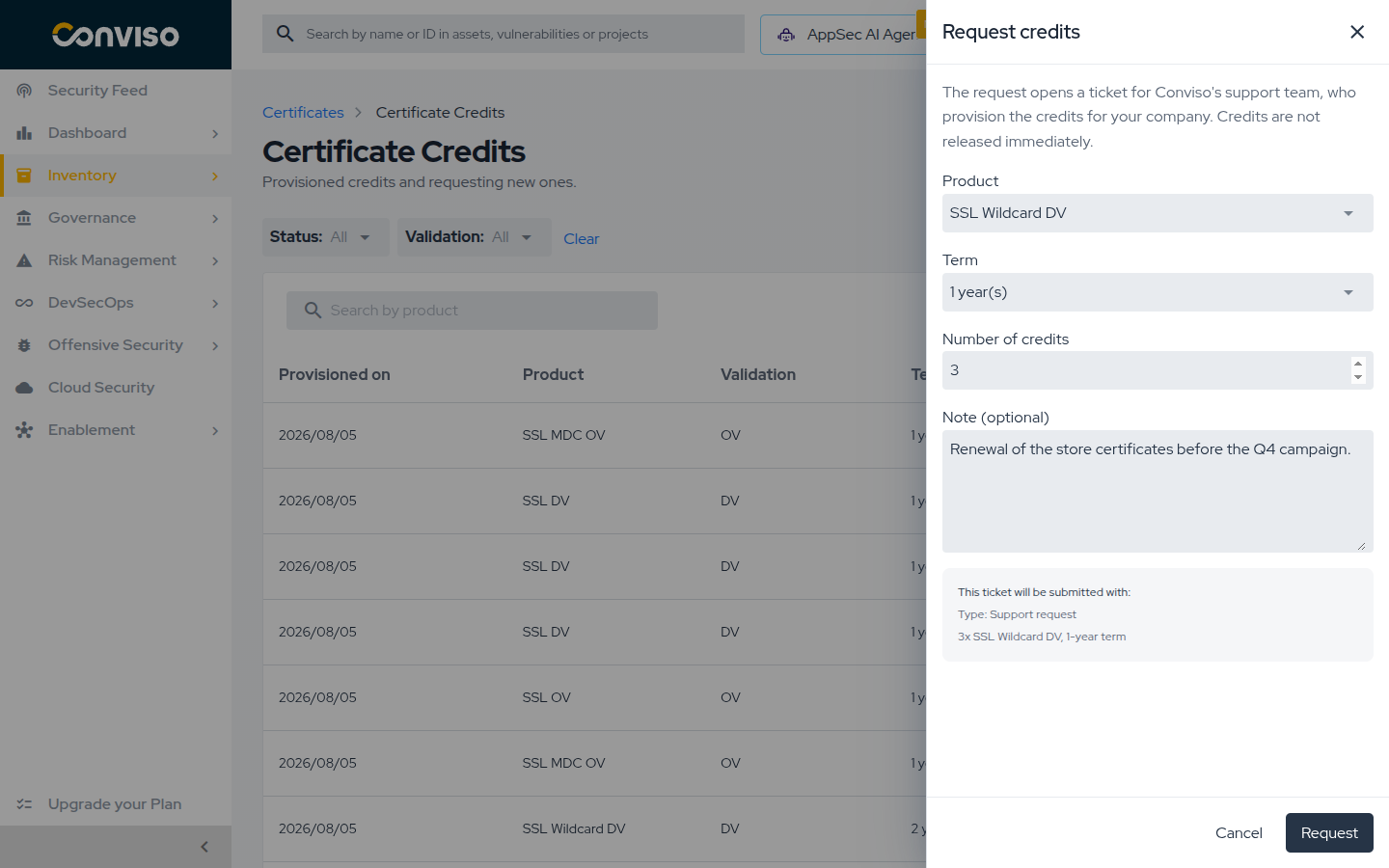
Credits are not released immediately. The request is fulfilled by the Conviso team, so plan ahead of the date you need the certificate — particularly for OV and EV, where issuance itself also takes longer.
What to Read Next
- Issuing a Certificate — the issuance wizard, step by step, from choosing a product to publishing the validation record.
- Managing Certificates — tracking, validating, downloading, reissuing and revoking a certificate.
- Automating Certificates with ACME — issuing and renewing certificates with certbot, cert-manager or any ACME client.
Related Areas
- Asset Management — the asset list, filters and export flows that also cover your certificates.
- Repositories and Branches — the repository asset type.
- User Management — access profiles and the permissions described above.
Support
Should you have any questions or require assistance while using the Conviso Platform, feel free to reach out to our dedicated support team.
Contribute to the Docs
Found something outdated or missing? Help us improve the documentation with a quick suggestion or edit.
How to contributeResources
By exploring our content, you'll find resources that will enhance your understanding of the importance of a Security Application Program.
Conviso Blog: Explore our blog, which offers a collection of articles and posts covering a wide range of AppSec topics. The content on the blog is primarily in English.
Conviso's YouTube Channel: Access a wealth of informative videos covering various topics related to AppSec. Please note that the content is primarily in Portuguese.